Unicable GigaBlue Box
Unicable Configuration
Unicable house wiring with Unicable multi-switch on two satellites (Astra / Hotbird)
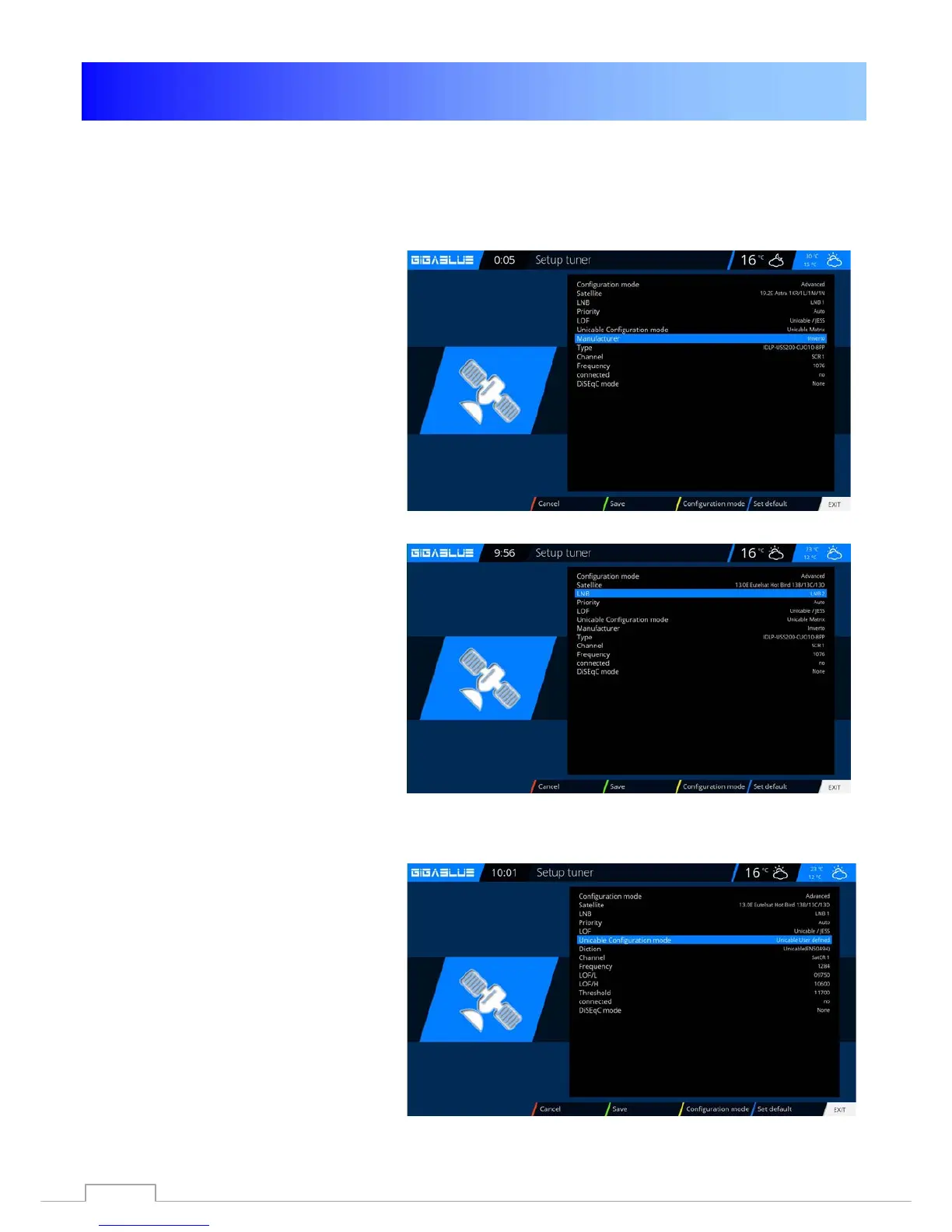
Menu -> Setup -> Tuner -> Basic setting -> Choose Tuner
Configuration mode -> Advanced
Satellit -> Select a satellite (for
example,Astra 19.2°E)
LNB -> LNB1
Priority -> Auto
LOF -> Unicable
Unicable
Configuration -> Unicable Matrix
Manufacturer -> Manufacturer of Matrix
Type -> Type of Matrix
Channel -> select one of the 8 channels
Frequenz -> is permanently linked with the
channel and can not be changed here
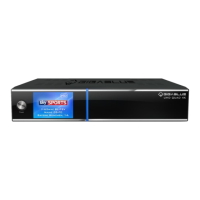
Satellit ->
select the second satellite (e.g.
Hotbird 13.0°E)
LNB -> LNB2
Priority -> Auto
LOF -> Unicable
Unicable Configuration -> Unicable Matrix
Manufacturer -> select the same manufacturer
as for the first satellite
Type -> choose the same type as for the first
satellite
Kanal -> Select the same channel as for the
first satellite
Frequenz -> is permanently linked with the
channel and can not be changed here
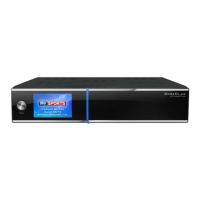
Unicable with any exotic parameters
Menu -> Setup -> Tuner -> Basic setting ->
Choose Tuner
Configuration -> advenced Satellit -> select
the first satellite (zB. Astra 19.2°E)
LNB -> LNB1
Priority -> Auto
LOF -> Unicable
Unicable Configuration -> Unicable User
defined Here you can choose all parameters
free itself.
If more than one tuner available, so each tuner must be assigned its own channel
61


 To Next Page