Operation of GigaBlue Box
Parental control
Setting the protection of minors
This describes how the protection of
minors will be activated and set at the
GigaBlue box.
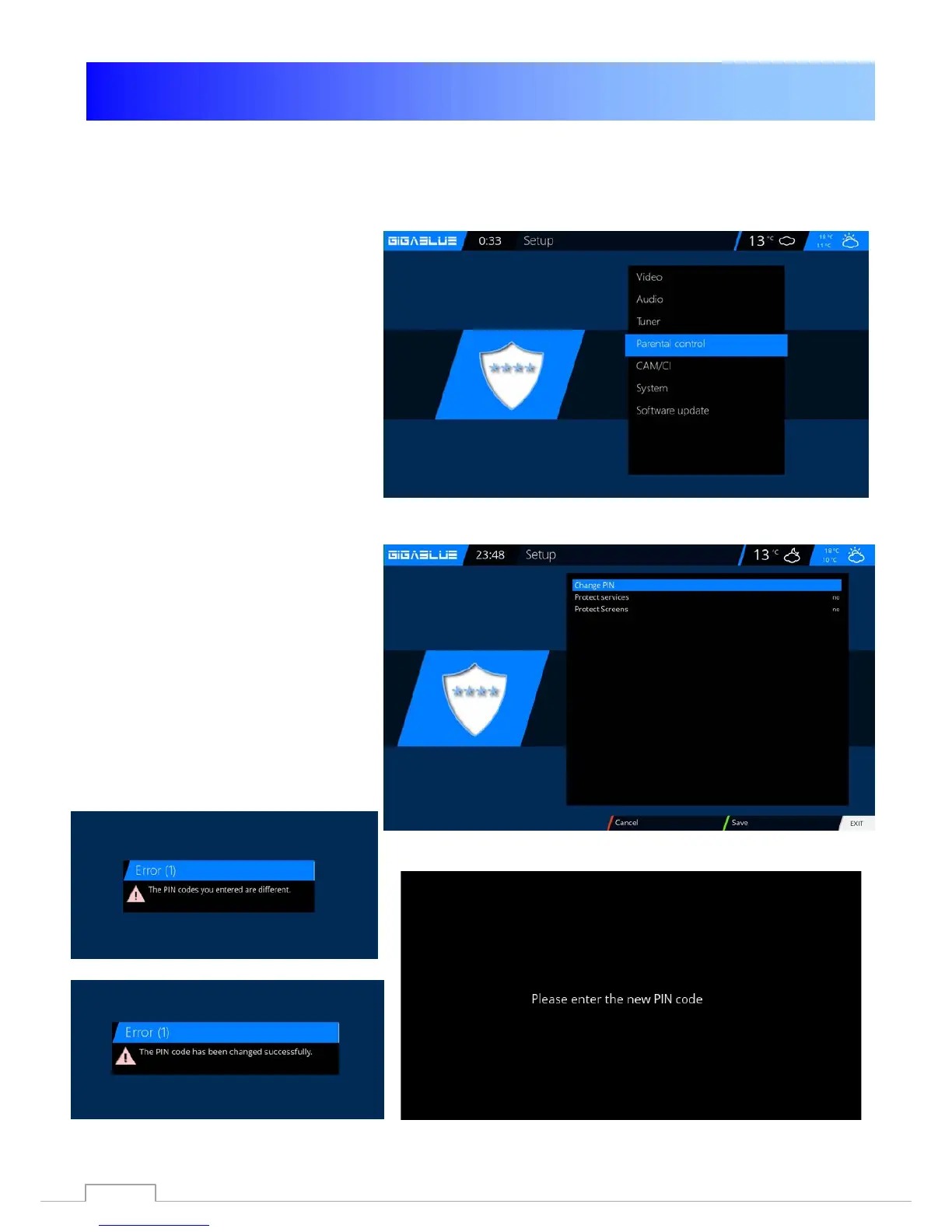
Go into the Settings menu and select
parental protection from Fig.1.
You can now choose positive or
negative list.
The positive list means that any non-
parental control list added channels will
be blocked.
The negative list, however, means
that all of the added to the parental
control list will be locked.
Change Pin code
If you want to change the PIN code
press OK Fig.1.
You are prompted first to enter the old
PIN is 0000. in the ground state Fig.2
Now enter the new PIN and repeat it
Fig.3.
Were different pins enter the message in
Fig.4, otherwise if everything was
entered correctly, the message appears
in Fig.5 and confirm with
OK.
Fig. 1
Fig. 3
Fig. 4
Fig. 5
36



 To Next Page