Operation of GigaBlue Box
Rotor with USALS
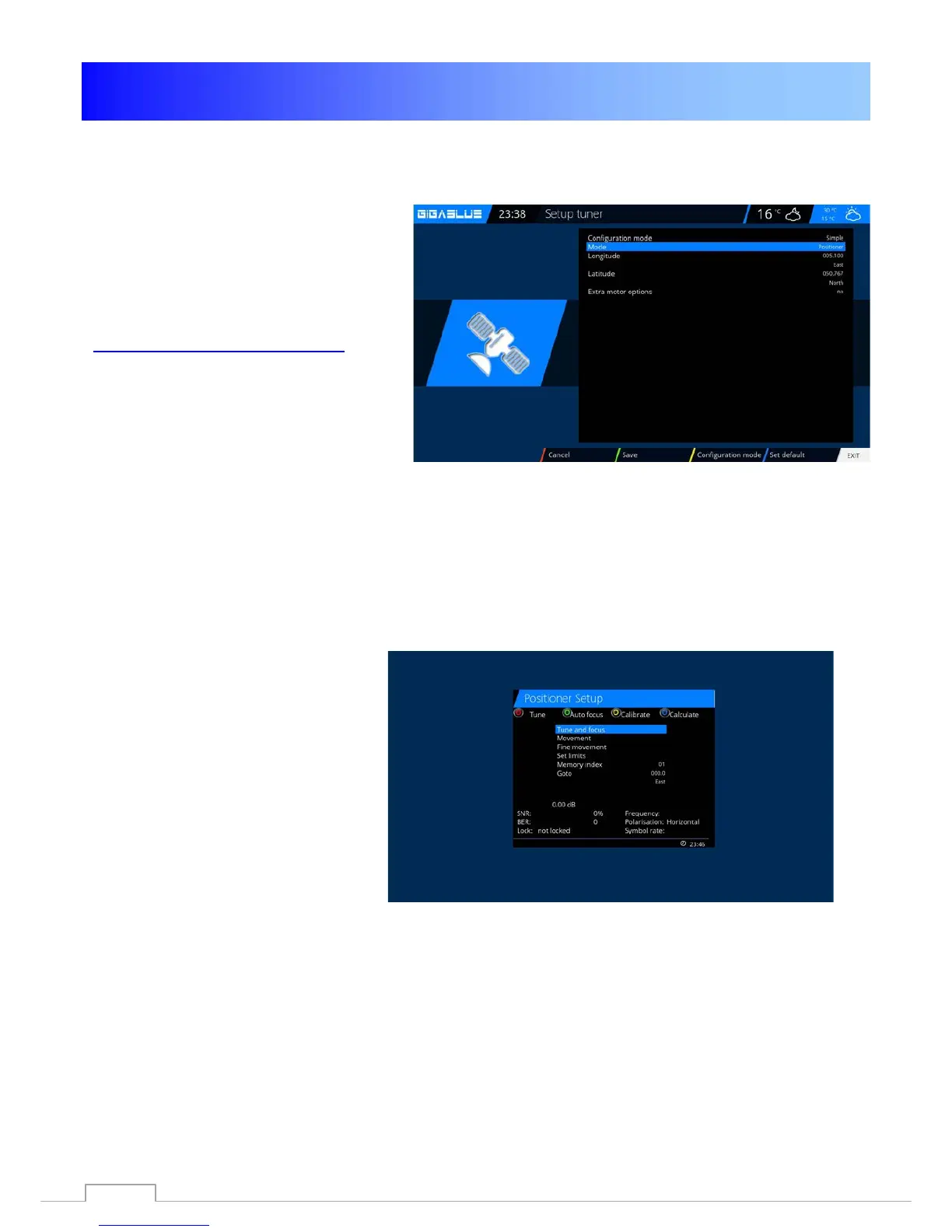
Menu (Setup / tuner / tuner
configuration
Please select with arrow keys ◄►
rotor
Enter here the geographic data of
your location longitude and latitude,
this, see, for example,
http://www.heavens-above.com
.
The GigaBlue Box does the rest for
you when you select a satellite or
change the channel.
The system developed by the
company staff calculation module
USALS, turns your satellite system
with an accuracy of 0.1 degrees on
the respective satellite fully
automatically.
Rotor without USALS
Navigate with the arrow keys ◄►
Advanced. Now navigate the arrow
keys ▲ ▼ to DiSEqC mode and select
1.2. Now go use the arrow keys ▲ ▼ to
the point USALS for this satellite and
set it to NO.
Now move with the arrow keys
▲ ▼ to stored positions and give the
above-mentioned position is stored in
the rotor. These can be found in the
rotor manual.
58



 To Next Page