Operation of GigaBlue Box
Immediately Recording
Prerequisite here is an internal e-Sata
HDD or external HDD to the USB port is
connected and set up, see page 40
th
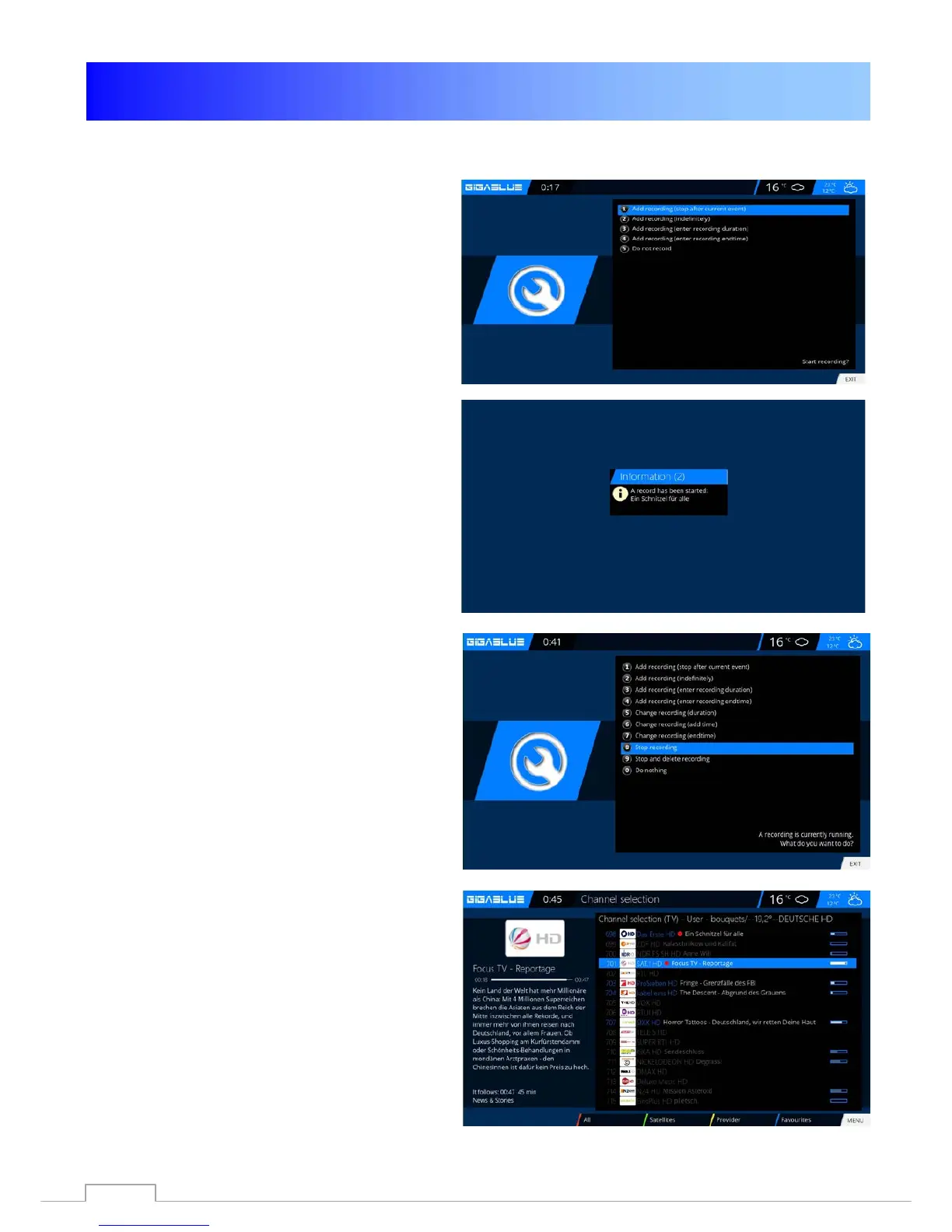
An instant recording is started by pressing
the Record button, it opens to see the
menu as shown in Fig.1. You are now 5
options for selection see Fig.1.
1) Add recording the current program.
2) Add Recording indefinitely
3) Add Recording enter recording duration.
4) Add Recording enter recording endtime.
5) Do not recording
Move with the arrow keys ▼ ▲ to the
appropriate selection and click OK to confirm.
To stop recording, press the Record button
and move with the arrow keys ▼ ▲ to the
corresponding selection Punk 8, and then click
OK. Fig.3
If multiple records have been started,
which lie on the same transponder, you
will be offered a choice.
You can further broadcasts recording lying
on the same transponder, or even
watching Fig.4, the channels are not
available are grayed out.
Fig.1
Fig.2
Fig.3
Fig.4
65



 To Next Page