Operation of GigaBlue Box
Program selection
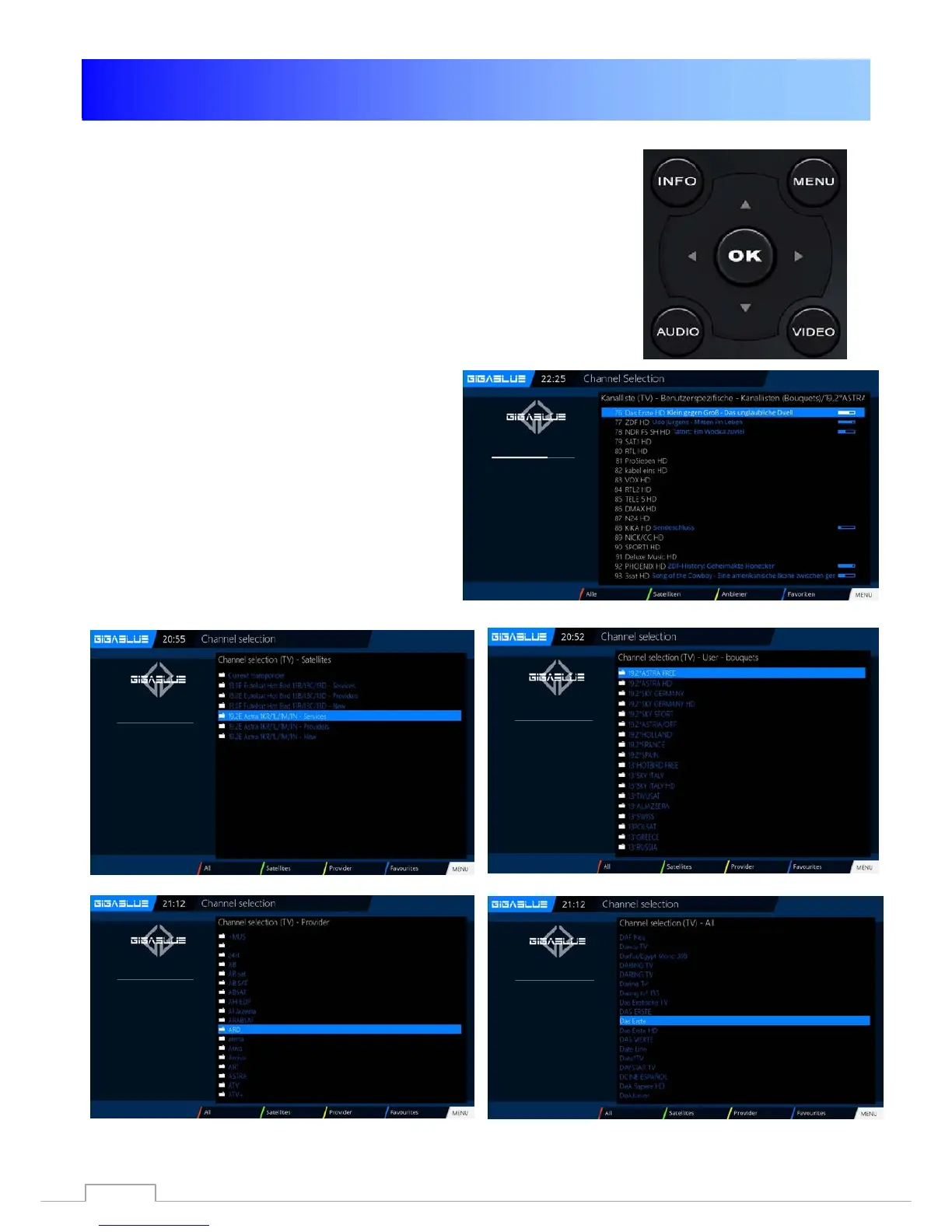
Press the arrow buttons ▲ ▼ on the remote control GigaBlue
Box it opens the channel list.
Now navigate the arrow keys ▲ ▼ to the desired channel and
press OK, it will be switched to that channel.
RED Button to watch all Channels
GEEN Button will be open Satellite List
YELLOW Button will be open Satellite List
BLUE Button will be open Favorite List
GEEN Button will be open Satellite List
YELLOW Button will be open Satellite List
BLUE Button will be open Favorite List
RED Button to watch all Channels
23



 To Next Page