Operation of GigaBlue Box
Timer
Menu / Timer
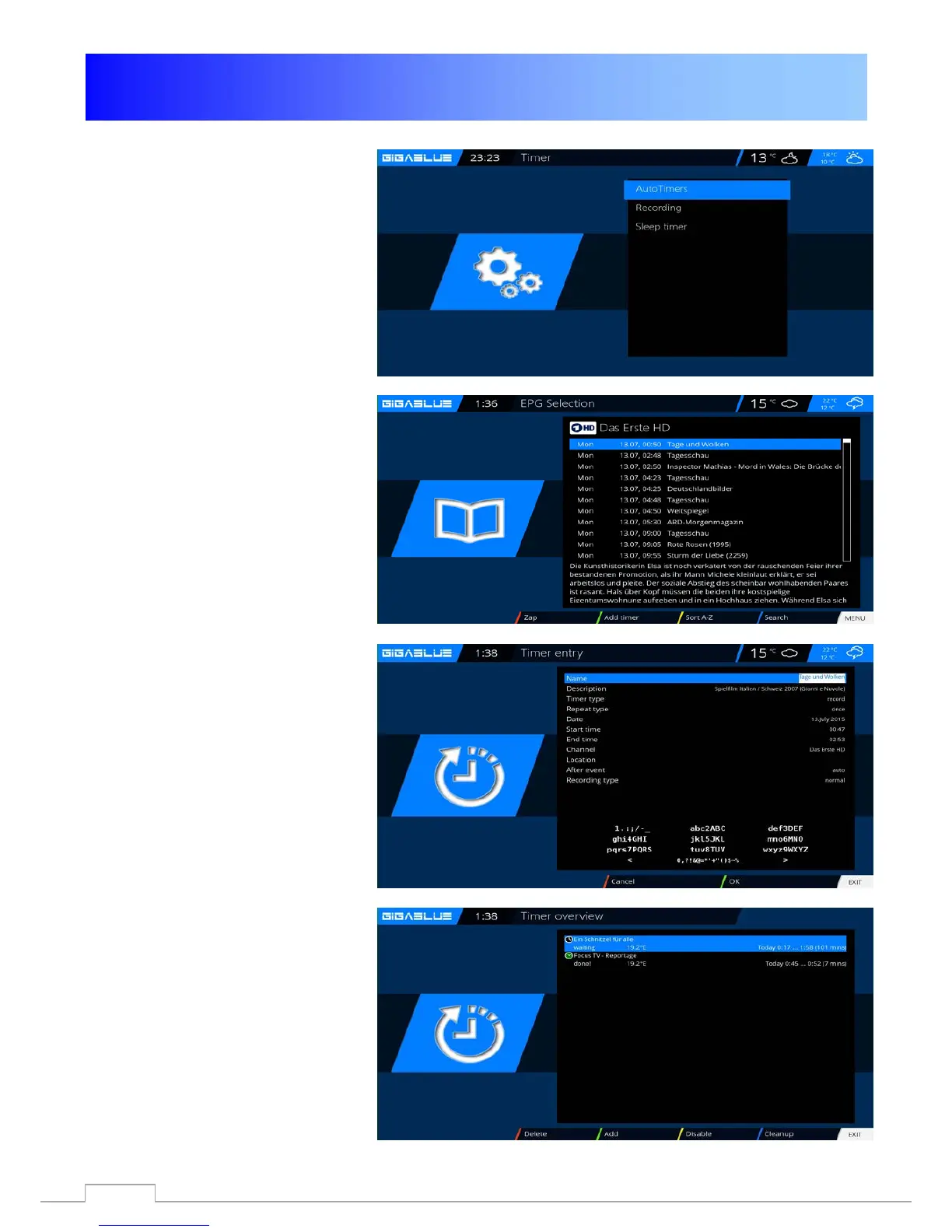
Here you have several options
Auto Timers
Record
Sleep Timer
Open the main Menu, use the arrow
buttons ▲ ▼ in Timer (timer) and
press the OK button Fig.1
Autotimer Fig.2
Add With the
BLUE button and
select Bouquet program you use the
arrow buttons ▲ ▼ in timer (Timer)
and confirm with the OK button Now
you can choose the program and
confirm with the GREEN button
Fig.1
Recording
Want to select record the program on
the Timer Fig.3 press the GREEN
button.
Clear timer
Menu/Timer/Recording
Select the program you want to
delete from the Timer Fig.2 and
press the
BLUE button and RED
button.
You will see a message if you want
to do this, press the OK button and
the timer is cleared Fig.4
Fig.2
Fig.3
Fig.4
67



 To Next Page