Operation of GigaBlue Box
Insert Marker
Use the arrow keys ▼ ▲ to enter the channel
list. Press the
BLUE button to display in your
favorites list, then select the bouquet from
where you want to insert a marker. Navigate to
the location where the marker is to be placed.
The marker will be added above the selected
channel.
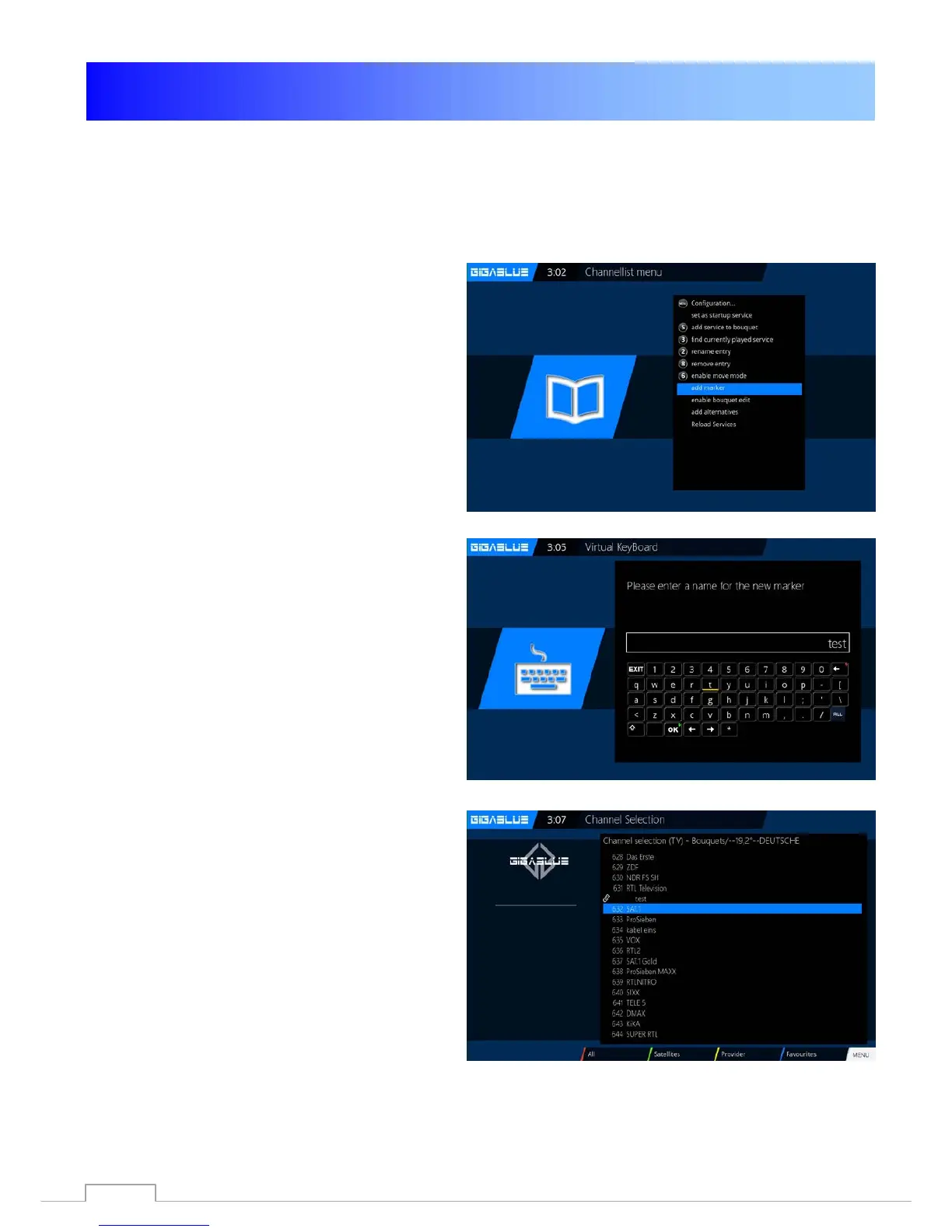
Press the Menu key and select Insert markers
confirm with OK Fig.1.
Enter the marker name. Please fill in the
numeric keypad; it can be used numbers and
letters Fig.2. When you are finished, press the
OK button and the marker will be dropped
Fig.3.
Fig. 1
Abb. 2
Fig. 2
Fig. 3
35



 To Next Page