Operation of GigaBlue Box
User Interface / Skin
Skin
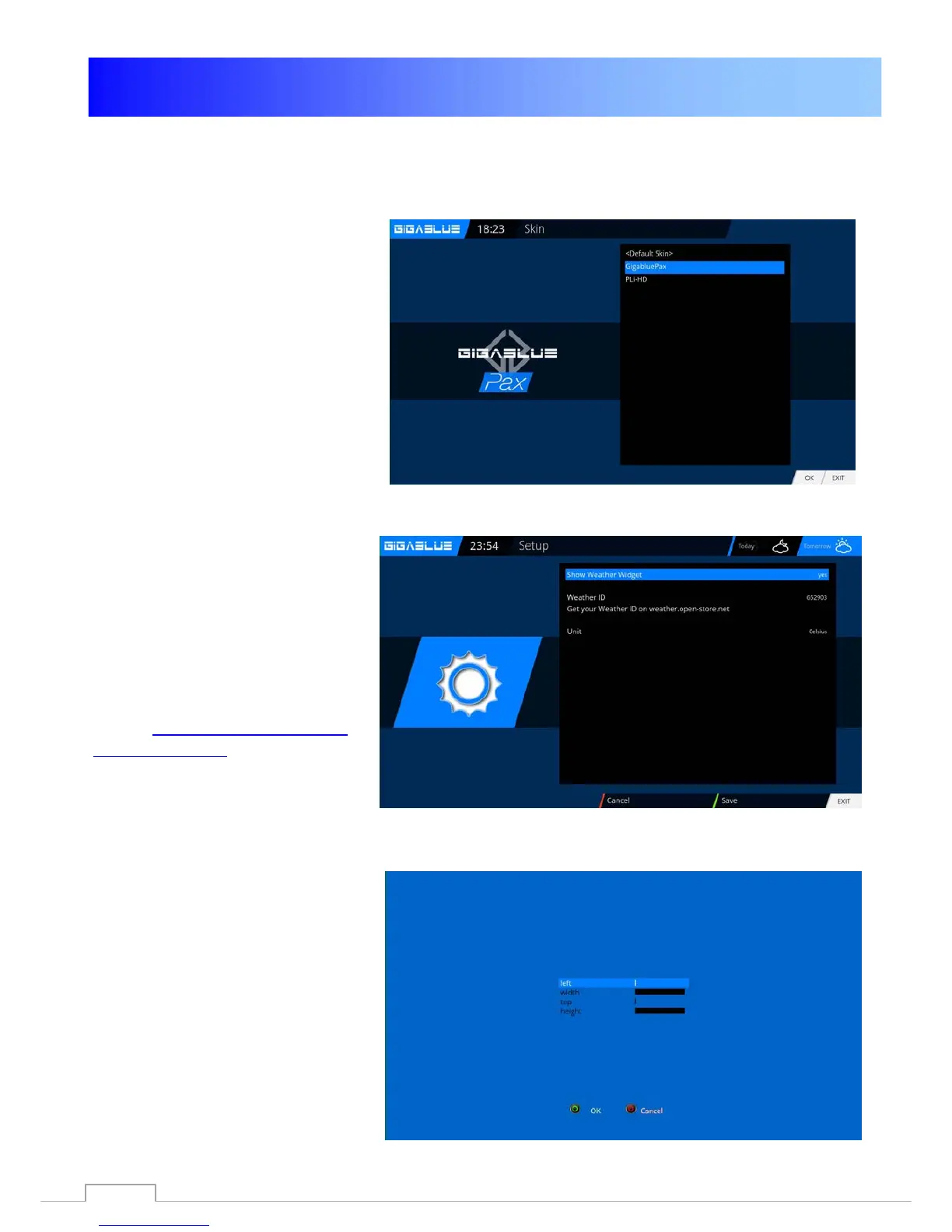
Go to the menu and use the arrow
keys ▲ ▼ ◄► Setup / System /
User Interface / Skin and confirm
with OK
Use the arrow keys ▲ ▼ ◄► to
select Skin and accept with OK
Weather
Open the main menu, use the arrow
keys ▲ ▼ to Setup / System / User
Interface / WeatherGigaBlue Pax
and press the OK button.
Navigate the menu using the arrow
keys ▲ ▼ ◄► enter the Weather ID
and press the OK button to save.
Abb1.
You can find weather ID number under
the site
http://metrixweather.open-
store.net/gigablue
Please enter your zip code or city
name and press Search, you will see
weather ID.
Position and Size
Go to the menu and use the arrow
keys ▲ ▼ ◄► Setup / System /
userinterface / location and size with
OK
Use the arrow keys ▲ ▼ ◄►, you
can adjust margins and select accept
with OK
79



 To Next Page