The first Start
Start wizard 6
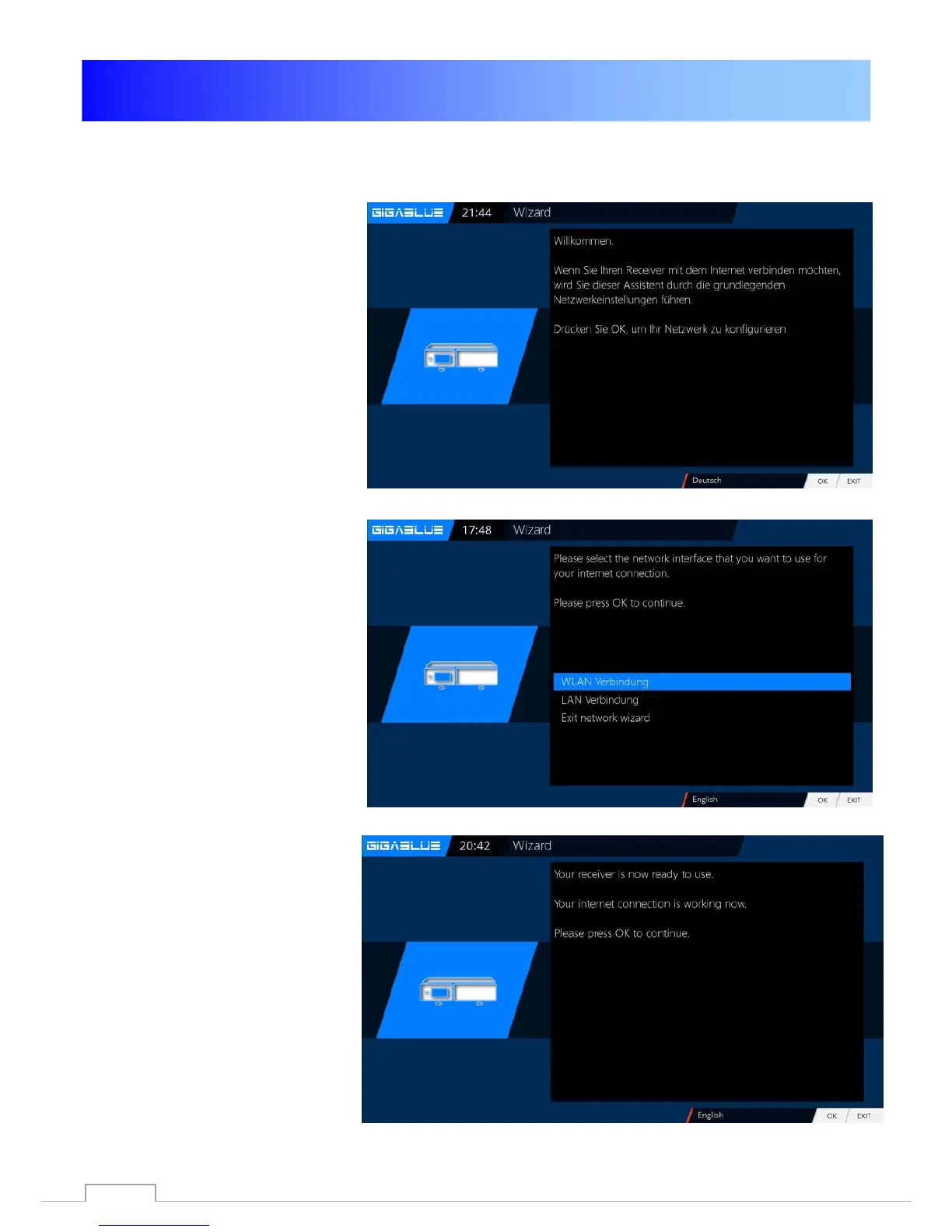
Next, the network is configured.
Press OK to move to the next menu
Fig.1.
Apply in Fig.2 the settings and click
OK.
If you want to assign a static IP,
press the arrow keys ◄► and set
DHCP to NO.
Now set the network so. That it fits
to your network.
If you have chosen a wireless LAN,
press the OK button WLAN
configuration see page 52 and 53
Now your GigaBlue box for the first
start is configured Fig.3. Click OK
to close the installation.
Fig. 1
Fig. 2
Fig. 3
20



 To Next Page