Operation Network Settings
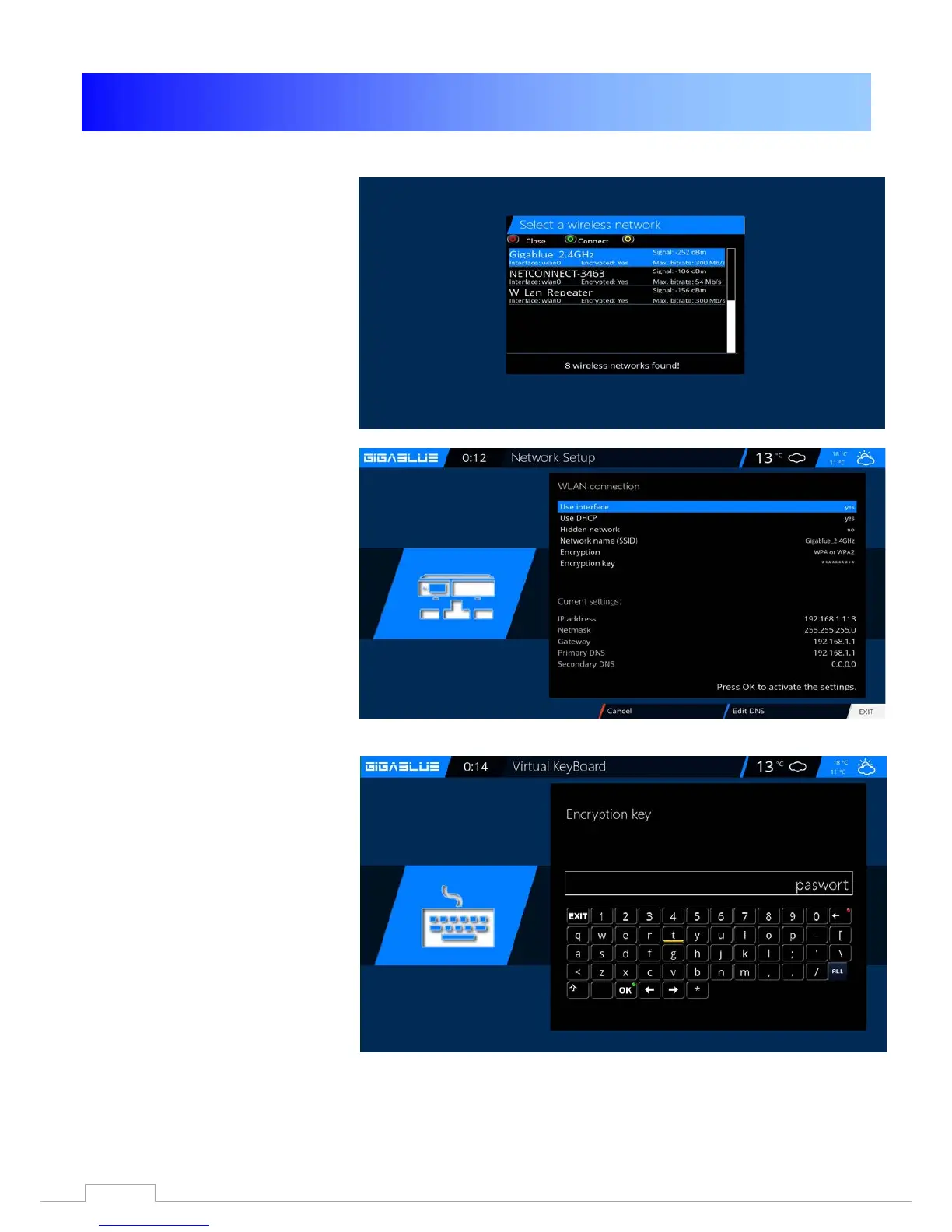
WLAN setting
Fig.4
Now activate the Wi-Fi adapter,
use the arrow keys ◄► confirm
afterwards with OK.Abb.5,
Select encryption
WPA and WPA2
Then enter your security key.
Fig.5.
With the TXT button to enter
the Virtual Keyboard Fig.6
After entering confirm with the
GREEN Button
Fig.5



 To Next Page