Home
GigaBlue
Receiver
hd quad plus
Page 81 (Webbrowser Navigate)
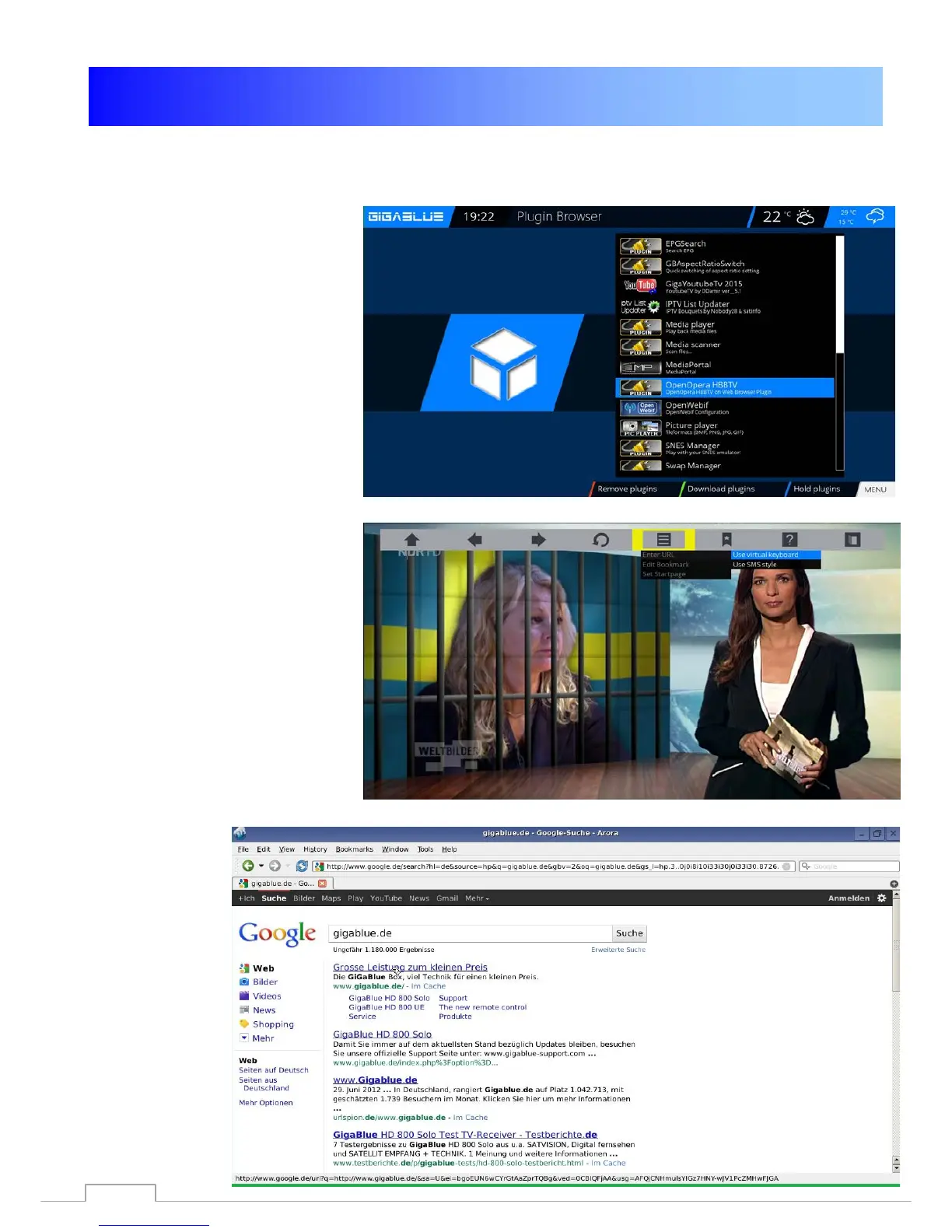
GigaBlue hd quad plus - Webbrowser Navigate
92 pages
Manual
Save Page as PDF
To Next Page
To Next Page
To Previous Page
To Previous Page
Loading...
Webbrow
ser GigaBlue
Box
Webbrow
ser navig
ate
Please connec
t via the US
B port,
a cordless ke
yboard an
d mouse
or GB RCU with the k
eyboard.
You can use the W
eb browser to
the
Gi
gaBlue R
emot
e
Contr
ol
.
Please press
M
enu
but
ton Fig.2
Fig.1
Fig.2
81
80
82
Table of Contents
Main Page
Table of Contents
3
Key Features
4
Safety Instructions
5
Notes: Disposal
6
Delivery Content
7
Remote Controls Functions
8
Remote Controls Functions
9
Front View
10
Rearpannel / Quad Plus
11
Installation
13
TV Devices RCA / Component
13
Dolby Digital Amplifier
14
The First Start
15
Start Wizard 1
15
Start Wizard 2
16
Start Wizard 3
17
Start Wizard 4
18
Start Wizard 5
19
Start Wizard 6
20
Channel List Install
21
Operation of Gigablue Box
22
Turning on and off
22
Program Selection
23
Volume / Audio Selection
24
Sub Channels
25
TV Radio Switch
25
Teletext
26
Subtitle
26
Program Information's
27
Program Information's
28
Epg
29
Create Bouquet
30
Add Channels
31
Add Channels
32
Delete Channels from the Favorites List
33
Move Channels from the Favorites List
34
Insert Marker
35
Parental Control
36
Lock Channels
37
Lock Channels
38
Lock Bouquets
39
Protect Settings Youth Protection
39
HDD Operation
40
Commissioning of the HDD
41
Commissioning of the HDD
42
Operation of Gigablue Box
43
Sleep-Timer
43
Language Selection
44
User Mode
44
User Mode
45
Time Zone
46
Video Settings
46
Audio Settings
47
Video Output
47
Aspect Ratios
47
Aspect Ratios
48
Color Format
48
Wss 4:3
48
AC3 Standard
48
Network Settings
49
Network Settings
50
Network Settings
51
WLAN Setting
52
WLAN Setting
53
Factory Reset
54
Channel Search
54
Channel Automatic Scan
55
Channel Search DVB-C
56
Channel Search DVB-T/T2
57
Rotor with USALS
58
Manual Scan
59
Fast Scan
59
Unicable Configuration
60
Unicable Configuration
61
Unicable Gigablue Box
62
Unicable Gigablue Box
63
SAT Finder
64
Immediately Recording
65
EPG Recording
66
Timer
67
Front Panel
68
LCD Skin
68
LCD Clock
69
Led
69
Information
69
Software Update Gigablue Box
71
Software Update Via Internet
72
Software Update Via Internet
73
Software Update Via Internet
74
Install Firmware
75
Installing Extensions
75
Pip Picture in Picture
76
Extensions
77
User Interface / Basic Settings
78
Button Allocation
78
User Interface / Skin
79
Weather
79
Position and Size
79
Webbrowser Gigablue Box
80
Webbrowser Navigate
81
Web Interface
82
Gigablue Player for Mobile Devices
82
Problem-Solving
83
Technical Specifications
84
Technical Specifications
85
Technical Specification
86
Universal Remote Control
87
Installing the HDD
88
Notes
89
Related product manuals
GigaBlue Quad 4K
103 pages
GigaBlue UHD Trio 4K
85 pages



 To Next Page