Operation Network Settings
WLAN setting
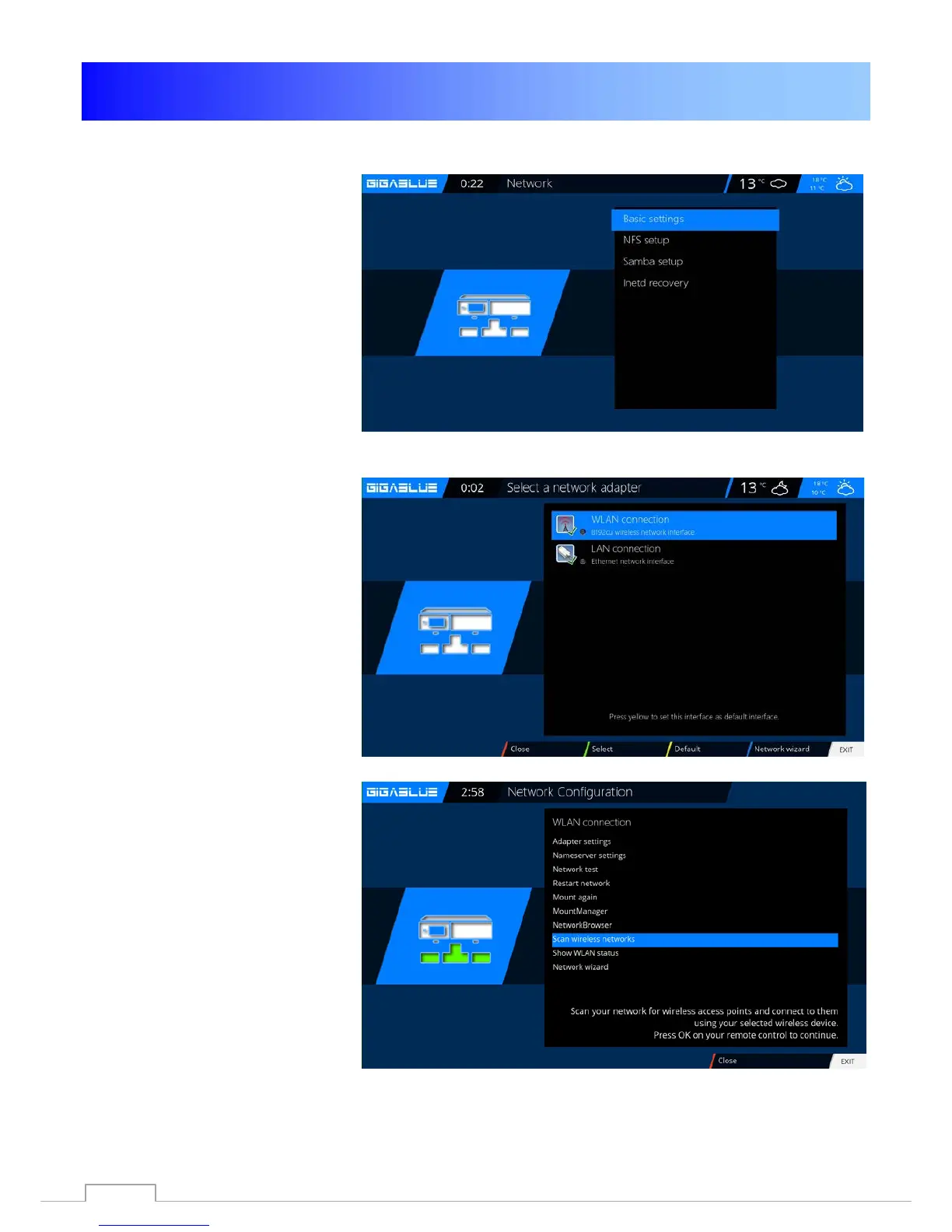
Go to Menu / Setup /
System / Network Abb1.
Now go to wireless connection
and click OK to confirm Fig.2
Fig.1
Now activate the Wi-Fi adapter,
Fig.3,
Use the arrow keys ◄► confirm
with OK. Now, the wireless network
is enabled. This may take several
seconds
Fig.2
Fig.3
52



 To Next Page