The first Start
Start wizard 3
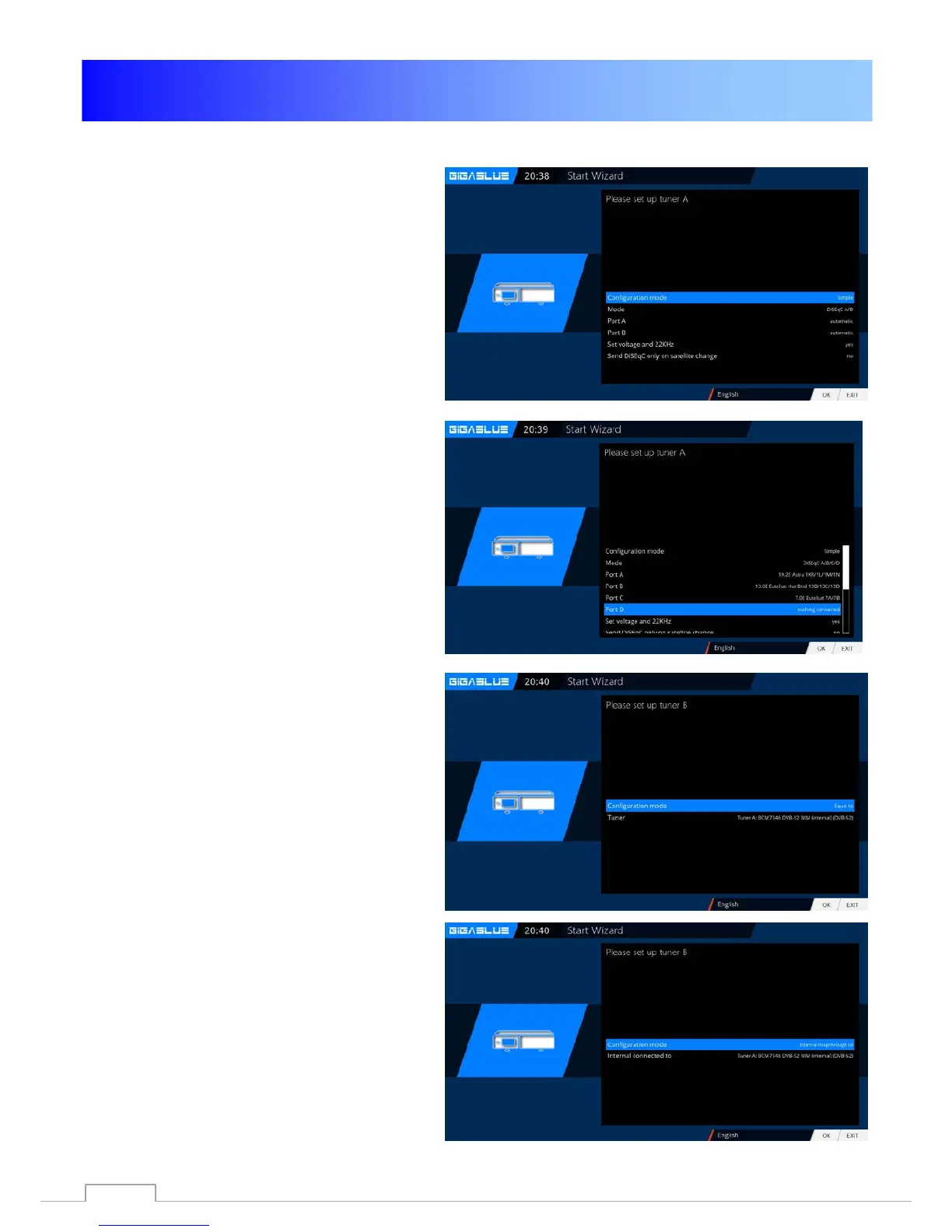
Then, if you have not completed the
Startup Wizard, takes place the tuner
configuration.
Use the arrow keys ◄► you can adjust
the tuner to your satellite antenna or
DiSEqC. Fig.1
In the mode setting you has several
choices.
Fig. 1
DiSEqC A/B
DiSEqC A/B/C/D
Rotor
(Will be described in detail)
Singly
Toneburst A/B
Use the arrow keys ◄► the
configuration that suits your satellite
system Fig.2 and press the OK button.
Fig. 2
Tuner B:
If you have antenna cable connected
to Tuner B. Equal to FIG.3
if you have connected only one
antenna cable to Tuner A, Internal
loopthrough to Tuner A. FIG.4
Fig. 3
Fig. 4
17



 To Next Page