Installing the HDD
Installing the HDD in the GigaBlue Quad Plus
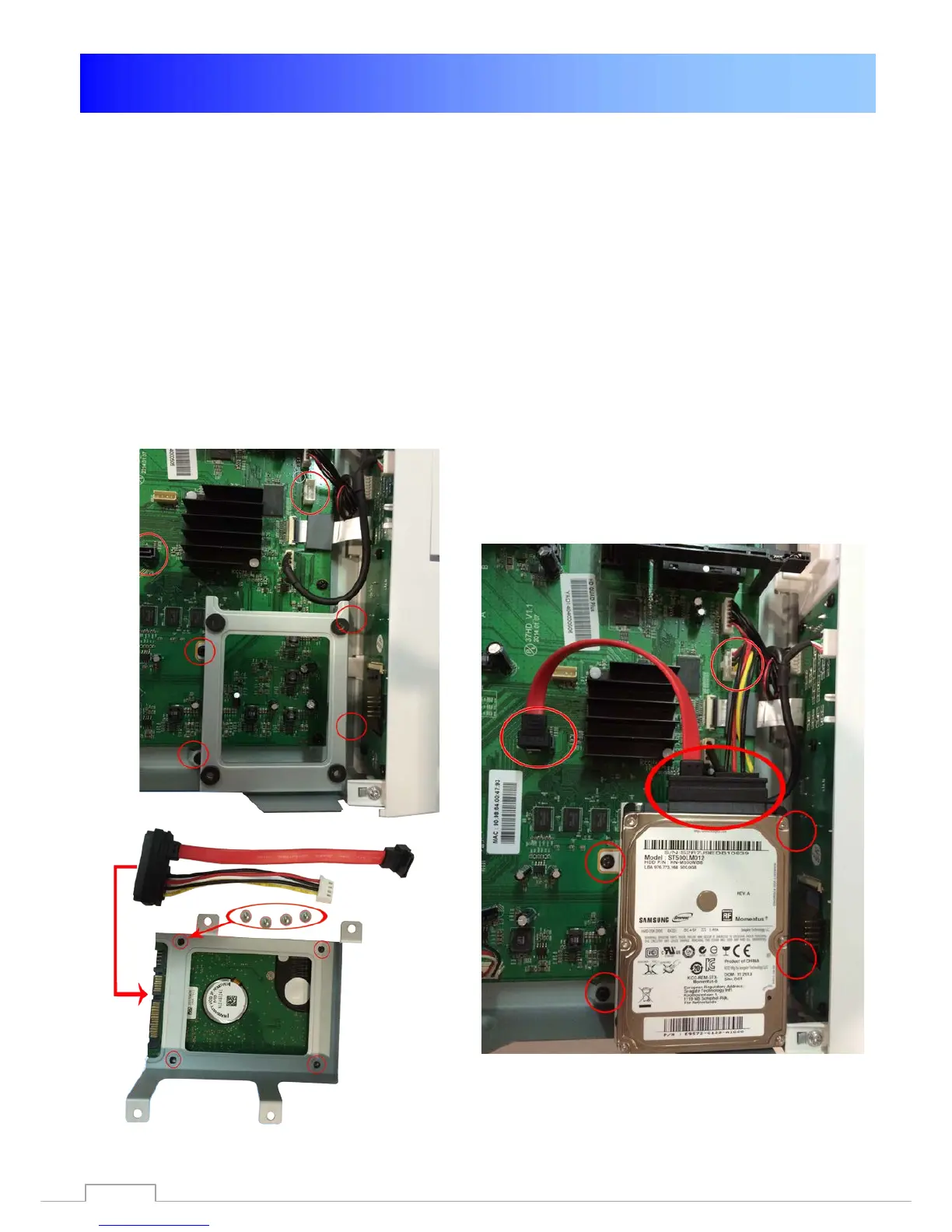
For the installation you need a Commercially 2.5 "HDD.
• Do not Open the first cautious
• Cover the GigaBlue Quad.
• Build now, the designated
• from the context. Fig. 1
• Fasten with the hard drive
• supplied screws to the frame Fig.2
• Refit the frame with the hard disk as shown in Fig. 1
• You now connect the hard drive to the motherboard Fig. 3
• Close the cover and make all connections again.
• Format in the menu, see page 41
.
Abb. 1
Abb. 3
Abb. 2
88


 To Next Page