Operation Network Settings
Network Settings
The following options are available:
Enable Network Adapter:
You can disable or enable the adapter for a wired network.
Address automatically (DHCP):
Determine whether the network address is automatically obtained from a DHCP server.
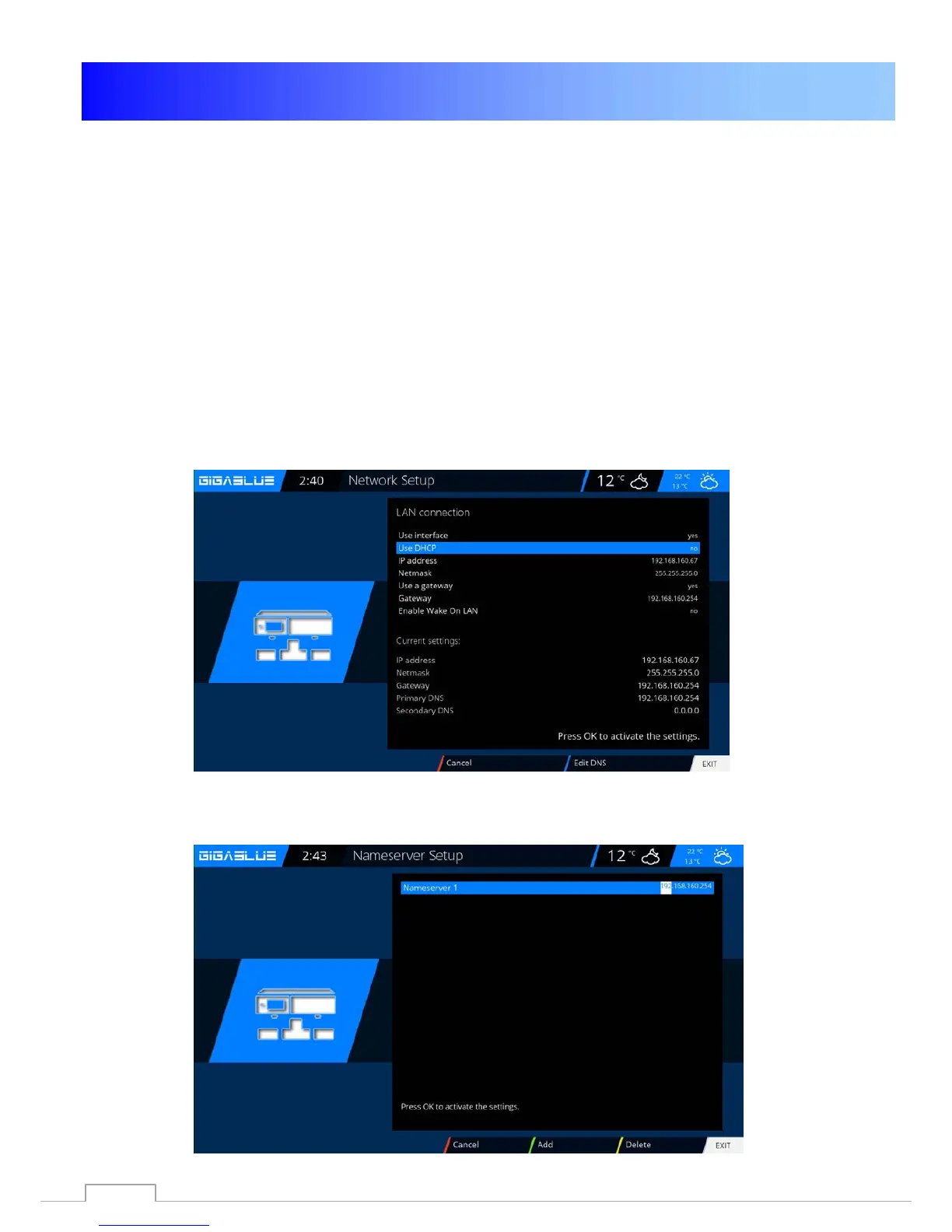
IP Address manually assigned.
Do you want to assign the IP Address manually to set the DHCP server on No. Now enter the IP
address (that matches your network pool), and the network mask (default setting 255.255.255.0).
After that it's important to also set the gateway to YES, you now assign the gateway address. See
figure. Accept the input by pressing the OK button.
DNS-Setting:
Next, enter the DNS address and save with OK. See figure.
50



 To Next Page