Operation Network Settings
.
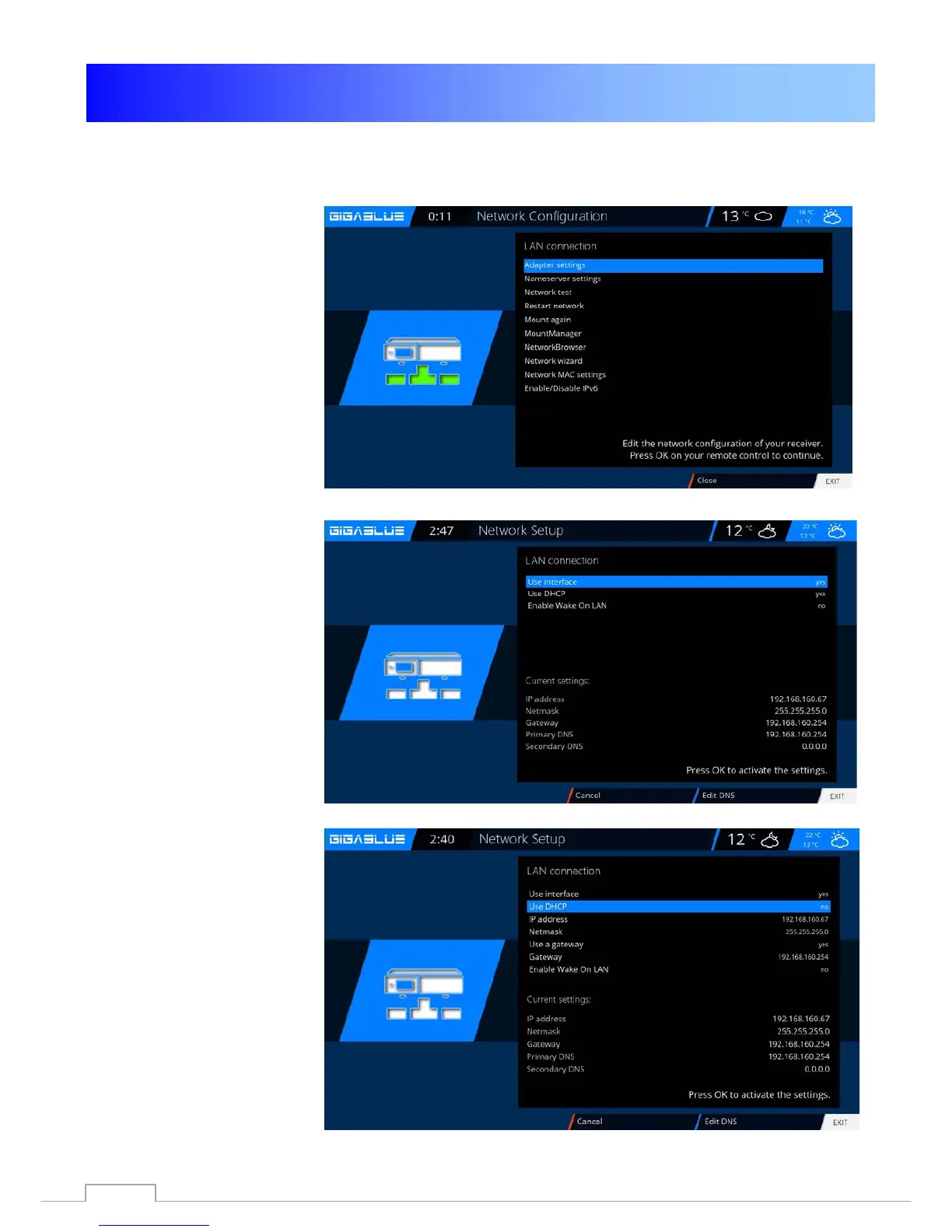
Network settings
Go to the menu
Setup / System / Network /
Basic Settings to configure
your network to Fig.1.
If a DHCP server on your
network, you can change the
settings to take Fig.2.
Use the arrow keys ◄► to a
Static address assigned Fig.3.
Save Press the OK button
the settings.Abb.1
Fig.1
Fig.2
Fig.3
49



 To Next Page