EasyManua.ls Logo

GigaBlue hd quad plus - Delete Channels from the Favorites List

GigaBlue hd quad plus
92 pages
Print Icon
To Next Page IconTo Next Page
To Previous Page IconTo Previous Page
Loading...
Operation Network Settings
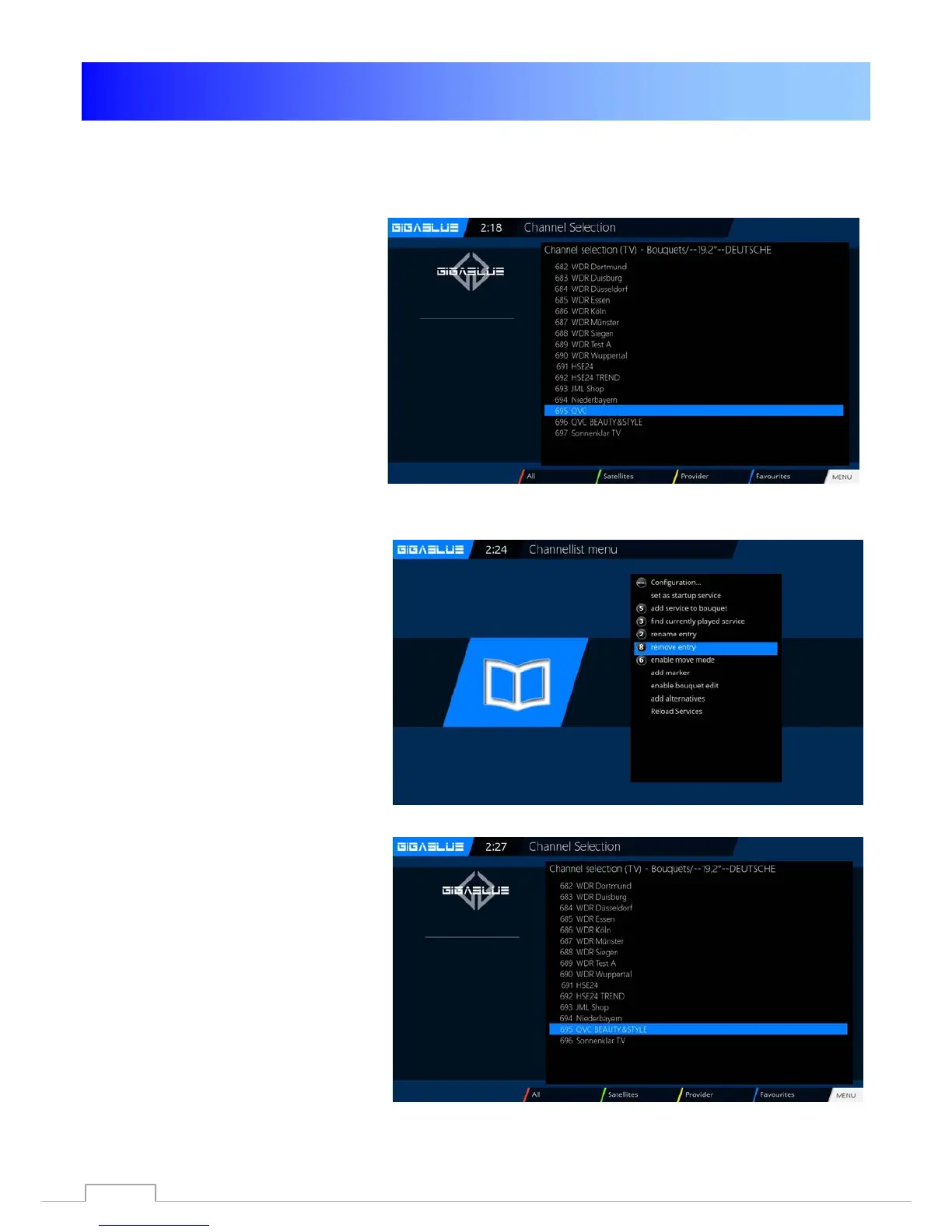
Delete channels from the favorites list
Use the arrow keys ▼ ▲ to enter the
channel list. Press the
BLUE button to
display in your favorites list, and then
select the bouquet of where the
channel is to be deleted. Select the
desired channel for deletion Fig.1.

Press the Menu and select
Remove
entry from Fig.2 confirm
OK
and the channel from the list
away
Fig.3.
Fig.1
Fig. 2
Fig. 3
33

Table of Contents

Related product manuals