Operation of GigaBlue Box
Front panel
Basic Settings
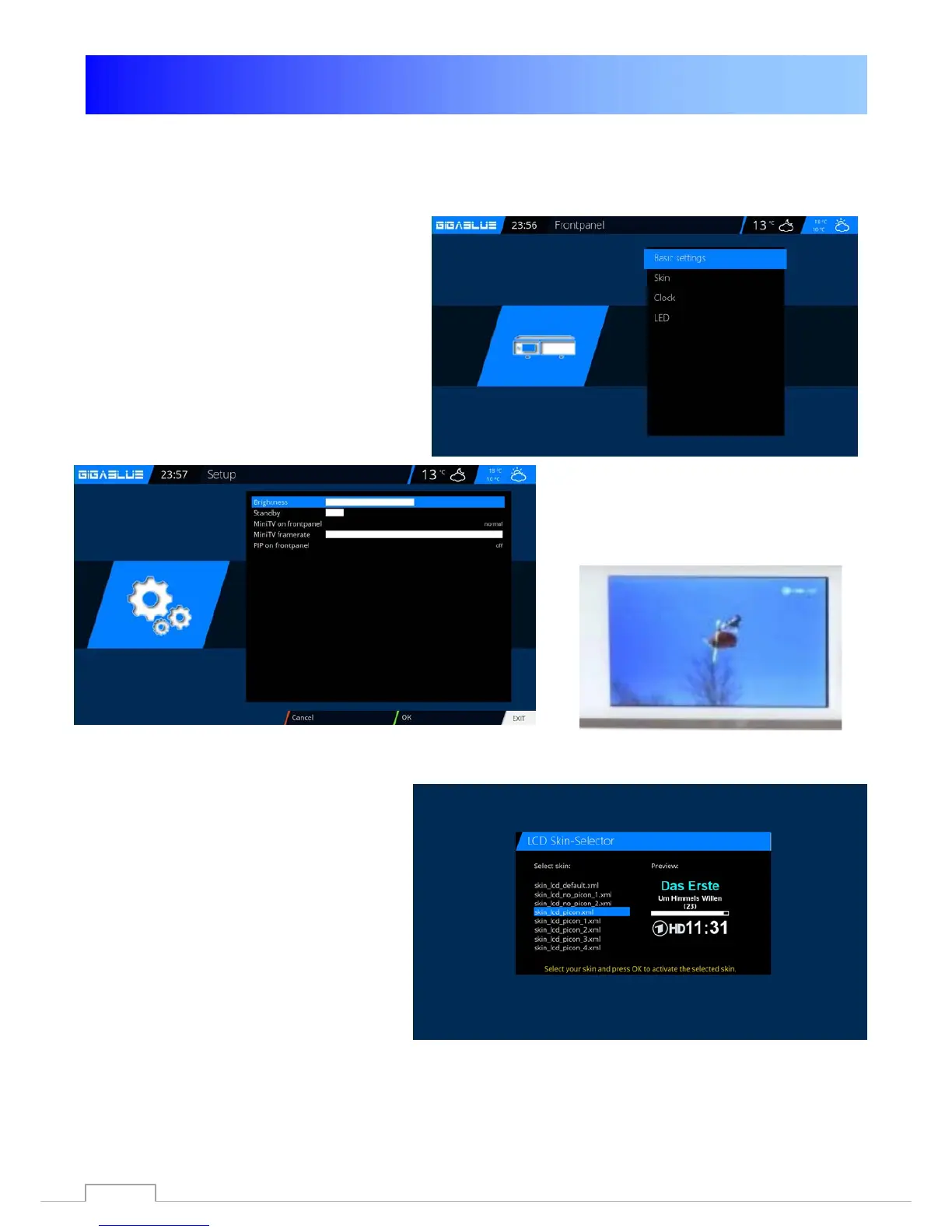
Open the main Menu, use the arrow keys
▲ ▼ to Setup / System / Front Panel /
Basic Settings and press the OK button
Fig.1.
You can adjust LCD brightness, mini TV
in the LCD and activate PiP activate the
LCD. Fig.2. press the OK button to save.
Fig.1
Fig.2
LCD Skin
Open the main menu, use the arrow keys
▲ ▼ to Setup / System / Front Panel /
skin and press the OK button.
You can select LCD Skin.
For this you use the arrow keys ▲ ▼ the
OK button to confirm to store
68



 To Next Page