Software Update GigaBlue Box
Please back up software settings.
Before making software update please backup your settings
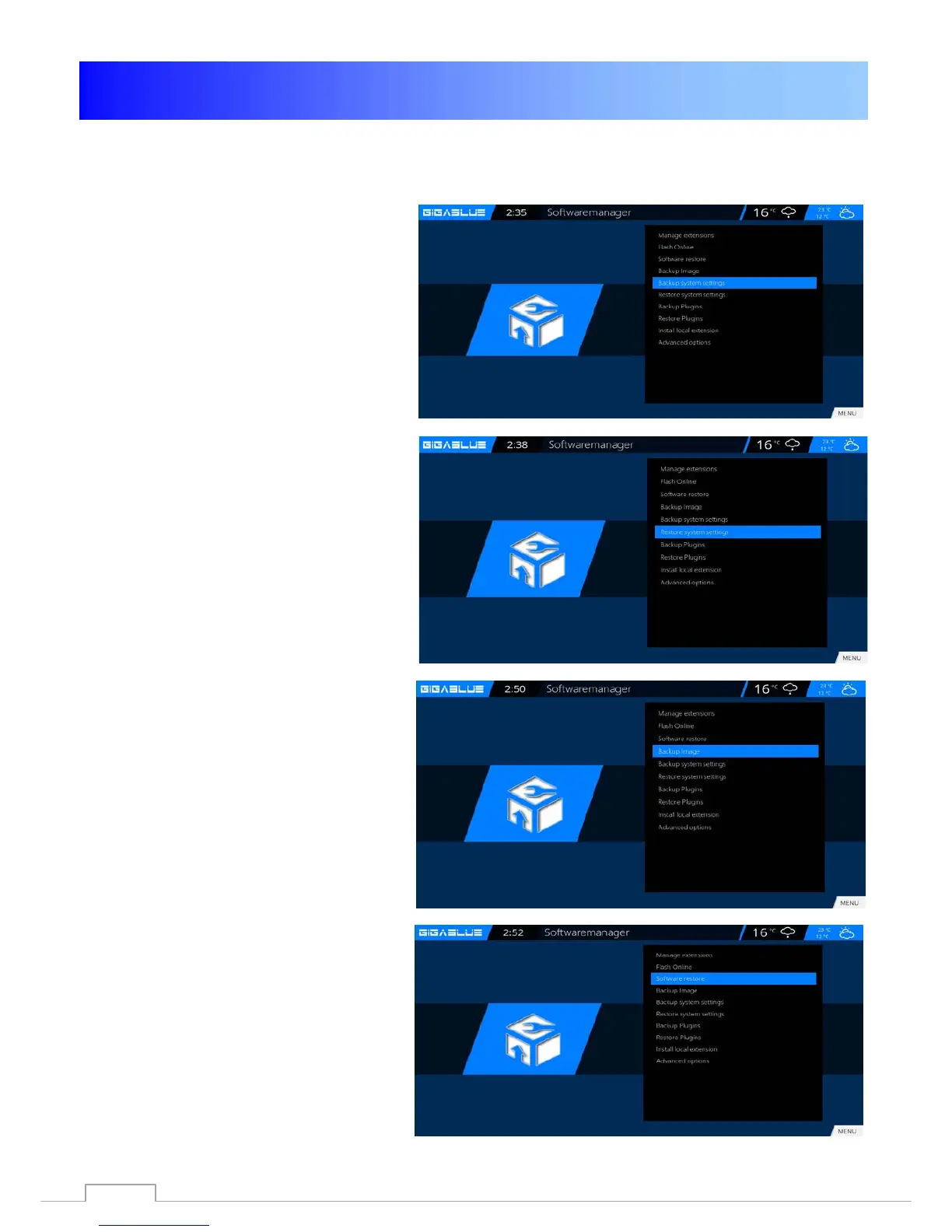
Backup system Settings
To back up settings, you need USB flash
drive or USB HDD if you have a USB flash
drive or USB HDD connected to GigaBlue.
Go to the Menu Setup /System / Software
Management / Backup system Settings
and press the OK button. Fig. 1
Restore settings Software
After the Software update to restore
stored settings
.
Go to the menu Setup/ System / Software
Management /Restore settings and
press the OK button. Fig. 2
Backup Image
To Backup Image, you need USB flash or
USB HDD if you have a USB flash or USB
HDD connected to GigaBlue.
Go to the Menu Setup /System / Software
Management / Backup Image and press
the OK button. Fig. 3
Software Restore
After the Software update to restore
stored settings
.
Go to the menu Setup/ System / Software
Management / Software Restore and
press the OK button. Fig. 2
Fig.1
Fig.1
Fig.2
Fig.2
Fig.3
Fig.3
Fig.4
71



 To Next Page