On the figure above, we set the link from which the GWN will go and fetch all domain names that would be
considered as bad domains and blocked.
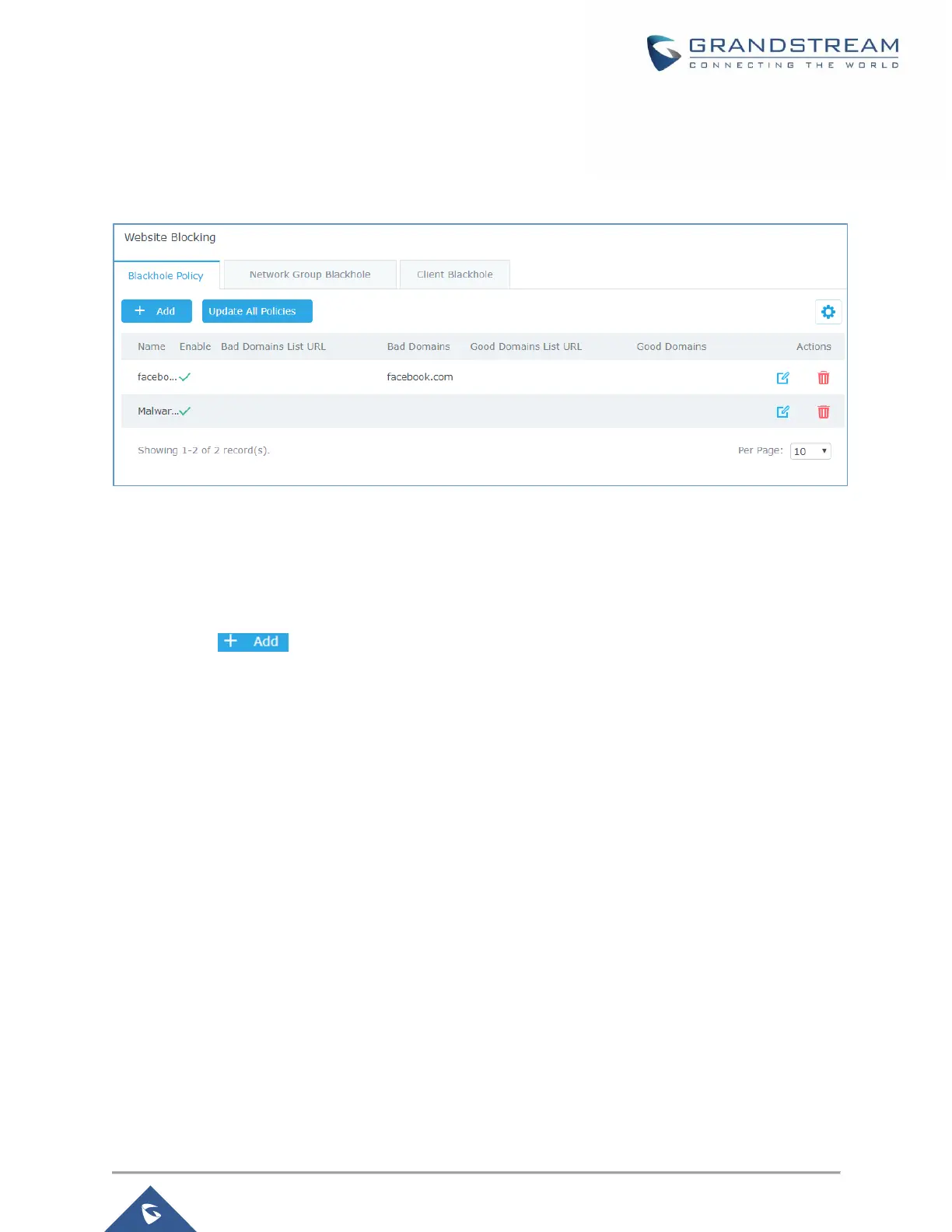
After this, save and apply the changes and the new policy will be displayed along the existing ones.
Figure 82: Blackhole Policy List
Assign Blackhole Policy to Network Groups
Now, that we have created a policy. It’s time to assign it to a network group or client. To assign a blocking
policy to a network group go under “System Settings → Website Blocking → Network Group Blackhole”
and press add .


 To Next Page
 Loading...