Bandwidth Rules
As mentioned on the BANDWIDTH RULES section, users can set bandwidth rules for upstream and
downstream links per SSID, or per Client. For Clients users can set bandwidth rules by navigating to the
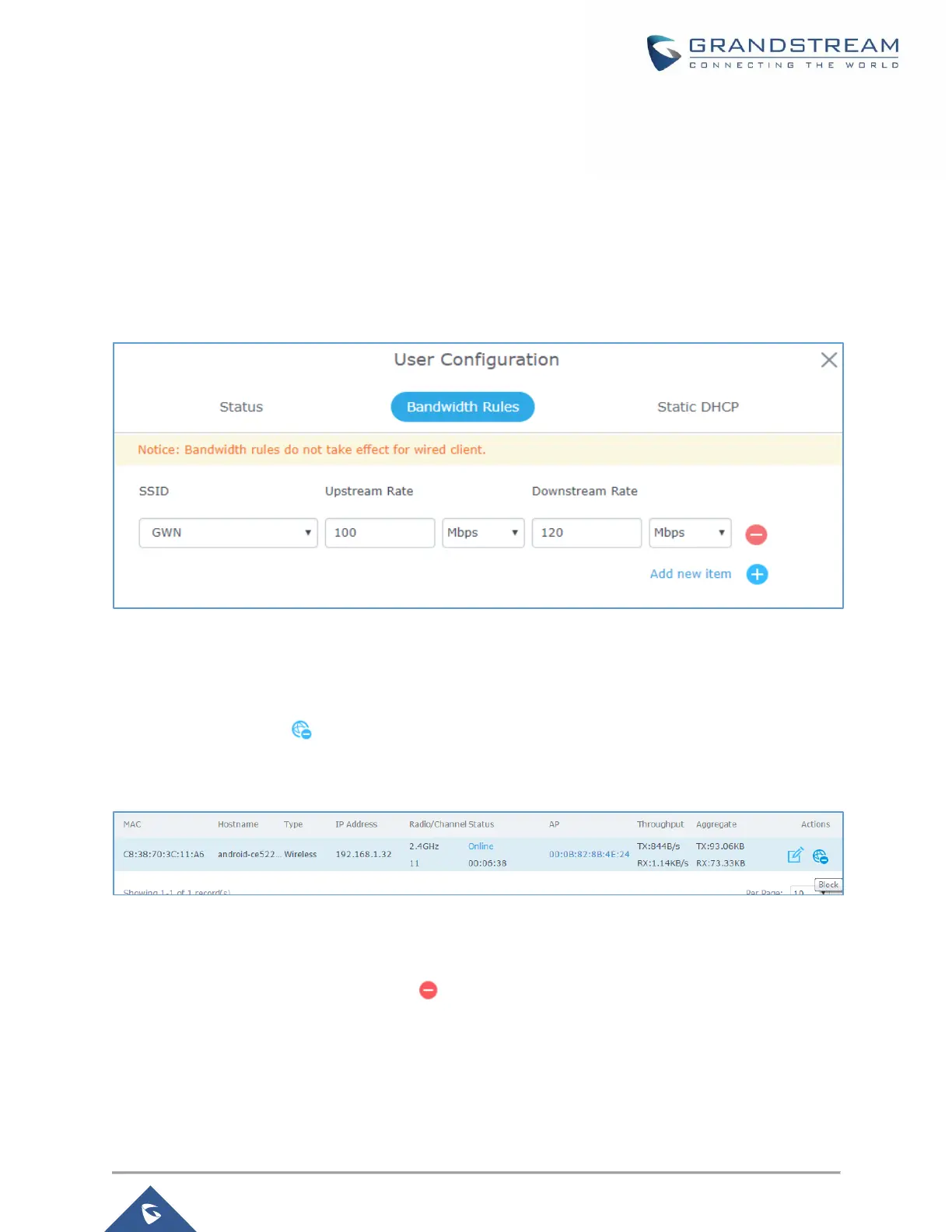
menu Client→Edit→Bandwidth Rules then click add new item.
Note: Bandwidth rules apply for wireless clients ONLY.
The following figure shows the settings:
Figure 40: Client Bandwidth Rules
Block a Client
To block a client, click on under actions, this will add automatically the blocked client to Banned Client
MAC list under Router→Port→Global Settings.
Figure 41: Block a Client
To unban a client, go to Router→Clients→Client Access. The banned client will be to “Global Blacklist”;
you will need to click on “Edit” then Click on to remove it from the banned list.

 To Next Page
 Loading...