GWN7000 User Manual
Version 1.0.6.28
Enable this option to set the Minimum bandwidth for this traffic class.
Configure the minimum bandwidth reserved for this traffic class in Mbps or Kbps.
Enable this option to set the Maximum bandwidth for this traffic class.
Configure the maximum bandwidth allowed for this traffic class in Mbps or Kbps.
Minimize RTT (Only
for Download Class)
Enable this option in order to minimize traffic latency/delay → Useful for VoIP.
Upload/Download → Policy Rule
Enter a name for the traffic rule ➔ rules are used to put a traffic into a class.
Used to enable/disable the traffic rule.
Select the protocol for the traffic rule (TCP, UDP, TCP/UDP or ICMP).
Set the source IP of the traffic to be matched.
Set the source port number of the traffic to be matched.
Set the destination IP of the traffic to be matched.
Set the destination port number of the traffic to be matched.
Configures the minimum packet size of the traffic that will be matched.
Configures the minimum packet size of the traffic that will be matched.
Select from the drop-down list the class where this traffic will be put, thus making
all necessary bandwidth reservations for this traffic in respect of the configurations
set under the class settings.
DDNS
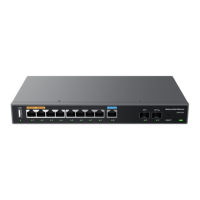
DDNS allows accessing GWN7000 via domain name instead of IP address, the GWN7000 supports
following DDNS providers:
• Dyndns.org
• Changeip.com
• Zoneedit.com
• Freedns.afraid.org
• He.Net
• Dnsomatic.Com
• No-ip.pl
• Myonlineportal.net
• No-ip.com



 To Next Page
 Loading...