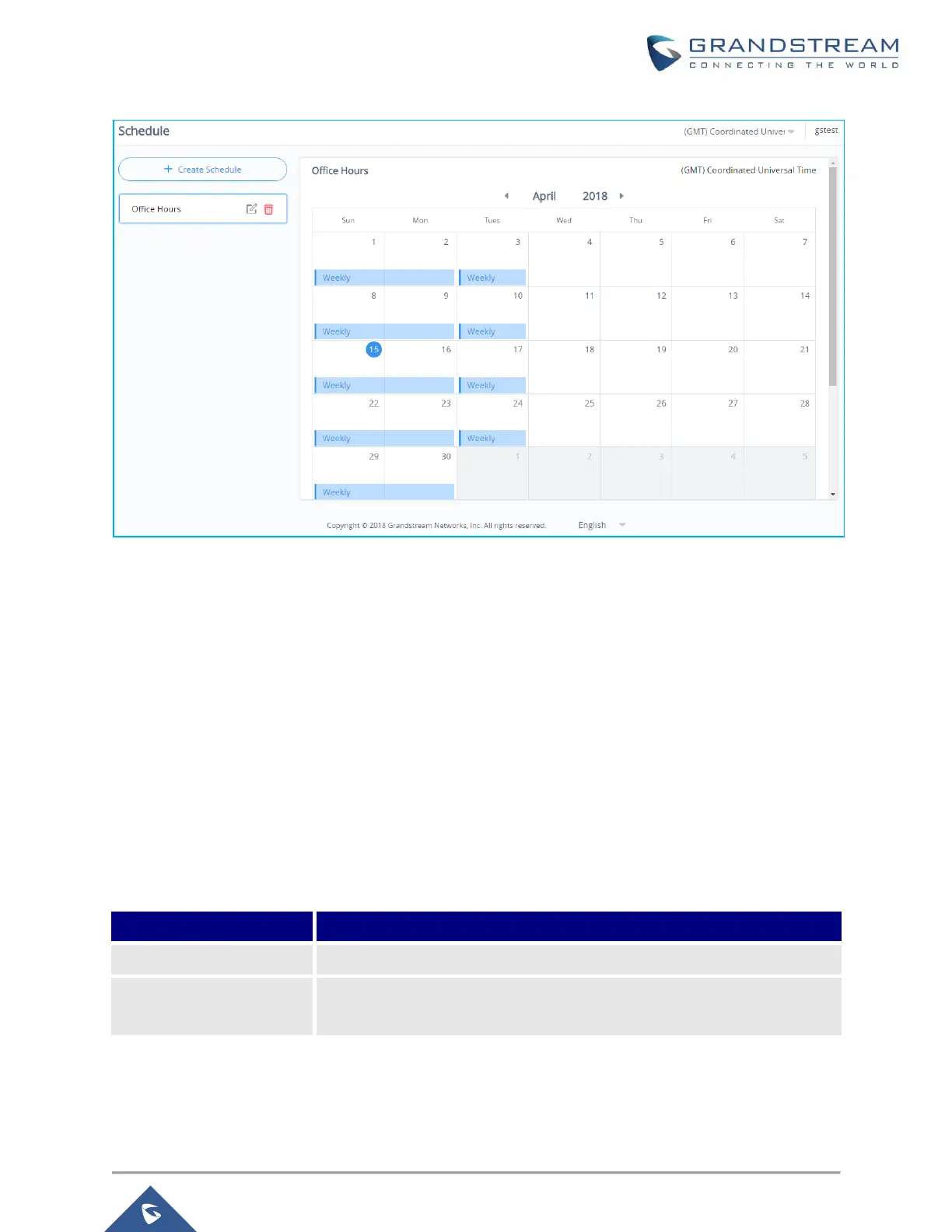
Figure 93: Schedules List
LED
GWN76xx Access Points series support also the LED schedule feature. This feature is used to set the
timing when the LEDs are ON and when they will go OFF at customer’s convenience.
This can be useful for example when the LEDs become disturbing during some periods of the day, this way
with the LED scheduler, you can set the timing so that the LEDs are off at night after specific hours and
maintain the Wi-Fi service for other clients without shutting down the AP.
To configure LED schedule, on the GWN76xx AP WebGUI navigate to “System Settings→LEDs”.
Following options are available:
Table 52: LEDs
Please choose a schedule to assign to LEDs, users can configure
schedules under the menu Schedule


 To Next Page
 Loading...