2. Click after completing all the fields.
3. Click on top of the webGUI in order to apply changes.
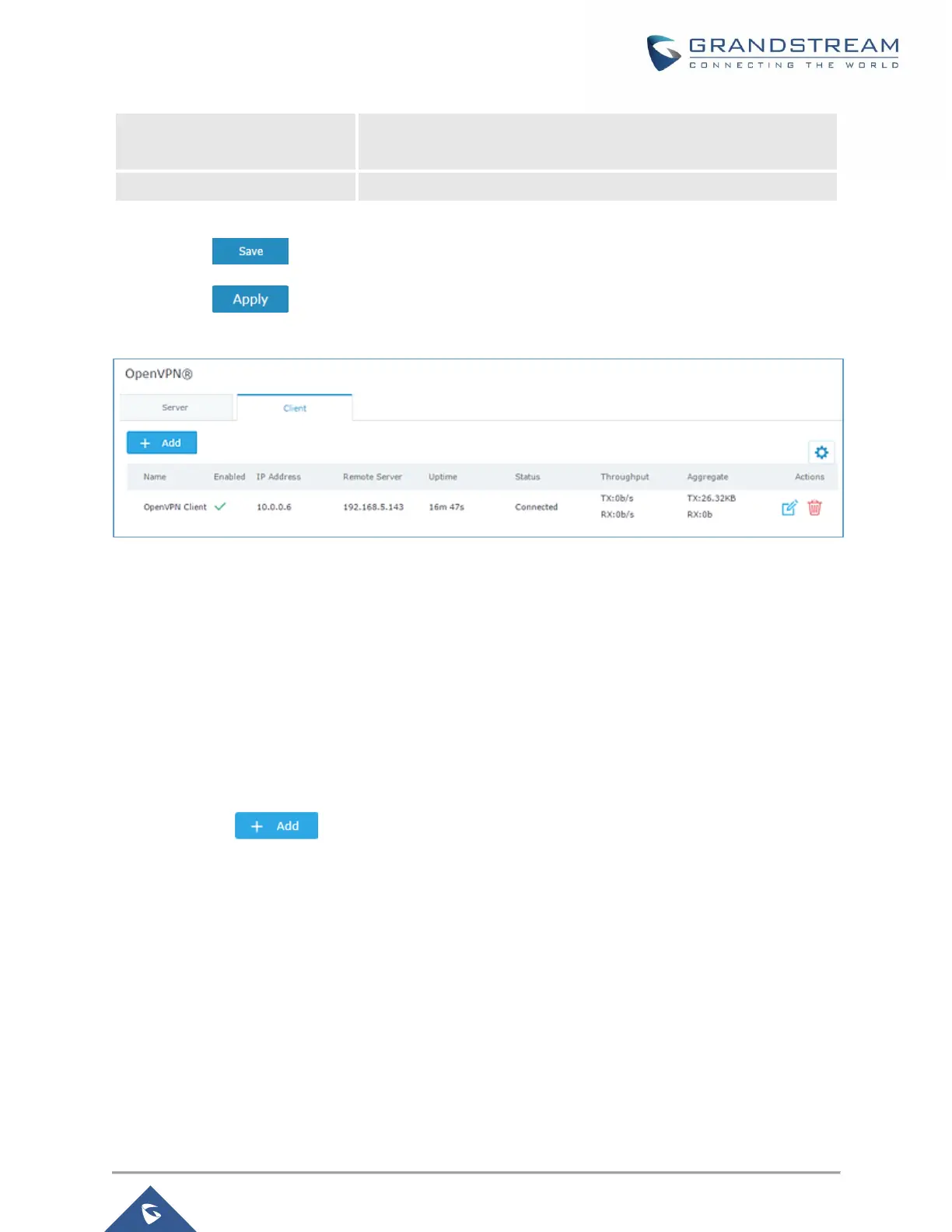
Figure 56: OpenVPN® Client
L2TP/IPSEC Configuration
Layer 2 Tunneling Protocol (L2TP) is a tunneling protocol used to support virtual private networks (VPNs)
or as part of the delivery of services by ISPs. It does not provide any encryption or confidentiality by itself.
Rather, it relies on an encryption protocol that it passes within the tunnel to provide privacy.
GWN7000 L2TP/IPSec Client Configuration
To configure L2TP client on the GWN7000, navigate under “VPN→L2TP/IPSec” and set the following:
1- Click on and the following window will pop up.


 To Next Page
 Loading...