SpectroEye™ 37
2
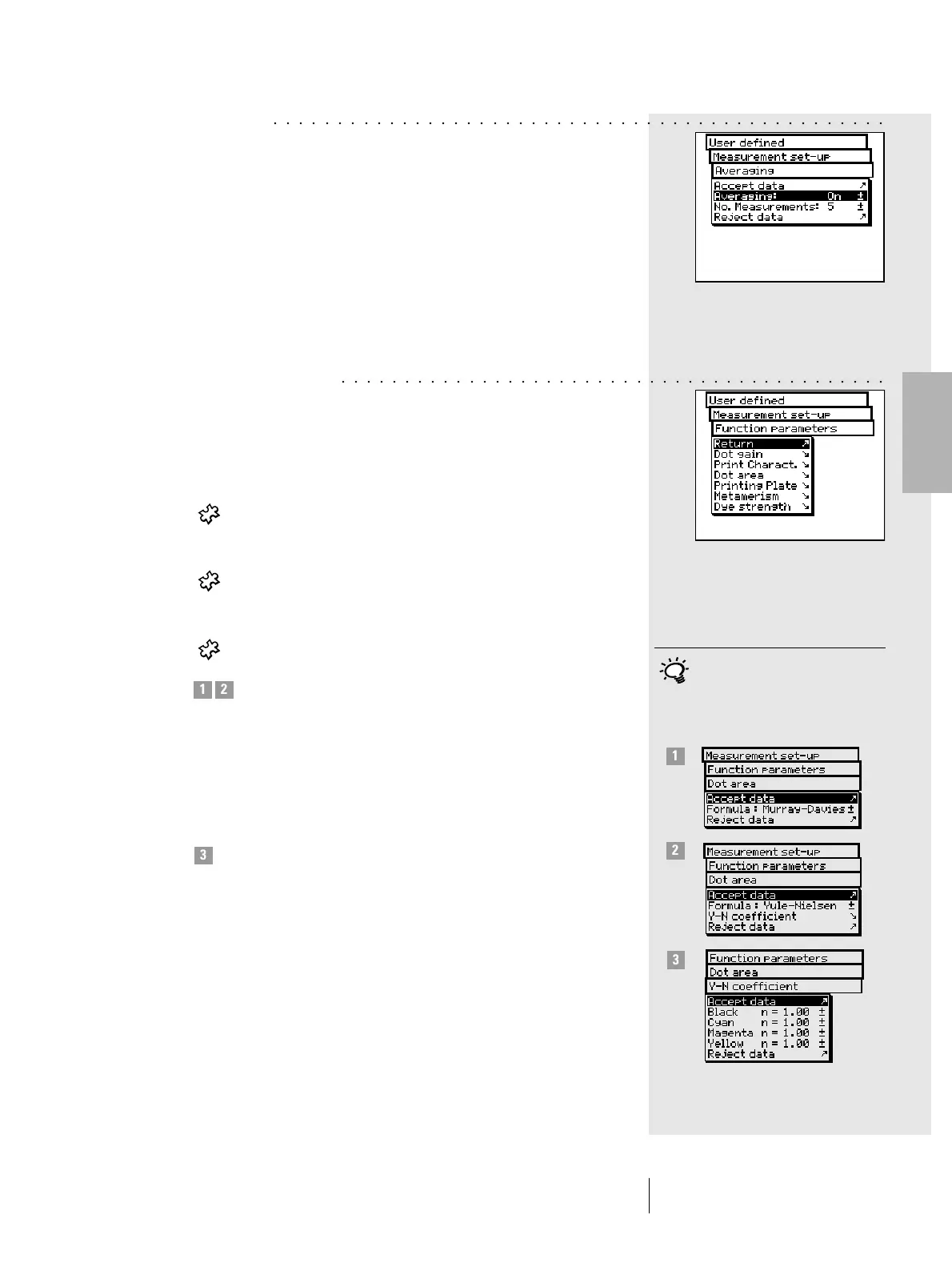
• Averaging
For non-homogeneous samples and references SpectroEye
is able to calculate the average of different measurements.
Starting from the Measurement set-up menu, select
Averaging.
Here you can activate or de-activate automatic averaging,
as well as set-up the number of measurements to be taken
for each average. If the averaging function is activated,
an icon appears on the symbol bar of the measurement
window, which allows these settings to be changed.
• Function parameters
Some measurement functions are based on parameters which
must be adjusted to individual working conditions.
To modify these, starting from the Measurement set-up menu,
select Function parameters.
Enter each parameter used for the following functions:
- Dot gain
Enter the screen percentage value provided in the
color bar halftone fields for dot gain measurement.
- Print characteristic
Set-up the halftone levels from which the print
characteristics must be created.
- Dot area
For dot area calculation you may use the
Murray-Davies and Yule-Nielsen formulas.
While for the Murray-Davies formula the degree
of light optical absorption is predefined, in the
Yule-Nielsen formula this can be adapted for
different conditions.
First, select the Formula: menu item, and choose
the formula to be used for calculation. If you choose
the Yule-Nielsen formula, another line appears within
the menu where you can set the Y-N coefficient.
Here the “n” values for black, cyan, magenta and
yellow are entered.
2 • Use
Normally the Murray-Davis formula
is used. The Yule-Nielsen formula
should only be used in special cases,
i.e. to determine the physical area
coverage.
○○○○○○○○○○○○○○○○○○○○○○○○○○○○○○○○○○○○○○○○○○○○○○○○
○○○○○○○○○○○○○○○○○○○○○○○○○○○○○○○○○○○○○○○○○○○
1 2
3
1
2
3



 To Next Page