SpectroEye™66
2
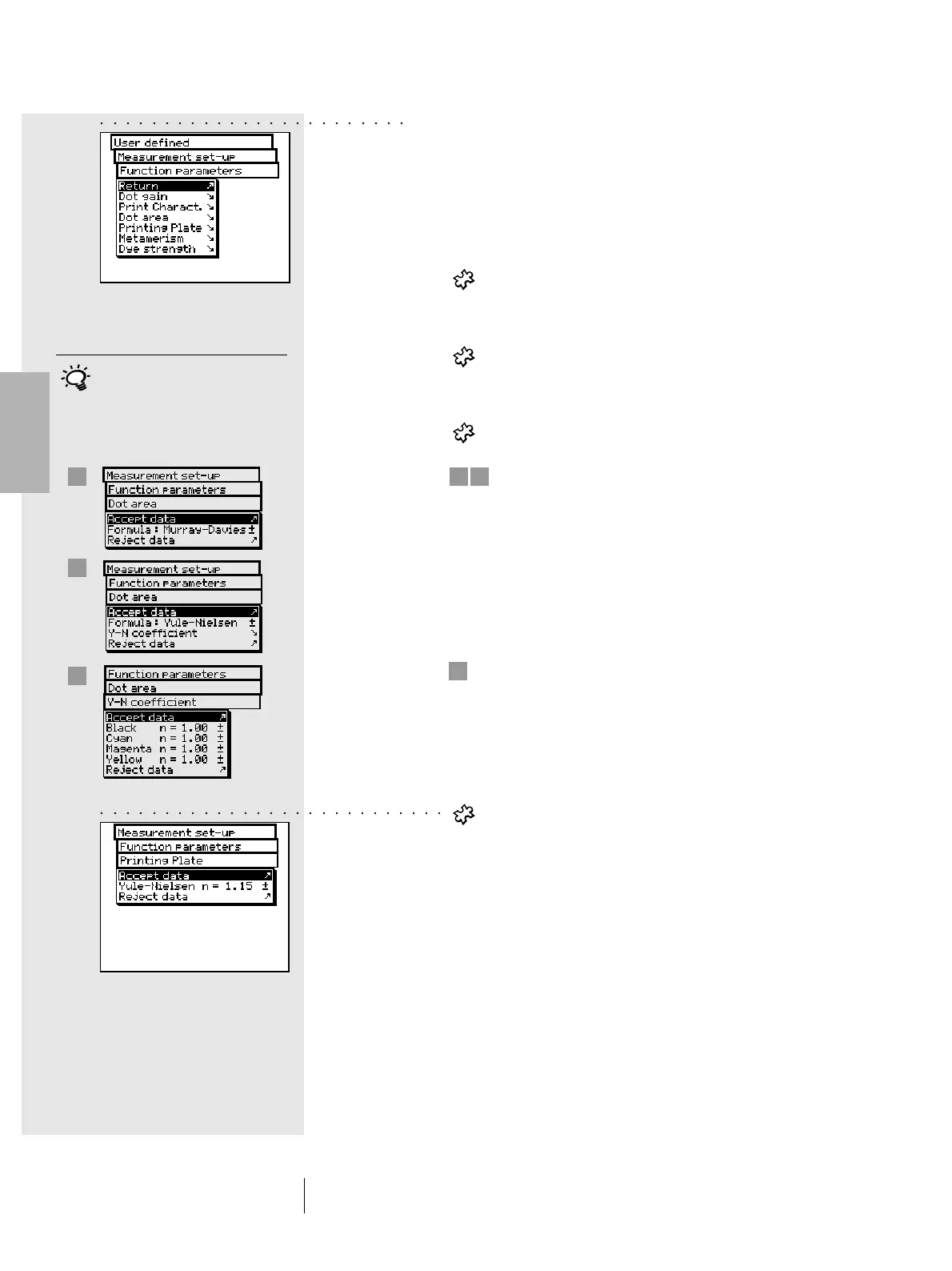
• Function parameters
Some measurement functions are based on parameters
which must be adjusted to individual working conditions.
To modify these, starting from the Measurement set-up
menu, select Function parameters.
Enter each parameter used for the following functions:
- Dot gain
Enter the screen percentage value provided in the
color bar halftone fields for dot gain measurement.
- Print characteristic
Set-up the halftone levels from which the print
characteristics must be created.
- Dot area
For dot area calculation you may use the
Murray-Davies and Yule-Nielsen formulas.
While for the Murray-Davies formula the degree
of light optical absorption is predefined, in the
Yule-Nielsen formula this can be adapted for
different conditions.
First, select the Formula: menu item, and choose
the formula to be used for calculation. If you choose
the Yule-Nielsen formula, another line appears
within the menu where you can set the
Y-N coefficient. Here the “n” values for black, cyan,
magenta and yellow are entered.
- Printing Plate
When measuring the printing plate, to determine
the physical dot area coverage of your printing
plate, set the Yule-Nielsen factor.
2 • Use
1
2
3
Normally the Murray-Davis formula
is used. The Yule-Nielsen formula
should only be used in special
cases, i.e. to determine the physical
area coverage.
3
1
2
○○○○○○○○○○○○○○○○○○○○○○○○
○○○○○○○○○○○○○○○○○○○○○○○○○○○



 To Next Page