Connecting fiber cables to the Ripple-2 Node
Tools
• Torque wrench
• Appropriate tools for cable connector installation
• Optical connector cleaning tools
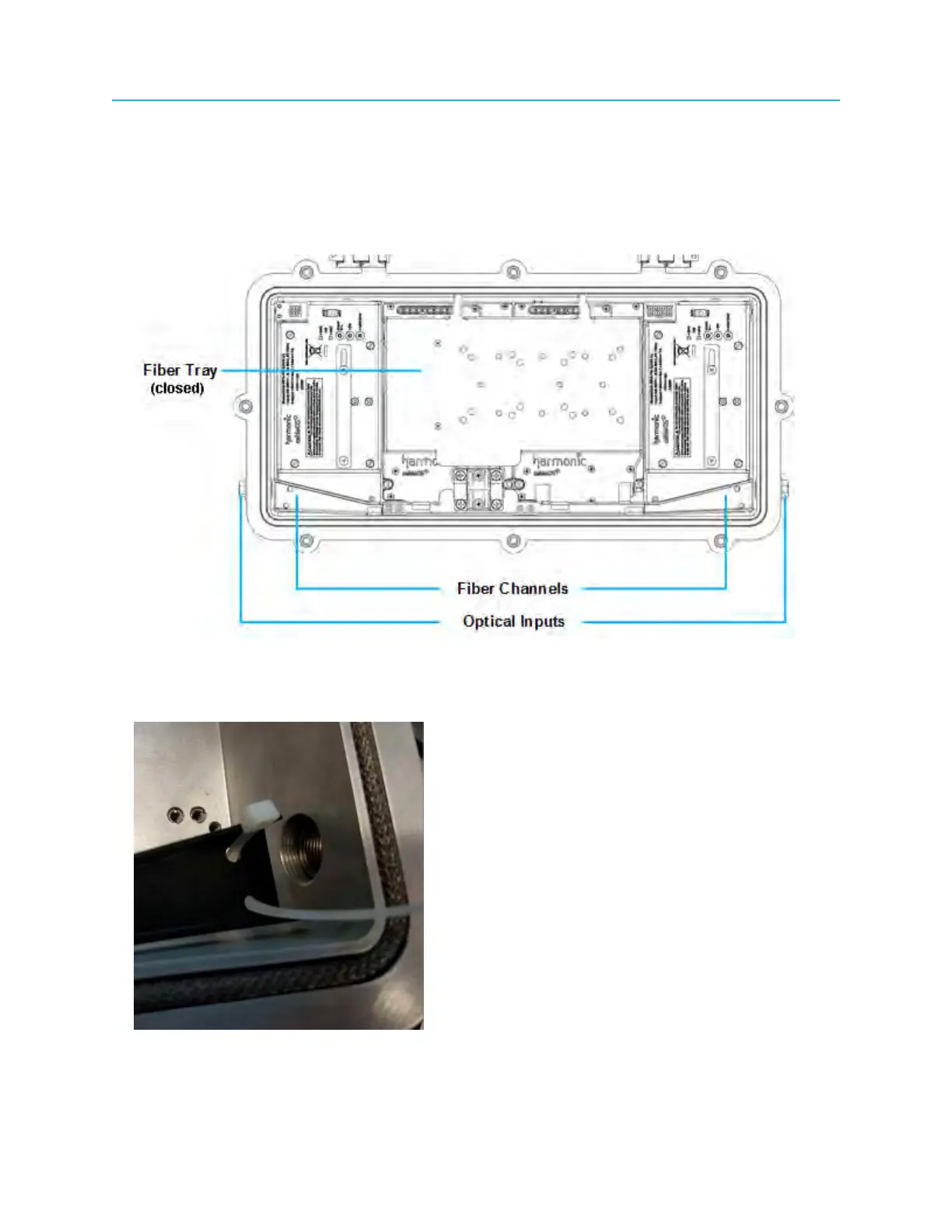
1. Select the optical input port to be used for the fiber cables and remove the port plug.
Figure 4-8: Ripple-2 Node lid showing optical inputs, fiber channels and fiber tray
2. Thread a cable tie, which will bind the fiber cables together, through the holes at the end of the fiber
channel adjacent to the optical input.
Figure 4-9: Cable tie threaded into holes of fiber channel
43 Installation Guide



 To Next Page