Chapter 4: Installing the Ripple-2 Node
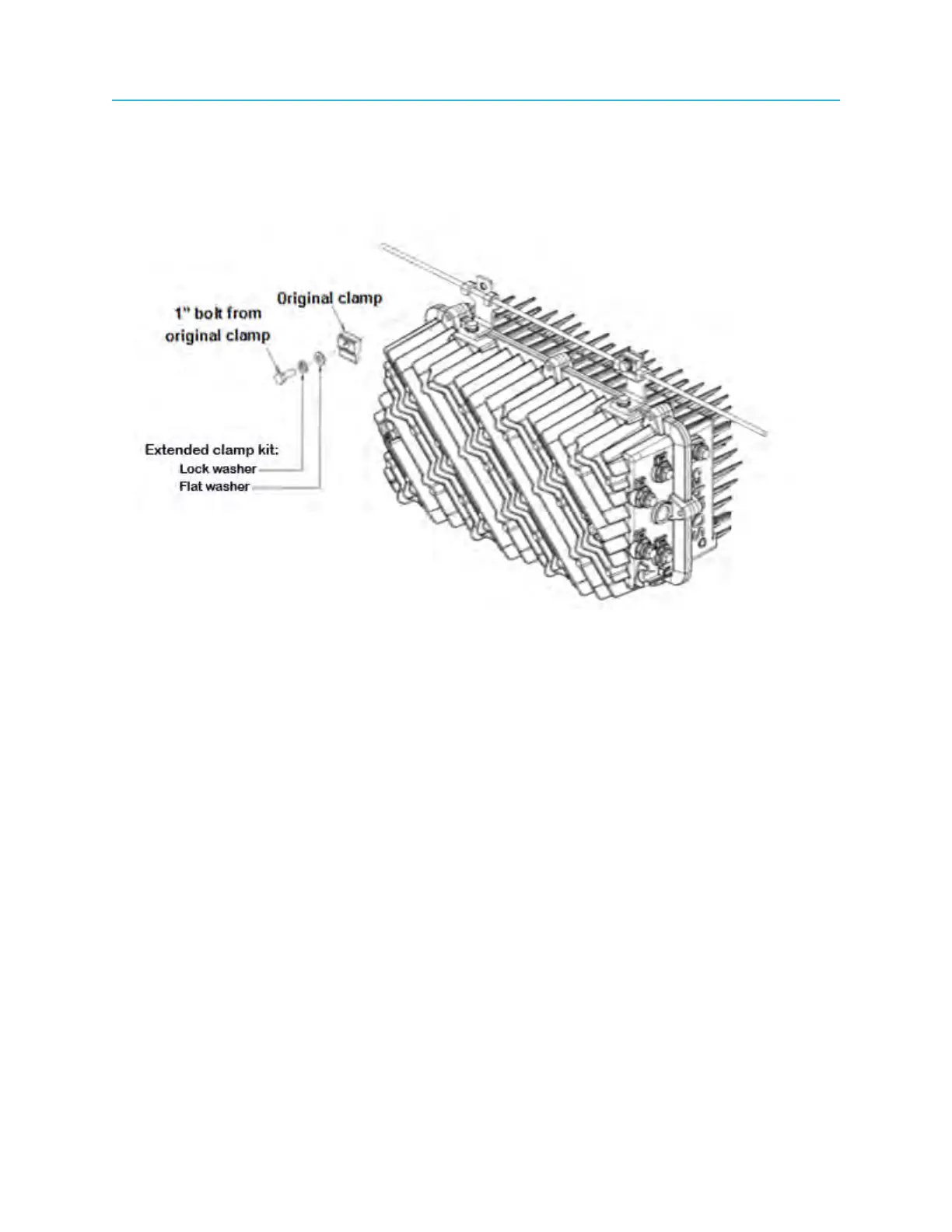
5. Attach the messenger-cable clamps that were removed in Step 1 using the flat washer and lock
washer from the extended clamp kit as shown in the figure below.
Do not fully tighten the bolts at this time. Keep the bolts loose to enable the brackets to slide along the
messenger-cable wire until the node housing is in its final position.
Figure 4-14: Attaching clamps to extended brackets
6. Verify that the node is within 5 degrees of horizontal.
50



 To Next Page