Mounting the Ripple-2 Node housing
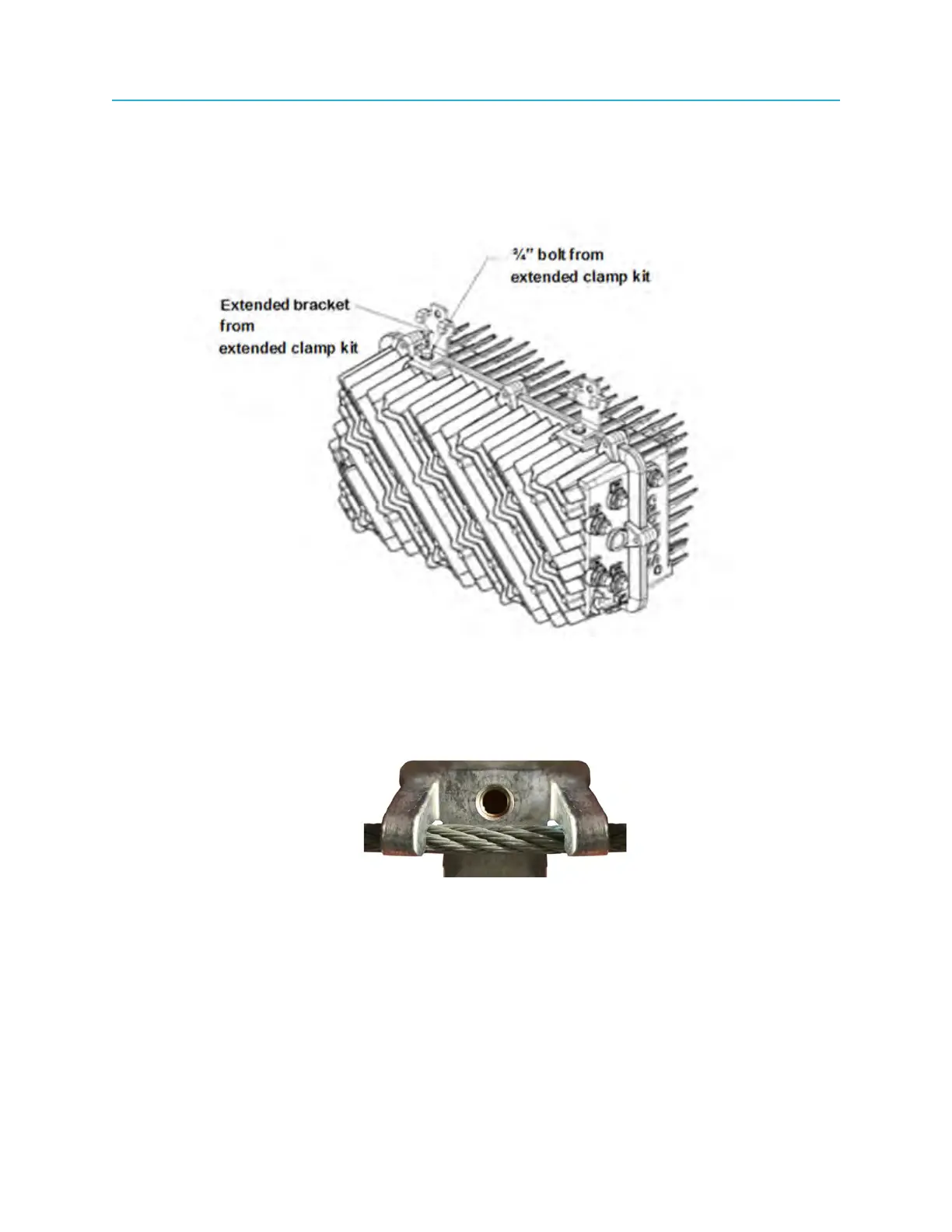
2. Attach the brackets from the extended clamp kit to the node in place of the messenger-cable clamps
that were removed in Step 1.
The washers are mounted onto the bolt so that the flat washer is flush with the node housing and the
lock washer is sandwiched between the bolt and the flat washer as shown in the figure below.
Figure 4-13: Attaching extended brackets to the Ripple-2 node
3. Torque each bolt to 10 to 12 ft-lbs with the torque wrench.
4. Lift the node onto the messenger-cable so that the brackets are level with the messenger-cable and
engage the bracket hooks.
49 Installation Guide



 To Next Page