Replacing or installing power supply modules
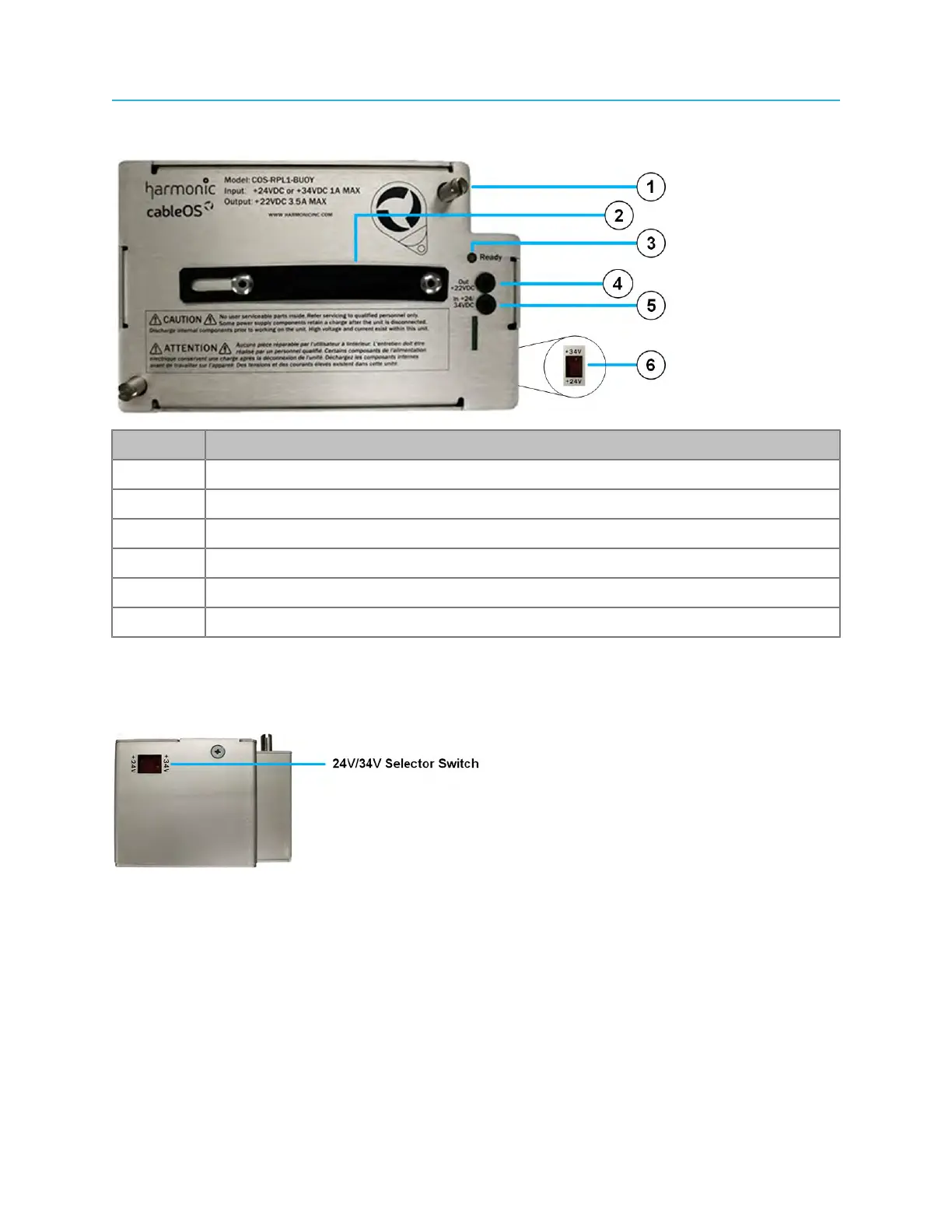
Buoy Power Backup module
Number Description
1 Mounting screw
2 Handle
3 Ready LED
4 DC output test point
5 DC input test point
6 24V/34V Selector switch
24V/34V Selector Switch
As with the standard power pack, the Buoy UPS Power Backup module uses a 24/34V selector switch to
ensure that the correct DC voltage is applied to the node’s RF tray.
Tools
• Torque wrench with 6-point 1/2" socket
• Medium flat-blade screwdriver
89 Installation Guide



 To Next Page