Switching the device ON and OFF The display
EN 3925-0060 V207-00 MANUAL R03.doc
HeMaTech
Prüftechnik
The display
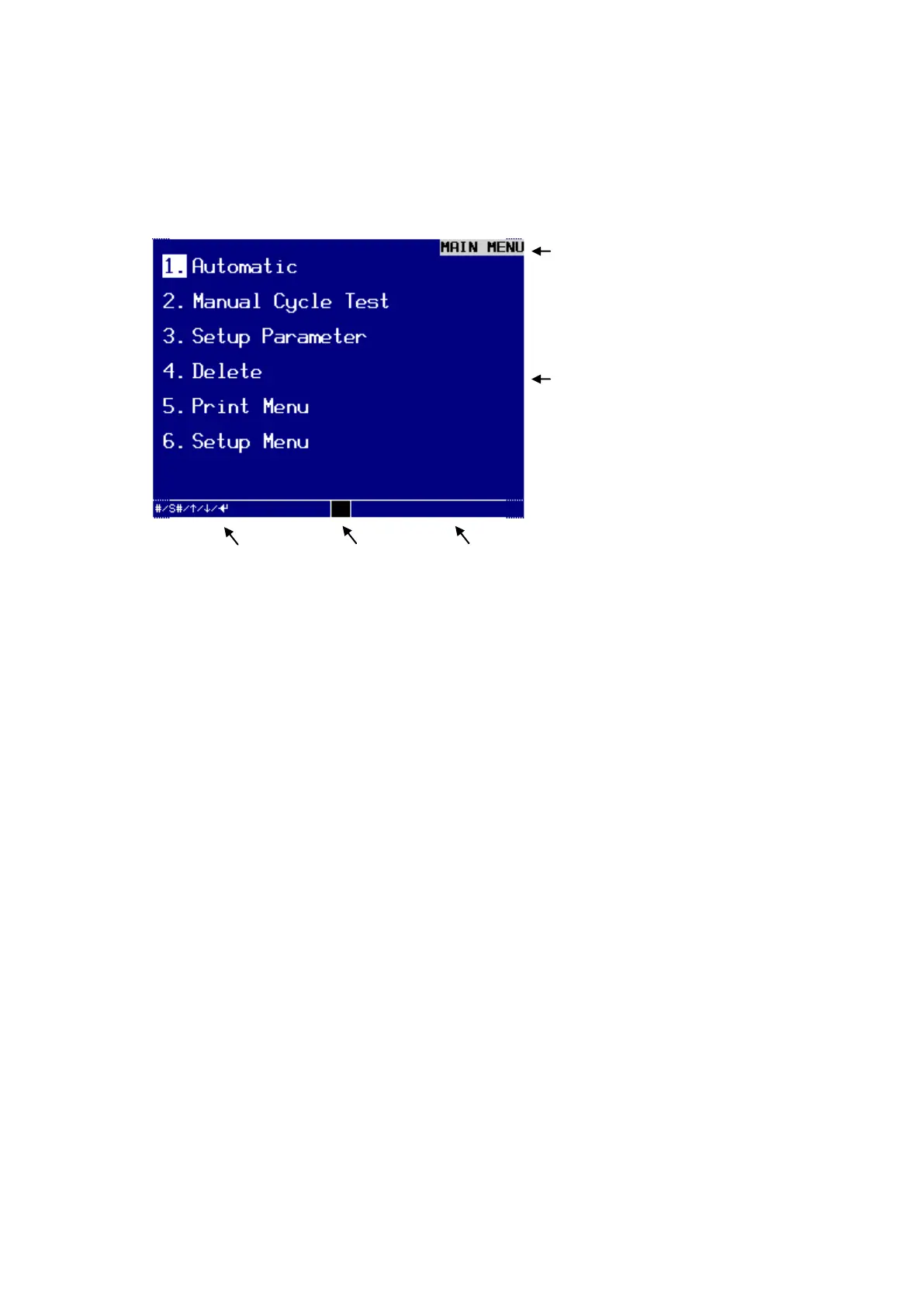
Wait until the initialization has been completed and the MAIN MENU appears in
the display.
The main menu appears after the device has been initialized.
Title or menu bar
The name of the current dialog window or application always appears in the top right
hand corner of the display.
Main window
In the main menu you will find the individual selectable sub-menus.
Command bar
The command bar shows the available keys to operate the current menu:
# for alpha-numerical input
to move the cursor up
to move the cursor down
to move the cursor to the left
to move the cursor to the right
to confirm an input or a selection by pressing the ENTER-key
ESC to abort an action/to return to the previous menu
PgUp to scroll on page back
PgDn to scroll one page forward
F1 function key
F2 to start/enable a certain system function
Key symbol Operate the key switch
Main window with
sub-menus or menu
options



 To Next Page