Command reference Menu 6. SETTINGS
EN 3925-0060 V207-00 MANUAL R03.doc
HeMaTech
Prüftechnik
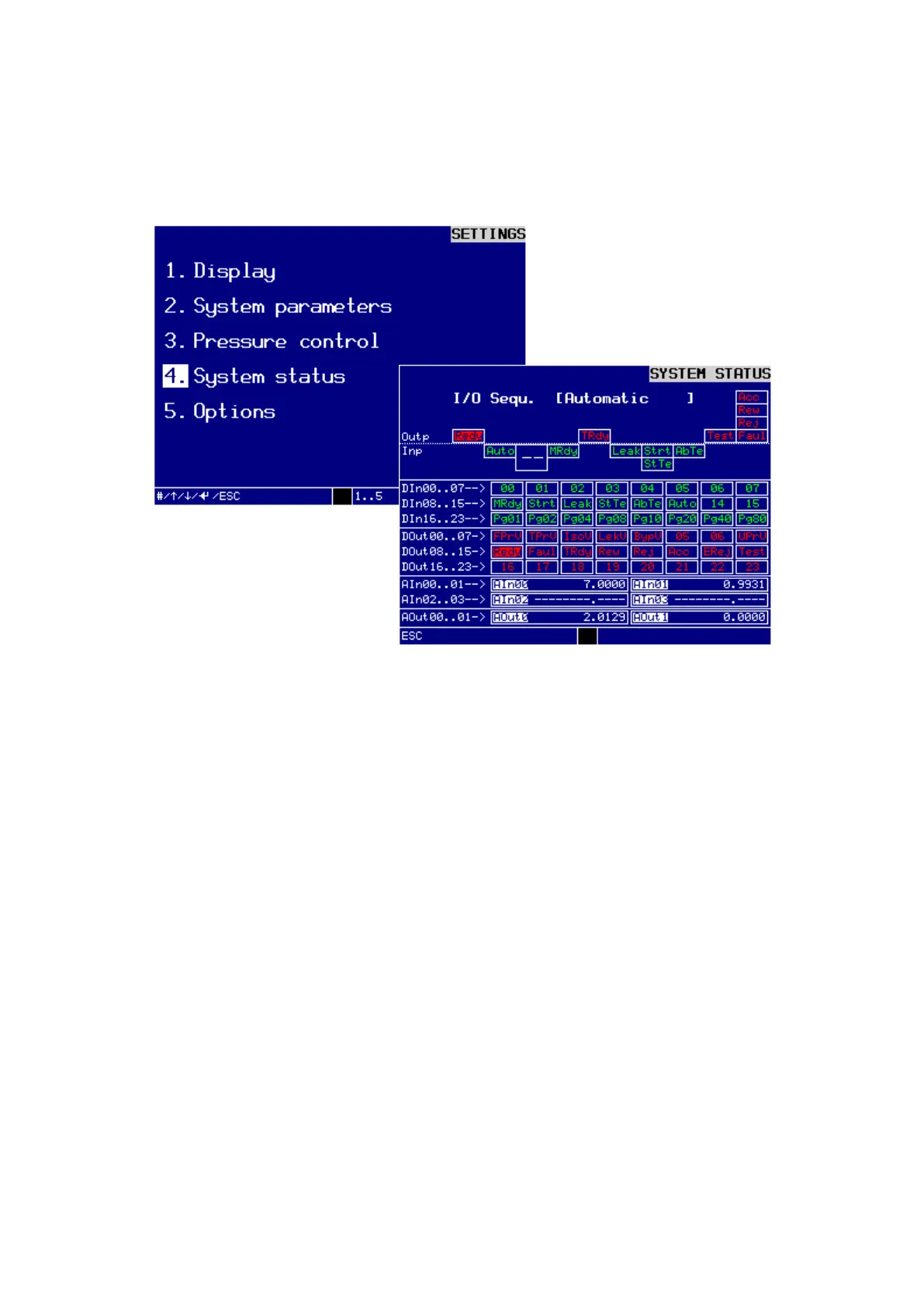
4. System status
In this sub-menu you can view the input and output signals of the interface to the ma-
chine control:
Dialog window SYSTEM STATUS
Applied signals are shown inverse. All applied inputs and outputs are shown in the fol-
lowing sequence:
− outputs of tester
− inputs of tester
− digital inputs of electronic module (DIn00..23)
− digital outputs of electronics module (DOut00..23)
− analog inputs of electronic module (AIn00..03)
− analog outputs of electronics module (AOut00..01)
During the program sequence you can directly follow the signal sequence of inputs
and outputs.
Press the ESC-key to exit the menu.



 To Next Page