Command reference Menu 3. SETUP
EN 3925-0060 V207-00 MANUAL R03.doc
HeMaTech
Prüftechnik
3.2 Output format Profinet
Setting up the serial interface SER#2 for Profinet (optional)
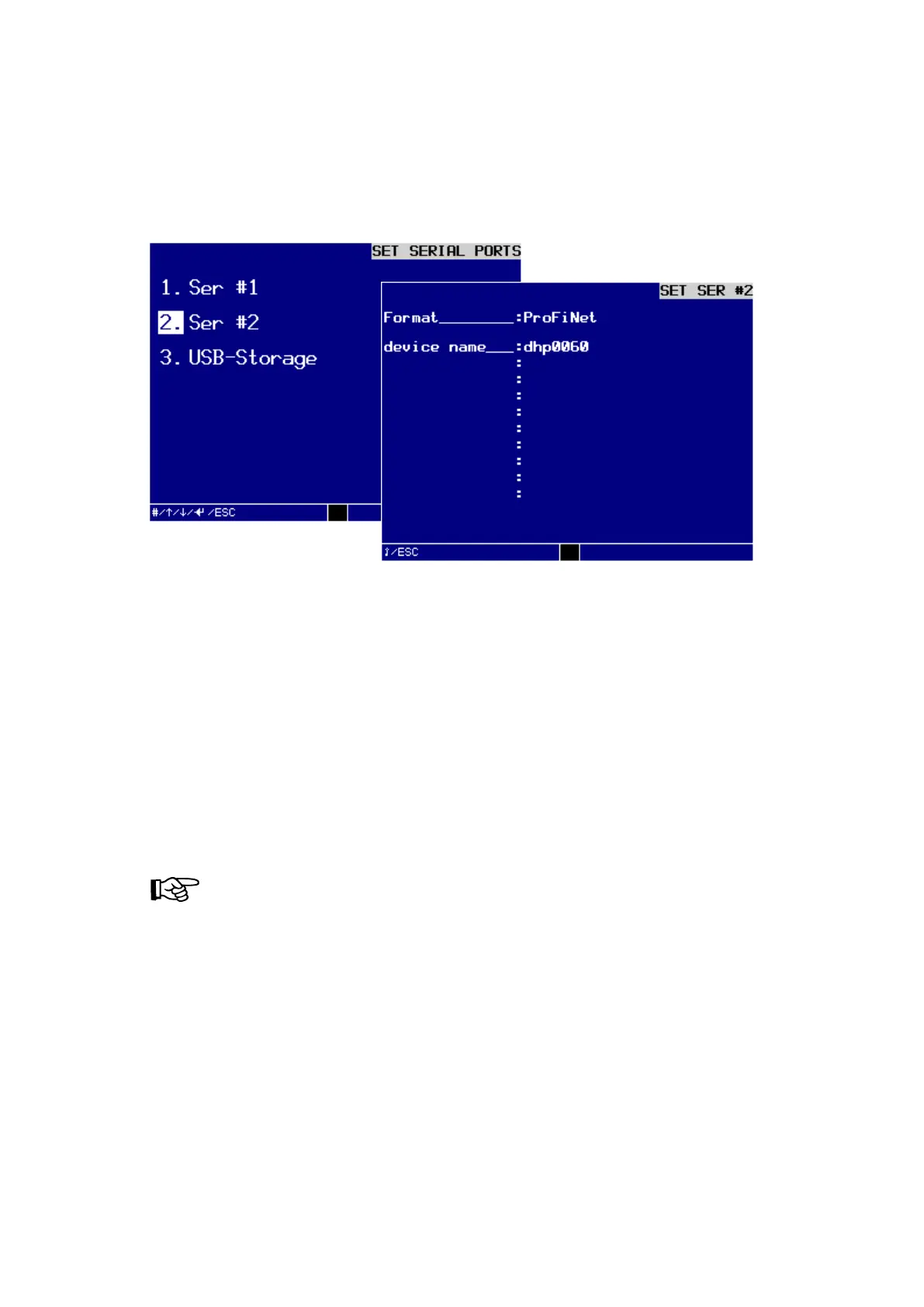
If you would like to set up the serial interface SER #2 for Profinet, you must call up the
dialog window SET SER #2:
Dialog window SET SER #2 to set up for Profinet
Profinet-Functions
The Profinet module supports a maximum data rate of 128 byte input and 128 byte
output data as well as all baud rates from 9.6 kbit / s to 12 Mbps. Baud rate detection
is performed automatically.
The Profinet station address can be accessed via the menu
3. SETUP \ 3. SET SERIAL PORTS \ 2. SER #2
Make the following settings in the dialog window SETUP SER #2:
NOTE!
The interface format is defined by the hardware and can not be
changed via the program.
The test device with Profinet interface has 6 input bytes and 17 output bytes.
The breakdown is as follows.
The naming conventions of Profinet must be observed.



 To Next Page