Command reference Menu 3. SETUP
EN 3925-0060 V207-00 MANUAL R03.doc
HeMaTech
Prüftechnik
1.2 Copying an existing test program
If you would like to copy an existing test program, you must save it under a different
program number. To do so
Make sure that the key switch is in vertical write protection position.
Select the program to be copied from the dialog window TEST PROGRAMS by
Edit the number (1 … 99) into the field Program and confirm the selection by
pressing the ENTER-key.
The desired test program is displayed.
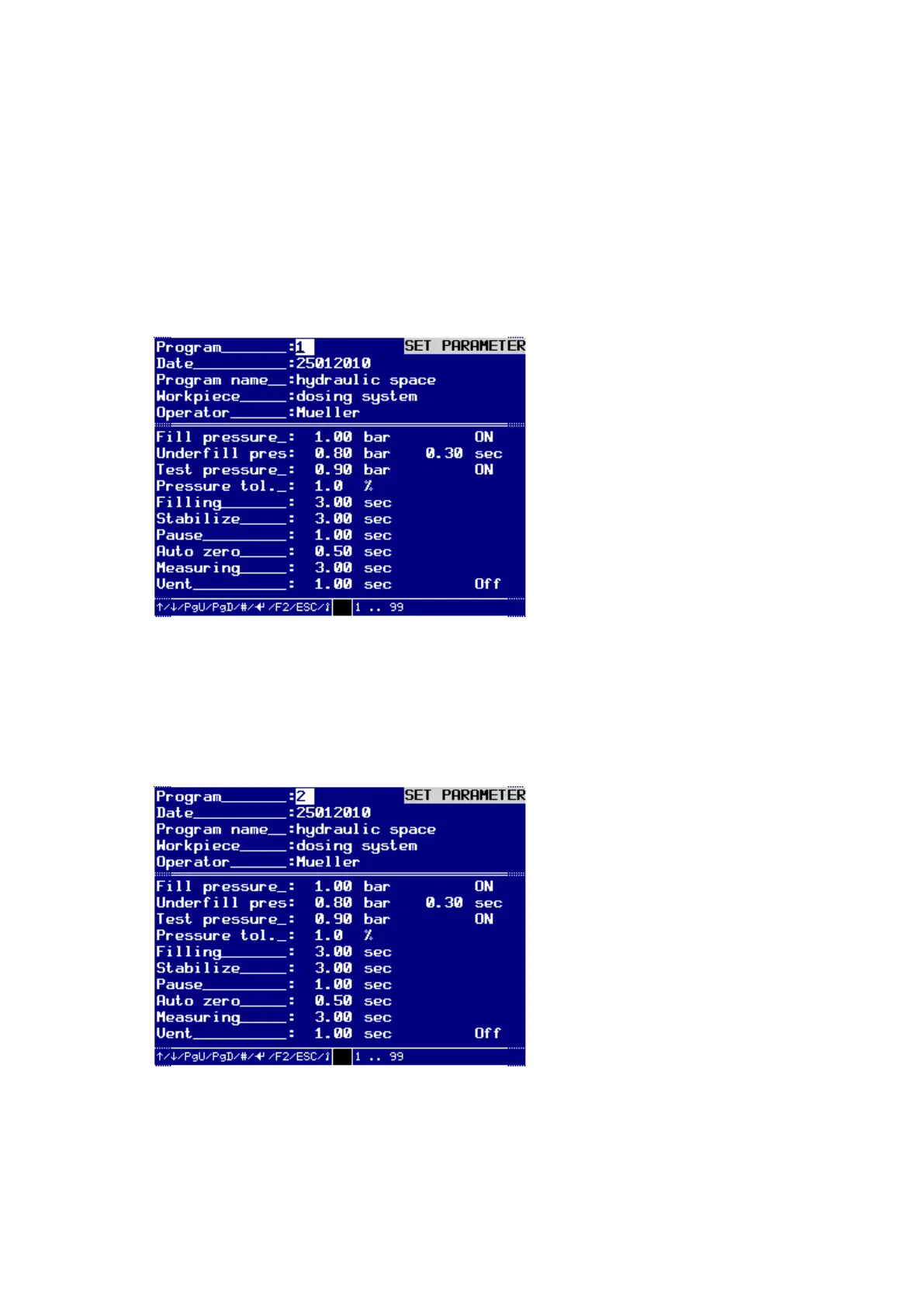
Test program to be copied
Turn the key switch clockwise to input mode.
Enter the new program number (1 …99) into the "Program" field.
Turn the key switch anti-clockwise to switch the write protection ON.
An audible signal will sound and the device saves the changed data to the RAM
memory.
Copied test program
Press the ESC-key to exit the menu.



 To Next Page