Command reference Menu 3. SETUP
EN 3925-0060 V207-00 MANUAL R03.doc
HeMaTech
Prüftechnik
4. Sequencer
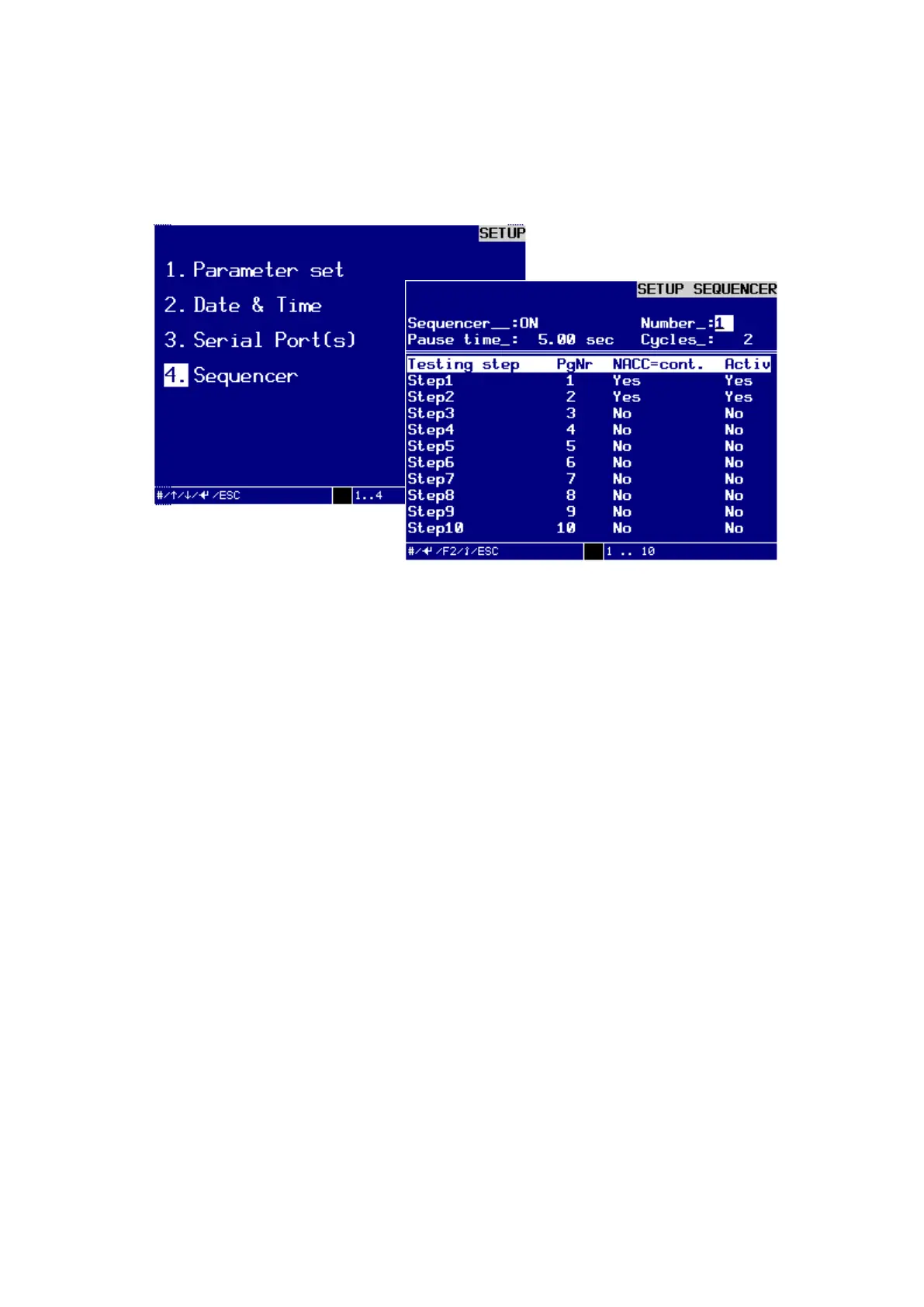
In the dialog window SETUP SEQUENCER you can set up or change a testing se-
quence with max. 10 test steps.
Dialog window SETUP SEQUENCER
Turn the key switch clockwise to input mode, make the following entries and con-
firm each of them by pressing the ENTER-key:
Sequencer:
You can switch the sequencer to ON or OFF with the – and + keys.
The default setting is OFF.
Number:
Enter the sequence number using the numbers 1 … 10.
Pause time:
Enter the pause time in seconds from 0.10 … 999.99.
The default value is 0.00 sec.
The pause time is the time period to the start of the next sequencer cycle
Cycles:
Enter the cycles from 1 … 9999.
The default value is 1.
With the sequencer activated the sequences are repeated as often as specified under the
item "Cycles" when setting up the sequencer for the corresponding sequencer program.
Step 1 … 10:
For the steps of the test sequence enter a test program number using the numbers 1 … 99.
N.O.K. continue:
For each step of the test sequence you can, in case of N.O.K.=continue with YES or
NO, use the keys - and + to decide whether the next step of the test sequence should
be performed.



 To Next Page