Command reference Menu 5. PRINT MENU
EN 3925-0060 V207-00 MANUAL R03.doc
HeMaTech
Prüftechnik
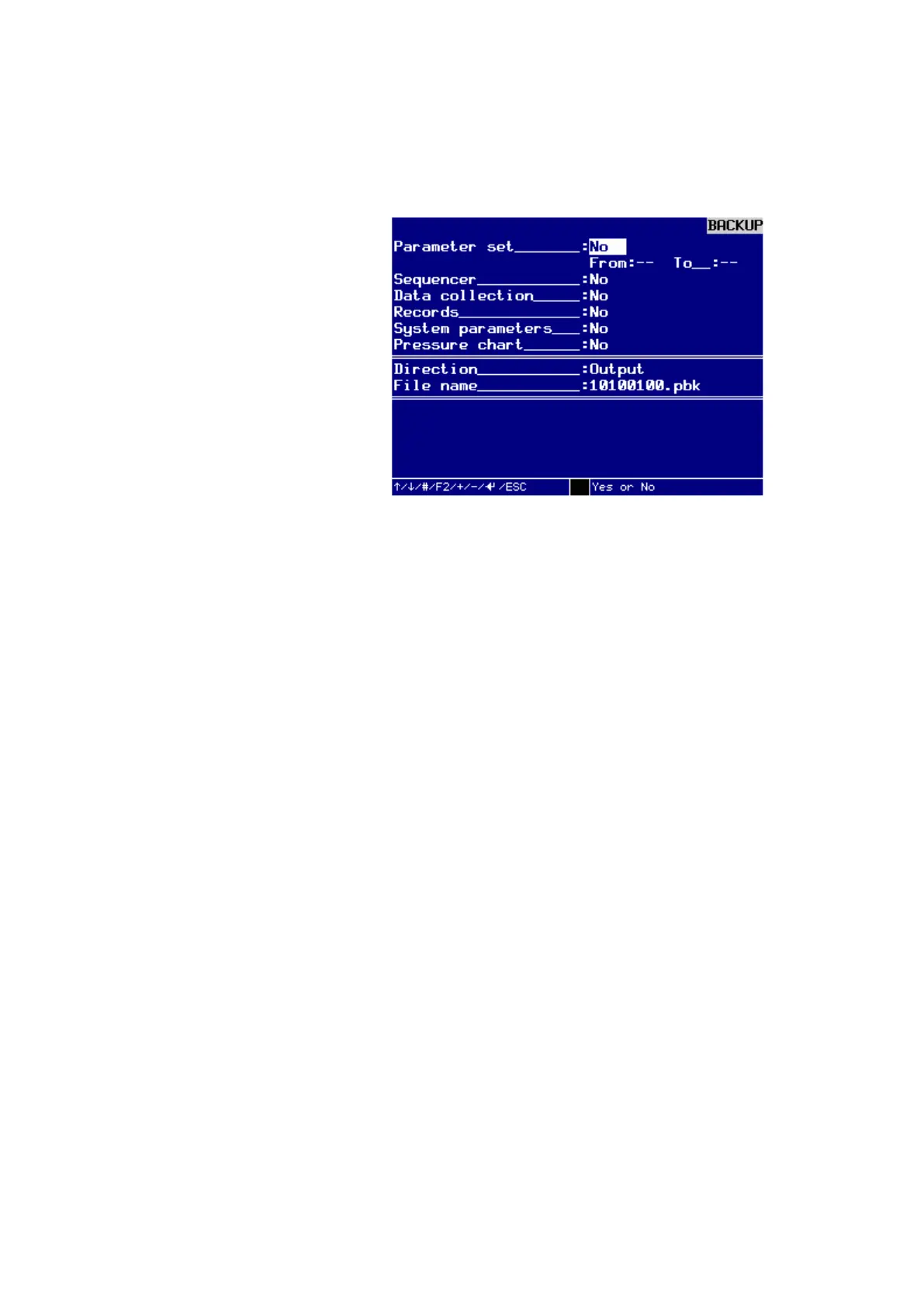
5. Backup
Here you can output or read in all data regarding the device, program and result data
via the USB interface.
Dialog window ERROR COUNTER STATUS
The concept of data backup is based on the register programming. This allows addi-
tional to the pure backup a editing of the data with a standard text editor. Since each
value by clearly defined by a register name and registration number, the values can
passed in any order.
To change the following values, just turn the key to the right, in horizontal position. If
you have choosen your backup parameters, just turn the key back in vertical position.
The Backup will start.
Parameter set_: YES/NO
You can use the buttons – and + to choose YES or NO. The proposed entry is NO.
From_: - -
Here you can select from which program number, the data will be stored. For selection
of the data being backed up, you can enter a test program number with digits from 1
... 99th. The proposed entry is 1.
To_: - -
Here you can select from which program number, the data will be stored. For selection
of the data being backed up, you can enter a test program number with digits from 1
... 99th. The proposed entry is 99.
Sequencer_: YES/NO
You can use the buttons – and + to choose YES or NO. The proposed entry is NO.
Data collection_: YES/NO
You can use the buttons – and + to choose YES or NO. The proposed entry is NO.
Records_: YES/NO
You can use the buttons – and + to choose YES or NO. The proposed entry is NO.
System parameters_: YES/NO
You can use the buttons – and + to choose YES or NO. The proposed entry is NO.



 To Next Page