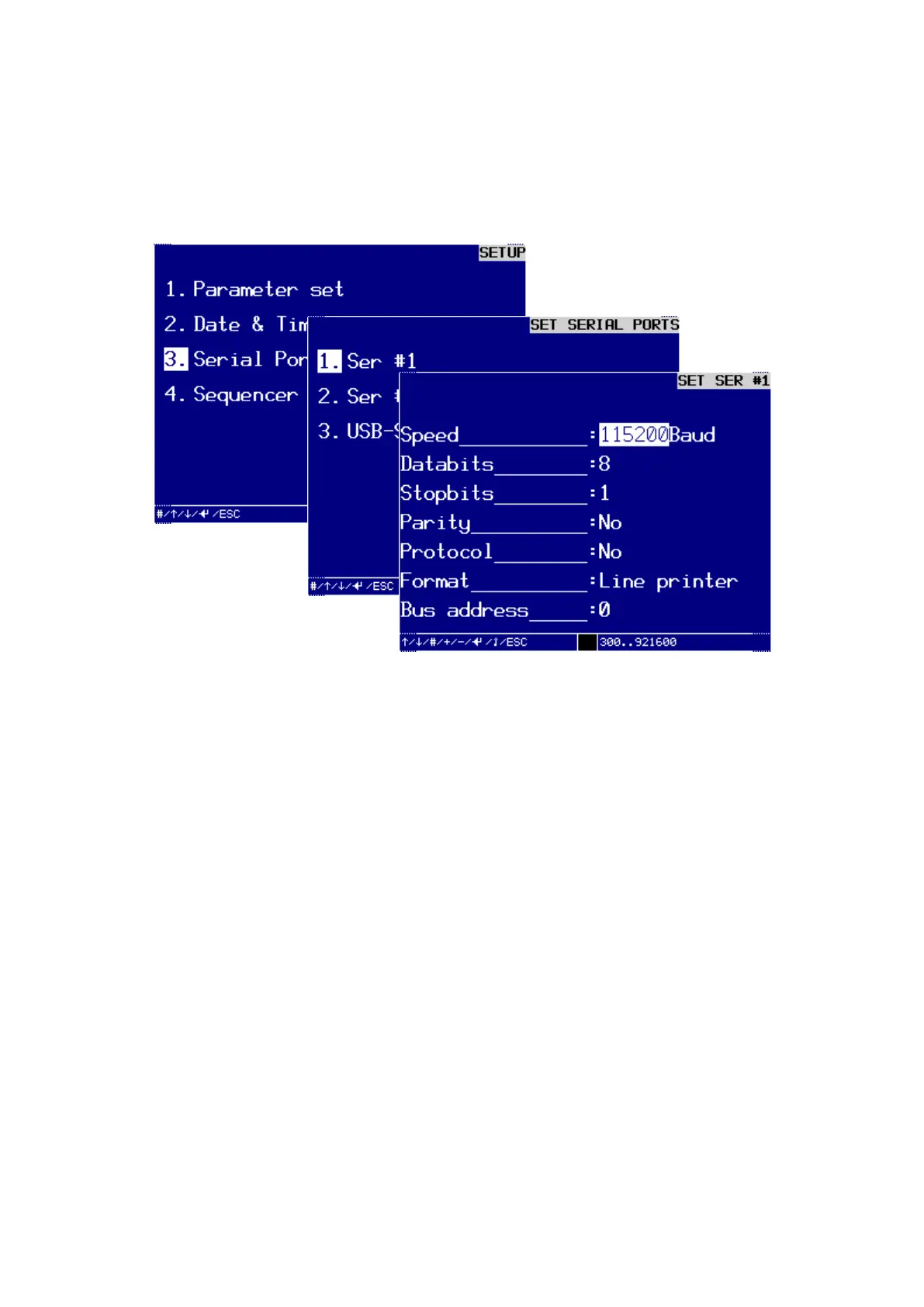
Command reference Menu 3. SETUP
EN 3925-0060 V207-00 MANUAL R03.doc
HeMaTech
Prüftechnik
3. Serial ports
In the dialog window SET SERIAL PORTS you can set up or change interface(s). The
interface Ser #1 is available as standard. The interfaces Ser # 2 … USB-Stick are op-
tional.
Dialog window SET SER #1
Output format line printer
Setting up an interface for a line printer
This section uses the interface SER #1 as an example for setting up the output format
for a line printer.
Turn key switch clockwise.
Write protection is disabled, entries can be made.
Make all following entries and confirm these individually by pressing the ENTER-
key. The cursor jumps to the next field.
Speed:
You can select the transfer speed with the keys – and +.
Data bits:
You can use the keys – and + to select the number (7 or 8) of data bits.
Stop bits:
You can use the keys – and + to select the number (1 or 2) of stop bits.



 To Next Page