Command reference Menu 3. SETUP
EN 3925-0060 V207-00 MANUAL R03.doc
HeMaTech
Prüftechnik
6. Adjusting the vacuum manually (option 0050-01)
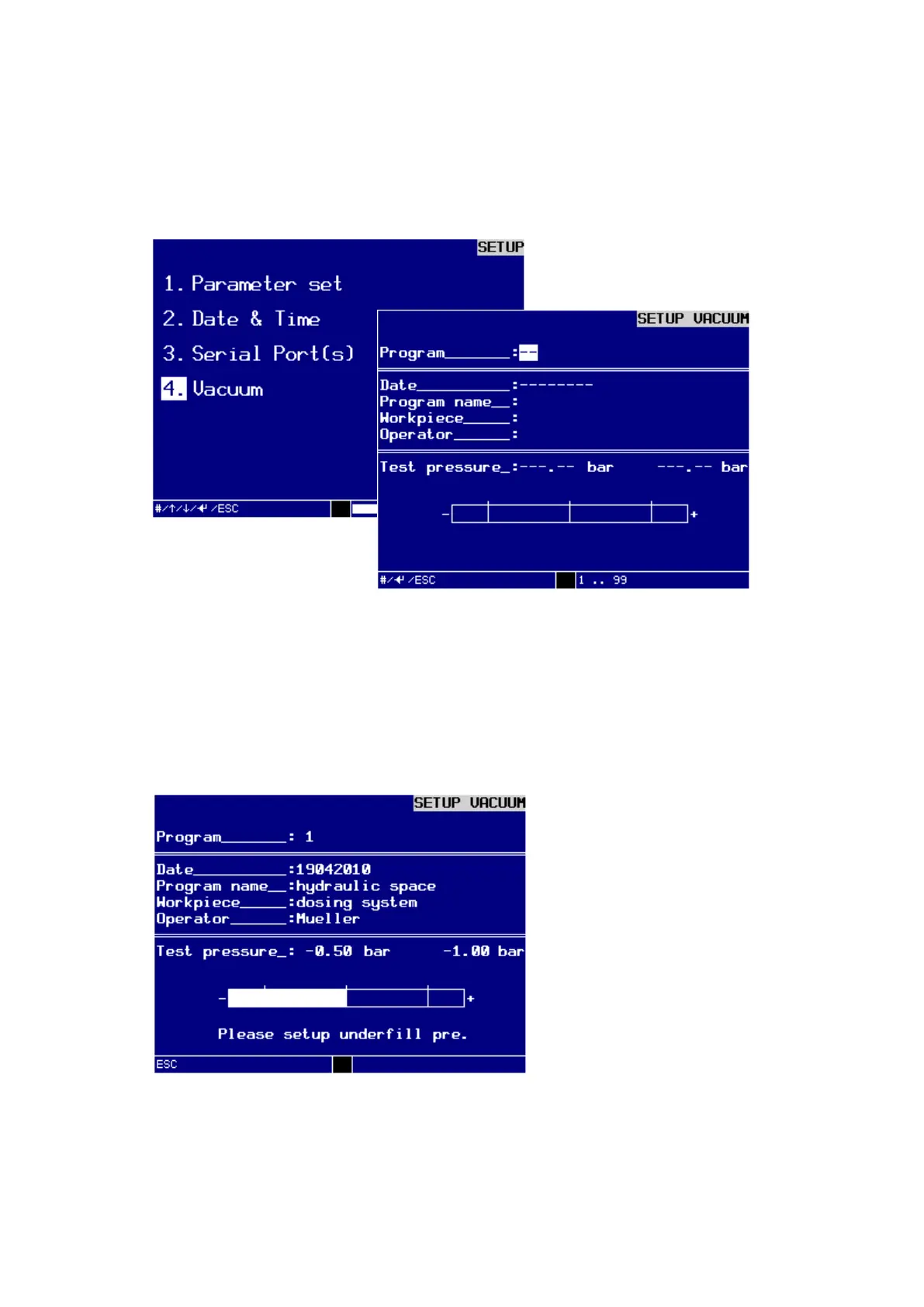
This optional menu can be opened from the dialog window SETUP/VACUUM. It is
used to set or change the vacuum testing pressures for an already existing program
manually.
Dialog window SETUP VACUUM
Adjusting the testing pressure (vacuum) manually
To open the program in which you want to adjust the vacuum testing pressures manu-
ally:
Enter the number of the desired program (in this example: 1) into the top line and
confirm the entry with the ENTER-key.
The test program appears in the display and you can directly adjust the testing pressure.
Setting the vacuum of the test program manually
Keep changing the testing pressure controller, until the testing pressure indicator
bar is inside the tolerance range or corresponds with the nominal value.
Press the ESC-key to exit the menu.



 To Next Page