Menu 3. SETUP Command reference
EN 3925-0060 V207-00 MANUAL R03.doc
HeMaTech
Prüftechnik
3.1 Output format Profibus
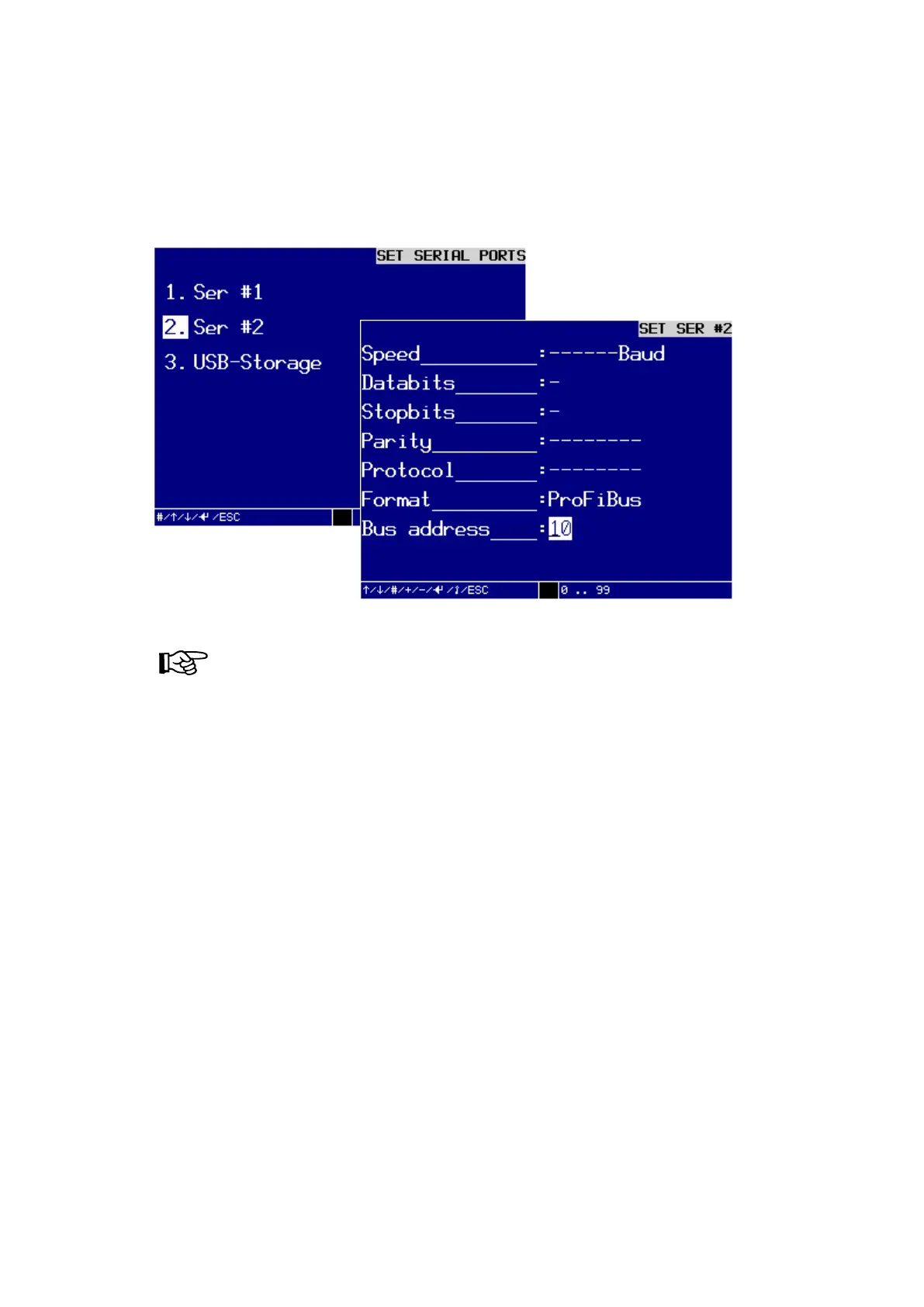
Setting up the serial interface SER#2 for Profibus (optional)
If you would like to set up the serial interface SER #2 for Profibus, you must call up the
dialog window SET SER #2:
Dialog window SET SER #2 to set up for Profibus
NOTE!
Make sure that the hardware for Profibus is installed
View:
6. SETTINGS\2.SYSTEM PARAMETER\SET SER #2:
RS232 57600 8 1 None XON/XOFF Profbus 10
In the dialog window SETUP SER #2:
Format:
You can specify the transfer format with the keys – and +. The following are available
to choose from: Line printer, File 01, File 02, Profibus, Record and optional special
formats, such as REGISTER, REGISTER+TO, REGISTER+TO+CS.



 To Next Page