Menu 4. DELETE Command reference
EN 3925-0060 V207-00 MANUAL R03.doc
HeMaTech
Prüftechnik
Menu 4. DELETE
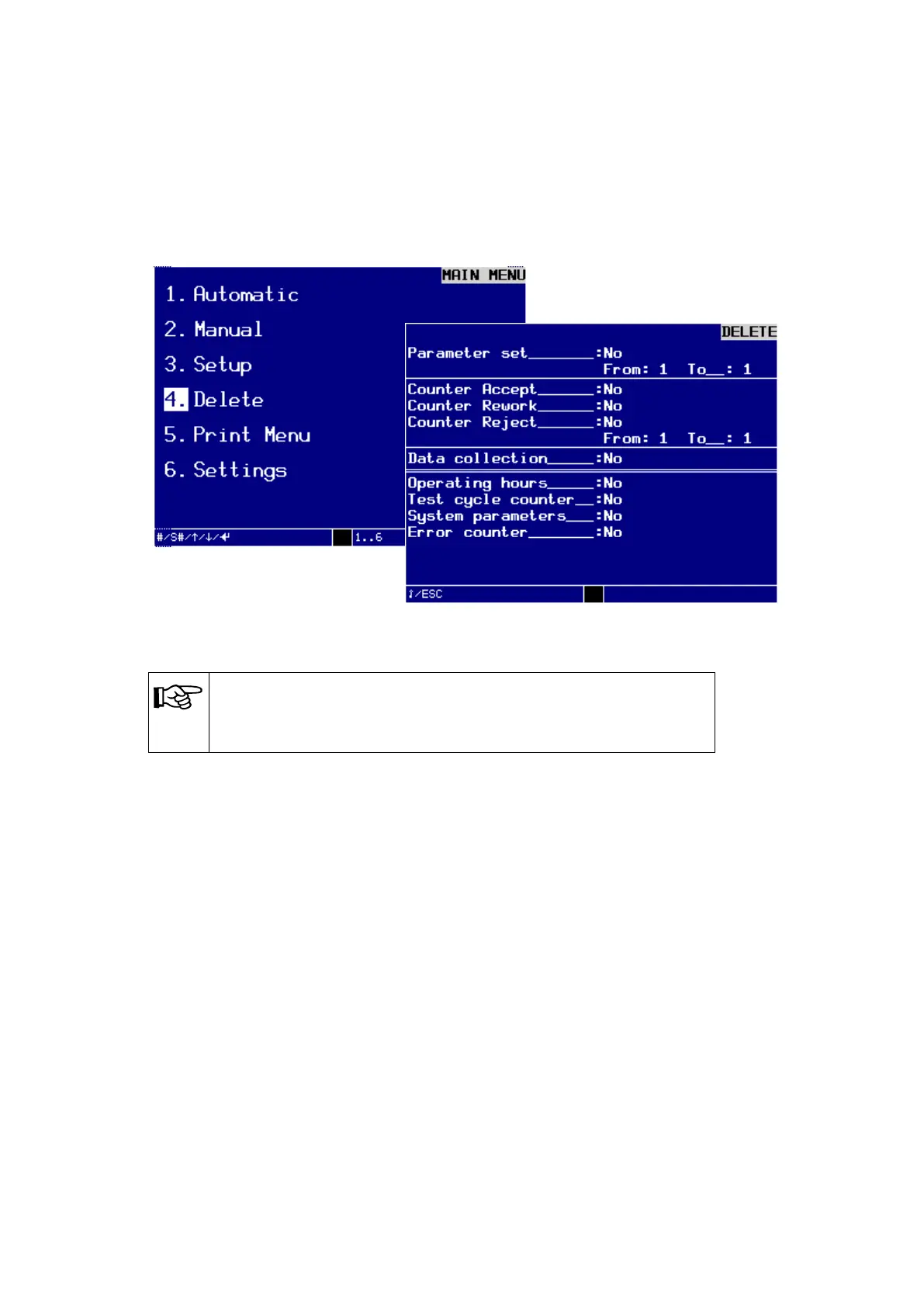
In the MAIN MENU / 4. Delete you find the dialog window DELETE. In this menu
you can delete data from the system, e.g. test programs, result memories and counters
for the results No Leak, Rework and Leak.
Dialog window DELETE
NOTE!
Operating hours, test counter, system parameters and error counts
cannot be deleted by the operator.
Turn key switch clockwise.
The write protection is disabled and you can start to delete the desired parameters.
Use the arrow keys to select the desired entries and press the keys – and + to tog-
gle between Yes to delete and No not to delete.
Specify the test programs from which you would like to delete these data by Edit
the corresponding program numbers into the text fields from: and to: and con-
firming these individually by pressing the ENTER-key.
The insertion point jumps to the next field.
Once you have made and checked all entries, you can delete the selected data.
Turn the key switch back to the vertical write protection position.
An audible signal will sound and the device will delete the data from the RAM
memory.
Press the ESC-key to exit the menu.



 To Next Page