Affirm Breast Biopsy Guidance System User Guide
Chapter 3: Installation, Verification, and Removal
Page 30 MAN-06411-002 Revision 003
Device Mount for the Lateral Arm
Installation of the Device Mount
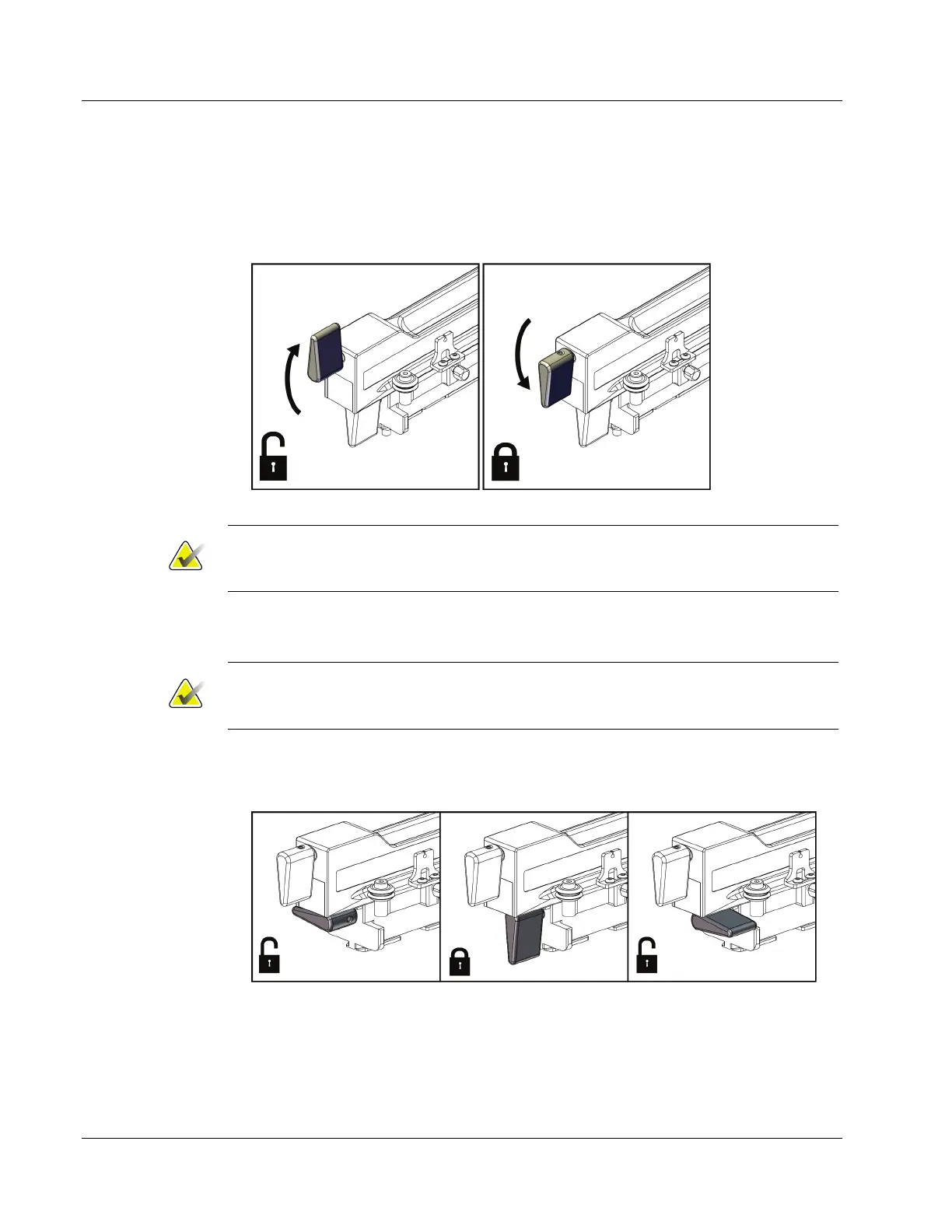
1. Flip the Carriage lever completely up to the unlocked position.
Figure 23: Carriage Lever Locked and Unlocked Positions
Note
The Carriage lever must be fully in the up position for smooth movement along the
Lateral Arm.
2. Using the Carriage Position Indicator and the upper scale, set the Carriage position
to 220 mm.
Note
Setting the Carriage Position Indicator at 220 mm provides a safe distance from the
breast to attach the biopsy device.
3. Flip the Carriage lever completely down to the locked position.
4. Flip the device mount lever up to the unlocked position.
Figure 24: Locked and Unlocked Positions of Device Mount Lever












 To Next Page