Affirm Breast Biopsy Guidance System User Guide
Chapter 3: Installation, Verification, and Removal
MAN-06411-002 Revision 003 Page 31
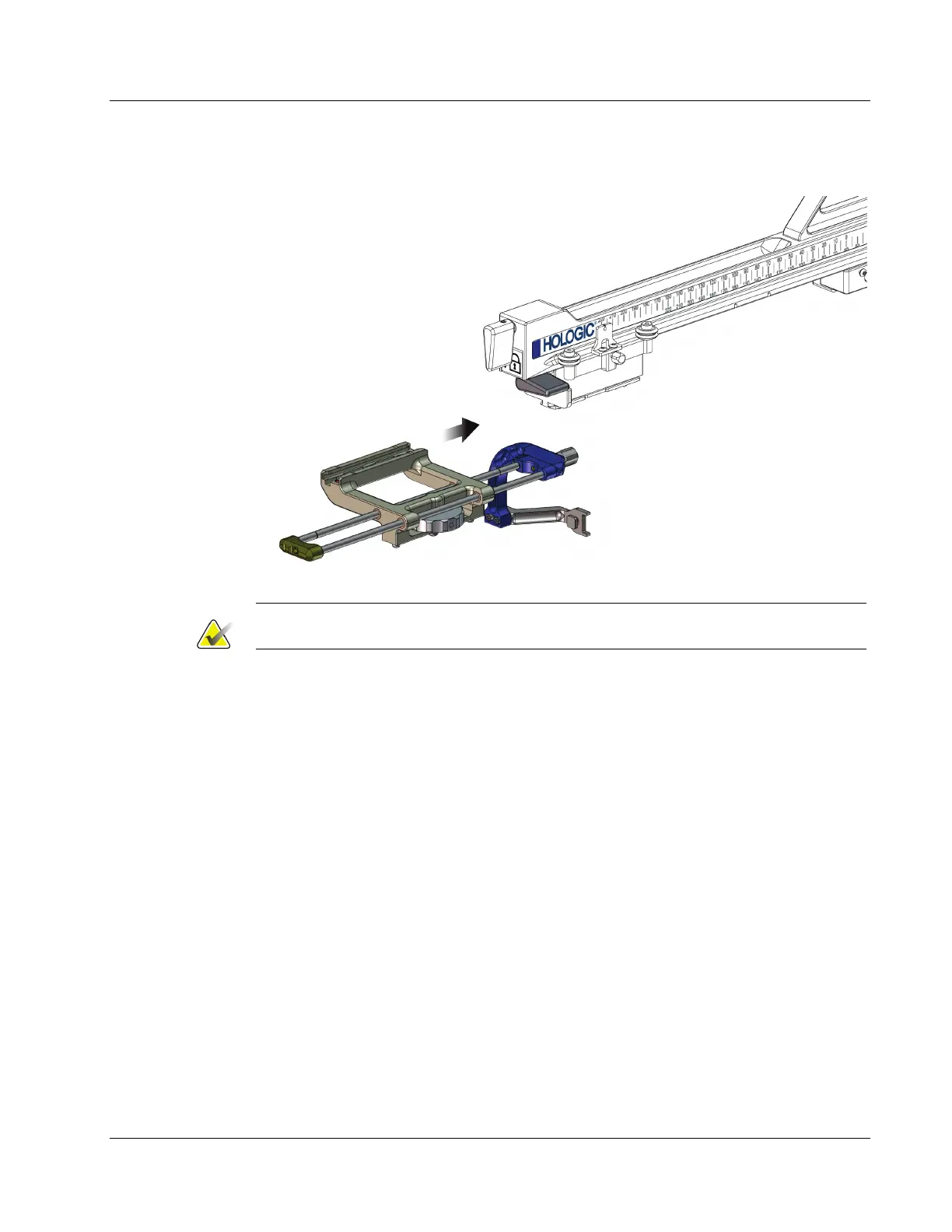
5. Slide the device mount onto the Lateral Arm Carriage until it stops.
Figure 25: Installing Device Mount onto Lateral Arm Carriage
Note
The device mount must be installed with the needle guide in front of the Lateral Arm.
6. Flip the device mount lever down to lock the device mount in position.
Removal of the Device Mount
1. Flip the device mount lever up to unlock the device mount.
2. Slide the device mount off the Lateral Arm.












 To Next Page