Affirm Breast Biopsy Guidance System User Guide
Chapter 3: Installation, Verification, and Removal
MAN-06411-002 Revision 003 Page 37
3.6 Removal of the Main Components
3.6.1 Biopsy Control Module
To remove the Biopsy Control Module from the Biopsy Guidance Module:
1. Disconnect the cable of the Biopsy Control Module from the Biopsy Guidance
Module.
2. Release the bracket lock.
3. Remove the Biopsy Control Module from the Biopsy Guidance Module.
4. Store the Biopsy Control Module in a protected location.
3.6.2 Biopsy Guidance Module
Caution:
To prevent damage or alignment problems with the Needle Guidance Stage, be
careful when you move the Biopsy Guidance Module.
Caution:
The Affirm Biopsy Guidance Module weighs 15 pounds. When you move it, be sure
to have a secure grip on the handles.
To remove the Biopsy Guidance Module from the imaging system C-arm:
1. Disconnect the Biopsy Guidance Module Cable from the C-arm.
2. Hold a handle of the Biopsy Guidance Module with one hand while you release the
Locking Levers with the other hand.
3. Put a hand on each handle and lift the Biopsy Guidance Module from the slots in the
C-arm.
4. Store the Biopsy Guidance Module and Biopsy Control Module in a safe location.
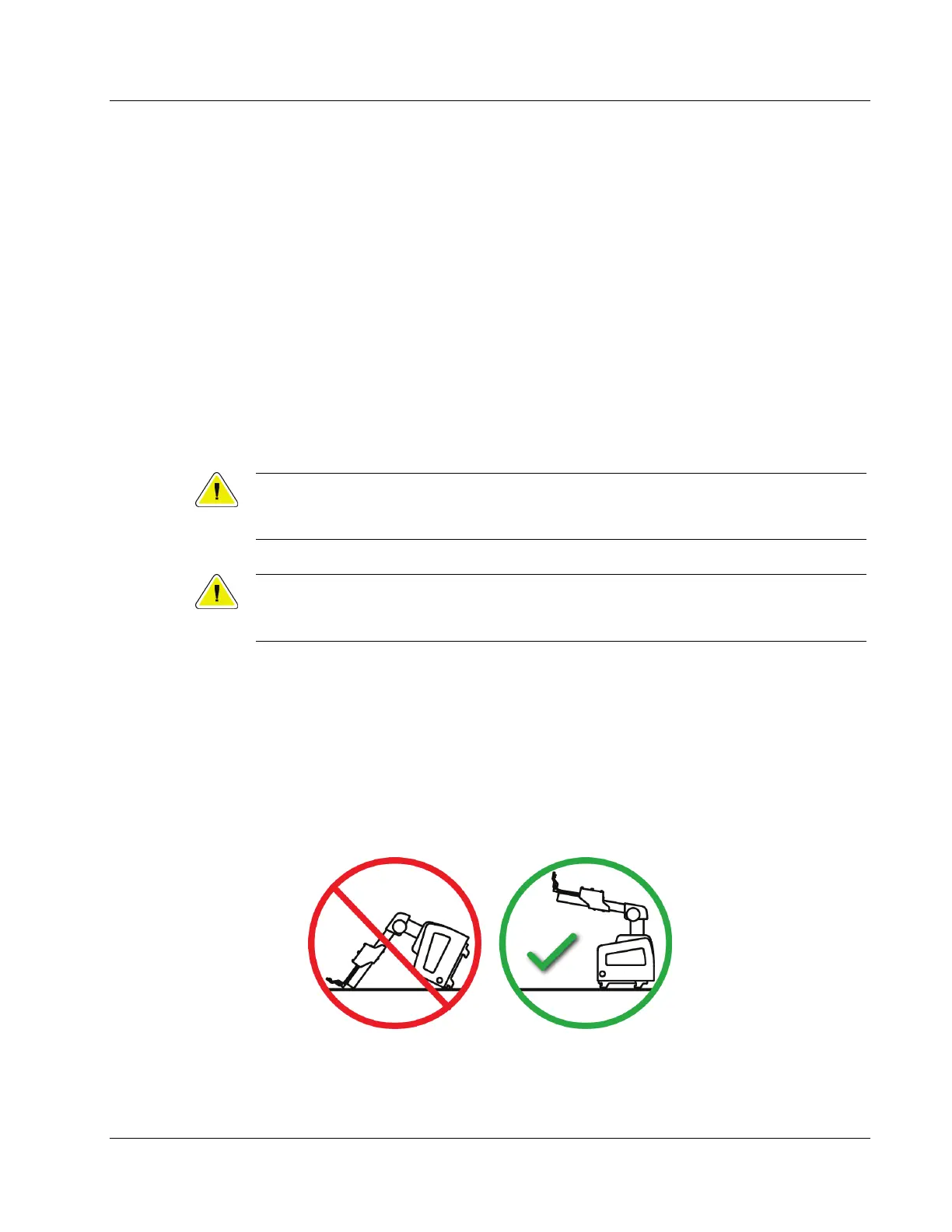
Make sure that you put the unit on its back (hooks down).












 To Next Page