Affirm Breast Biopsy Guidance System User Guide
Chapter 5: Biopsy
Page 54 MAN-06411-002 Revision 003
5.1.2 Edit a Biopsy View
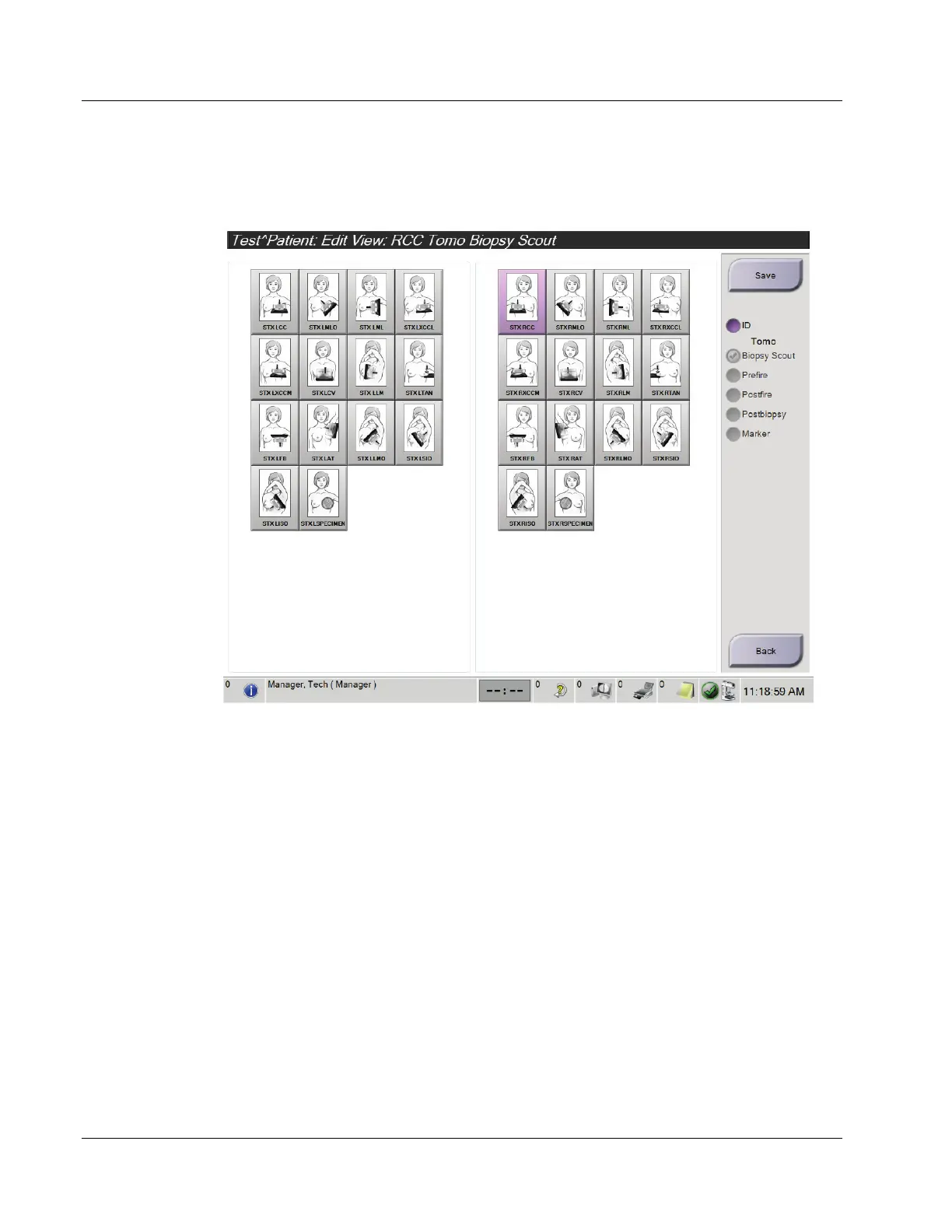
Use the Edit View screen to assign a different view to an image.
Figure 46: Edit (Biopsy) View Screen
To Edit a View:
1. In the Procedure screen, select an exposed thumbnail image view.
2. Select the Edit View button to access the Edit View screen.
3. Select the view, then select the View Modifiers from the right side of the screen.
4. Select the Save button.
5. When the Update Successful dialog box appears, select the OK button.












 To Next Page