Affirm Breast Biopsy Guidance System User Guide
Chapter 5: Biopsy
Page 66 MAN-06411-002 Revision 003
5.6 Lesion Targeting Using Multi-Pass
Note
The Multi-Pass feature is not available when using the Lateral Arm.
Note
The overall targeting accuracy is equal to the combined targeting accuracy of the Biopsy
Guidance Module and the biopsy device. When using the biopsy device, the maximum
deviation from the target coordinate will not be more than 2 mm from either side.
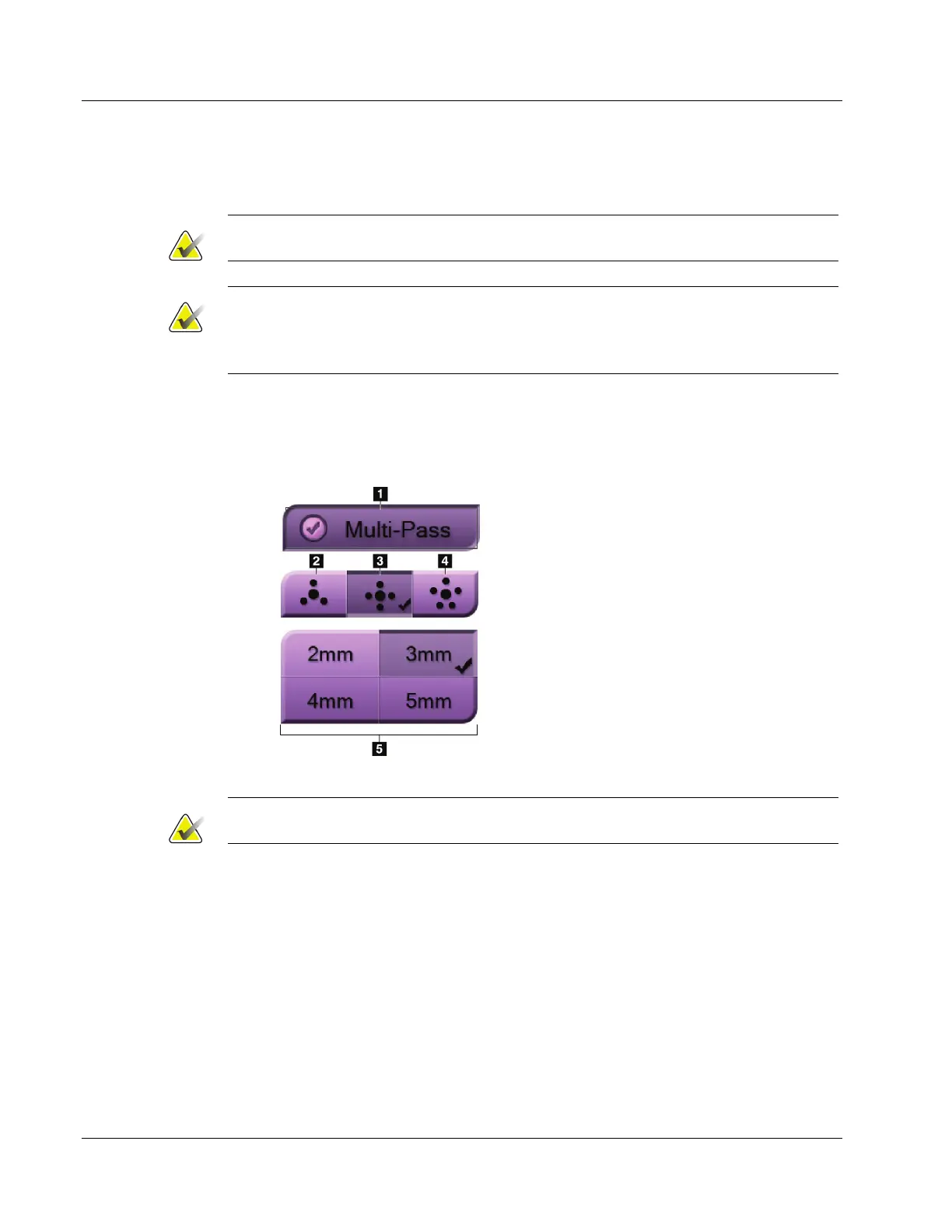
The Multi-Pass feature allows you to automatically generate up to five offset target
points all equidistant (up to 5 mm away) from the original target.
Multi-Pass can work with either stereo or tomosynthesis biopsy images.
Figure 55: Multi-Pass Options
Figure Legend
1 - Multi-Pass Selection
2 - Three Offset Points
3 - Four Offset Points (default)
4 - Five Offset Points
5 - Offset Point Distances (3 mm is default)
Note
Make sure that the biopsy device is out of the imaging area.
1. Acquire a stereo pair or tomosynthesis image.
2. Locate the region of interest for the lesion. Click on the lesion, either on both stereo
images or on the best slice if a tomosynthesis image.
• A circle with crosshairs displays around the target point.
• The X, Y, and Z values for the target are established at the lesion.
• Tomosynthesis images] A line appears in the Slice Indicator beside the selected
slice.
3. Select the Create Target button. A target coordinates icon displays on the list of
targets.
4. Select the Multi-Pass button.












 To Next Page