Affirm Breast Biopsy Guidance System User Guide
Chapter 5: Biopsy
Page 70 MAN-06411-002 Revision 003
5.7 Post Biopsy
1. Put in a biopsy site marker, if desired.
2. Move the biopsy device away from the breast.
3. Acquire images as necessary.
4. Release compression.
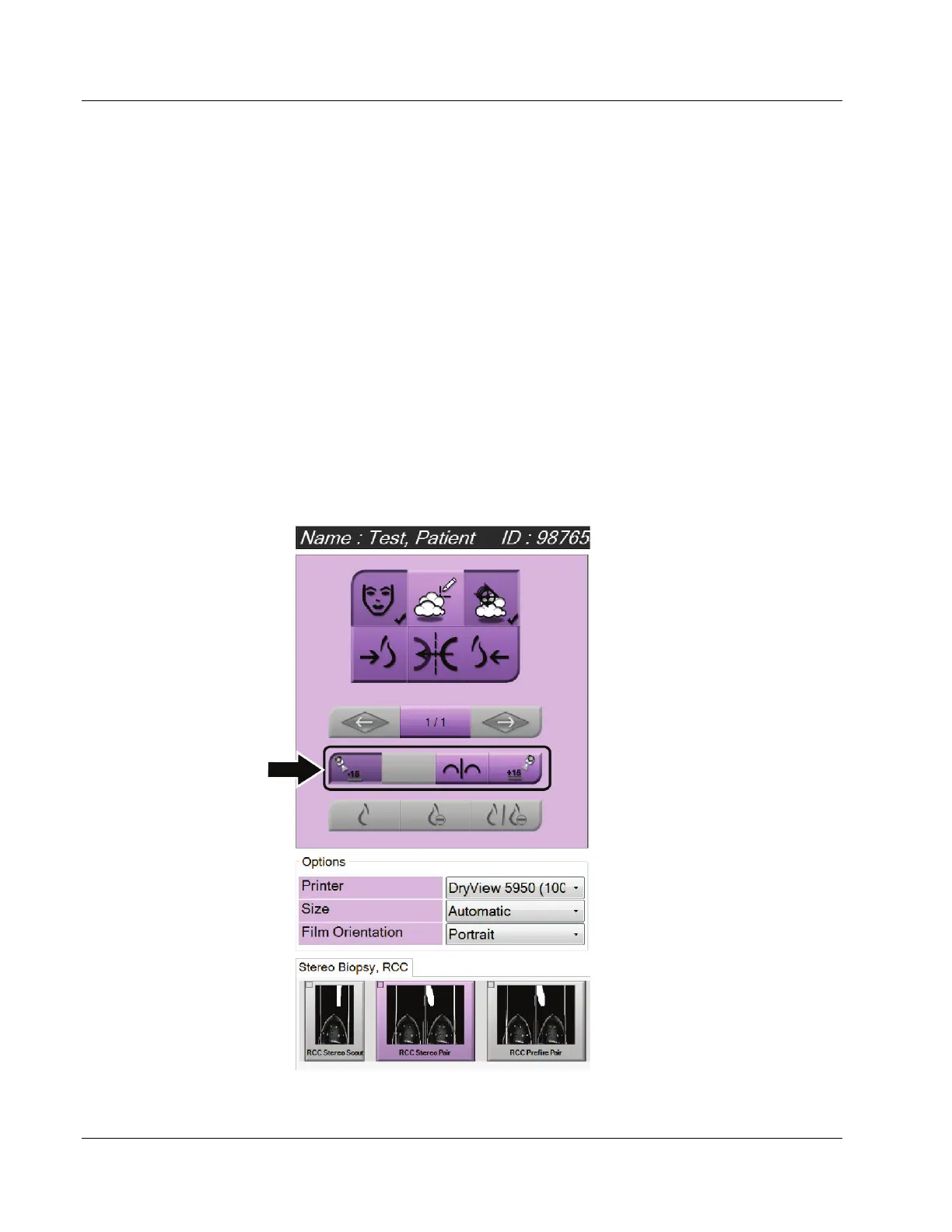
5.8 Printing Stereo Pair Images
When you select a stereo pair from the thumbnail area of the Print screen, the image
mode buttons change. Refer to the imaging system User Guide for instructions on use of
the Print screen.
• Select the -15 button to show that stereo image in the display area.
• Select the +15 button to show that stereo image in the display area.
• Select the middle button to make a 2-up horizontal film with the +15 degree image on
top and the -15 degree image on the bottom.
Figure 67: Stereo Pair Print Screen












 To Next Page