Affirm Breast Biopsy Guidance System User Guide
Chapter 5: Biopsy
Page 52 MAN-06411-002 Revision 003
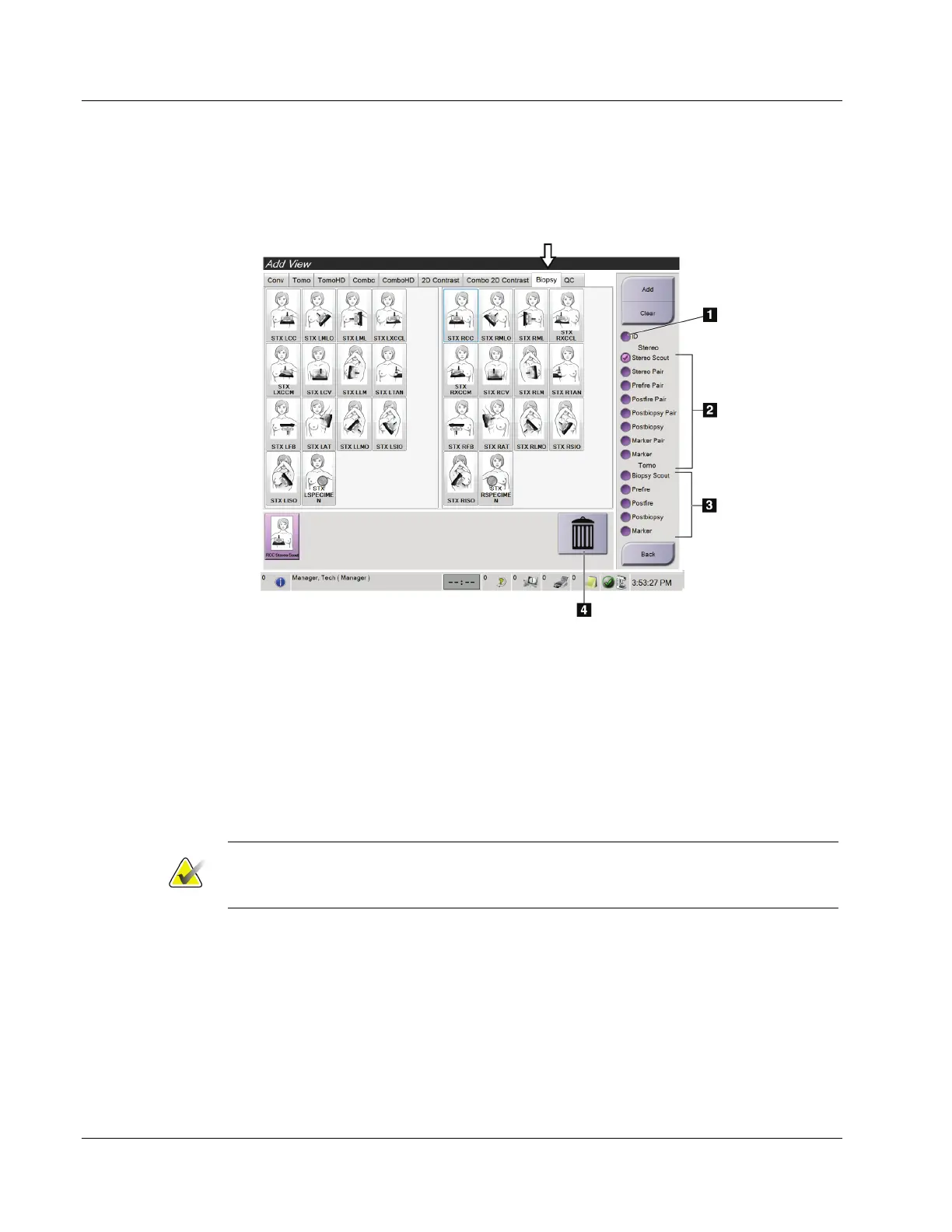
5.1.1 Add a Biopsy View
To Add a Biopsy View:
1. In the Procedure screen, select the Add View button to display the Add View screen.
Figure 44: Biopsy Tab in the Add View Screen
Figure Legend
1. Implant Displaced
2. Stereo View Modifiers
3. Tomosynthesis View Modifiers
4. Trash Can Icon
2. Select the Biopsy tab.
3. Select the view, then select a View Modifier from the right panel of the screen.
Note
The Biopsy Stereo and Tomosynthesis View Modifiers show only when the system has
licenses for tomosynthesis and biopsy.
4. Select the Add button. A thumbnail image for each view that you select appears in
the bottom of the screen.
To Remove a Biopsy View:
• To remove a single view from the added list: in the bottom panel of the screen, select
the view thumbnail then select the Trash Can icon.
• To remove all views from the added list: select the Clear button.












 To Next Page