USER INTERFACE
6.22
ThinPrep™ 5000 Processor with AutoLoader Operator’s Manual
ADMINISTRATIVE OPTIONS
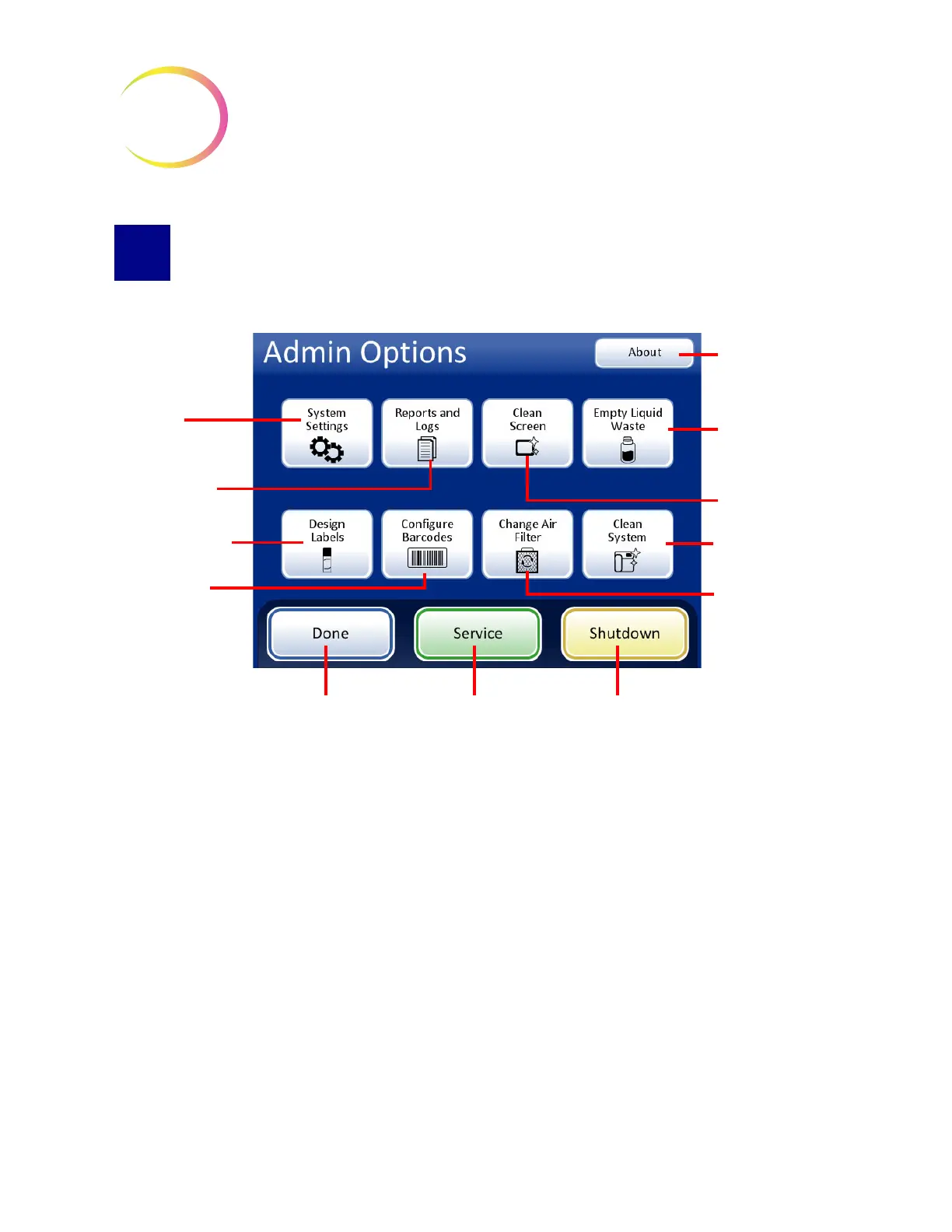
Figure 6-25 Administrative Options Screen
The Administrative Options screen allows user interface with the processor outside of processing
samples. From this menu, the operator may:
• Apply or change system settings
• View system logs or print or save them to a USB device
• Disable the touch screen for cleaning
• Empty the liquid waste bottle
• Configure the information etched onto the slide labels
• Configure the rules that the processor uses to check vial IDs and slide IDs
• Run an air flow check feature when changing the filter for the laser fume exhaust
• Move components into position for routine maintenance
System Settings
button
Reports and Logs
button
Design Labels
Configure
Barcodes button
About
button
Empty Liquid
Waste
button
Clean Screen
button
Clean System
button
Change Air
Filter
Shutdown
button
Done
button (return to
main screen)
Service
button



 To Next Page