EasyManua.ls Logo

Hologic ThinPrep 5000 - System Events

Hologic ThinPrep 5000
346 pages
Print Icon
To Next Page IconTo Next Page
To Previous Page IconTo Previous Page
Loading...
USER INTERFACE
6.66
ThinPrep™ 5000 Processor with AutoLoader Operator’s Manual
6
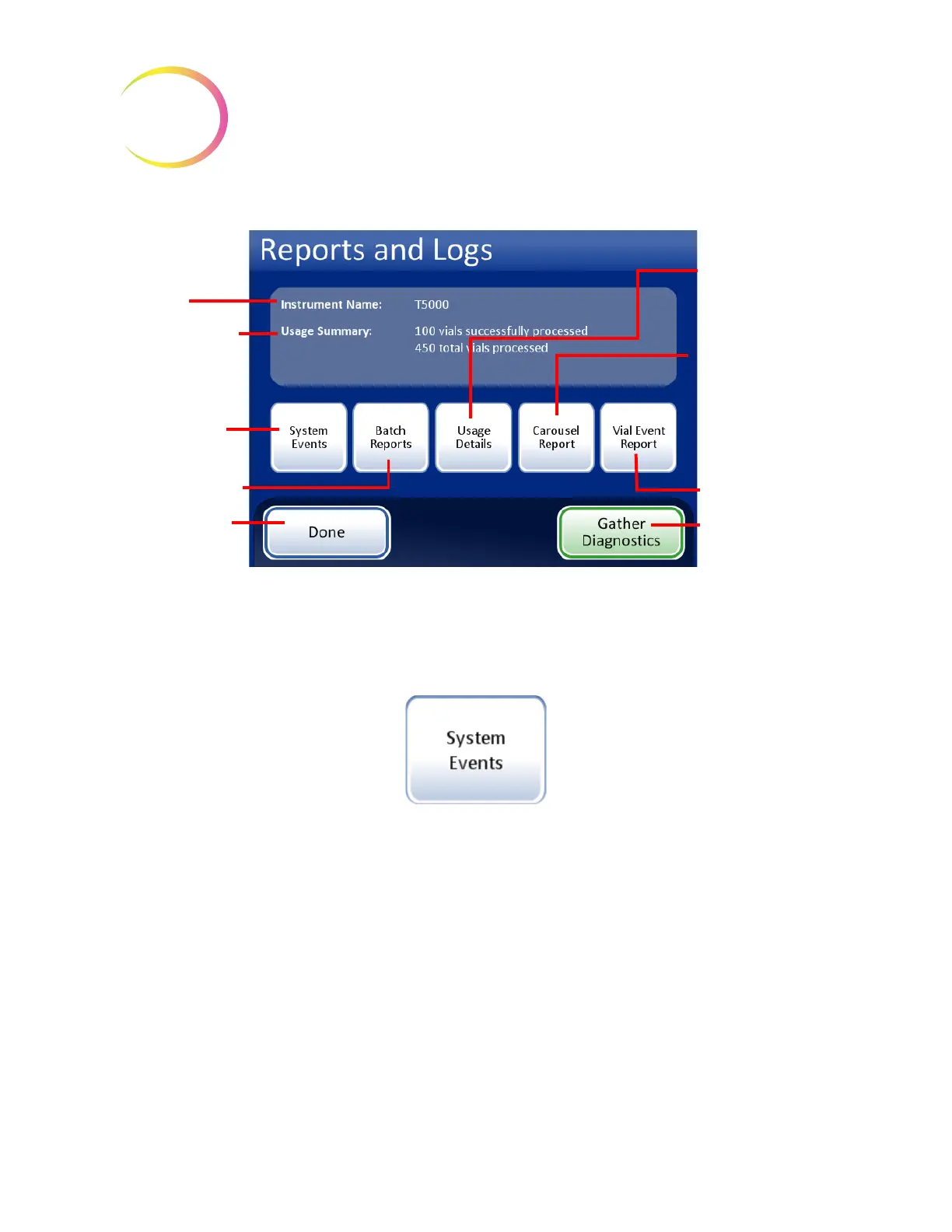
Figure 6-79 Reports and Logs Screen
System Events
Figure 6-80 System Events Button
The System Events screen displays all of the error conditions encountered during sample processing.
A system event is an error condition that the instrument is not capable of recovering from without
user intervention.
Instrument name -
if one has been
set up
Usage Summary -
tally of vials
processed
System Events
button
Batch
button to
view batch reports
Done
button to
return to Admin
Options screen
Usage Details
- the
number of slides
successfully
created
Carousel Report
-
status of sample
errors resulting in
vial or slides left in
the carousel at the
end of a batch
Vial Event Report
button
Gather
Diagnostics
creates a zip file of
instrument data for
troubleshooting

Table of Contents

Other manuals for Hologic ThinPrep 5000

Related product manuals