ThinPrep™ 5000 Processor with AutoLoader Operator’s Manual
6.67
USER INTERFACE
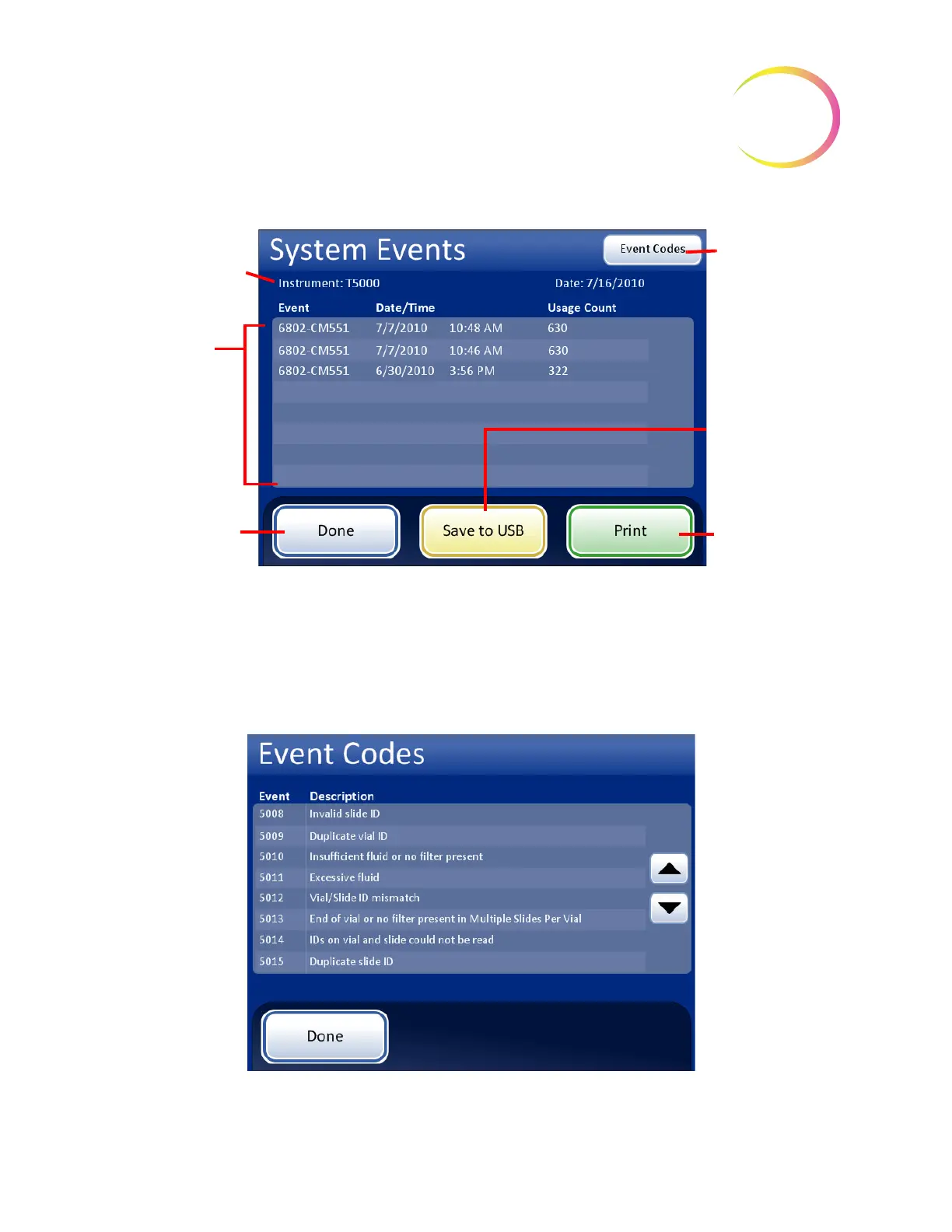
Figure 6-81 System Events Screen
The list of system events includes the event code, the date and time of the error and the usage count -
a tally of all samples processed on the instrument at the time of the event.
The
Event Codes
button displays a list of error codes that occurred for that batch. (Explanation of
error codes is detailed in the Troubleshooting chapter.) Figure 6-82 shows an error codes list.
Figure 6-82 Event Codes Screen
Instrument Name
List of System
Events:
• Event ID
•Date/Time
• Usage Count
(total of all
samples run to
date)
Done
to return to
Reports and Logs
screen
Event Codes
button displays
an event code
list
Save
to USB
Print
report (if
optional printer is
present)



 To Next Page